Since you wrote your question in English, I will reply in English as well. Please let me know if anything is unclear or if you need further explanation.
Dear @Philippe Genet,
Thank you for reaching out to the Microsoft Q&A forum. We are happy to assist you.
The applications you listed serve different purposes:
• Microsoft 365 – fr-fr / Microsoft 365 Apps for Enterprise – fr-fr
These entries correspond to the core Microsoft Office suite (Word, Excel, PowerPoint, Outlook, and related applications).
In many cases, Windows may display multiple entries for the same Office installation due to language packs, licensing configurations, or the Click-to-Run installation method. These entries do not represent separate full installations.
For more detailed information, please refer to the following resources: Duplicate applications integrated into Windows settings | Overview of deploying languages for Microsoft 365 Apps
• Microsoft Project Professional 2019 – fr-fr
A standalone application used for project management.
• Microsoft Visio Professional 2019 – fr-fr
A standalone application used for creating diagrams and workflows.
You may uninstall Microsoft Project Professional 2019 and Microsoft Visio Professional 2019 only if you no longer use them.
Removing these applications can free approximately 3 to 4 GB of disk space, depending on your installation.
I do not recommend uninstalling Microsoft 365 / Microsoft 365 Apps for Enterprise unless you intend to completely remove Office from your device.
To determine what is consuming the most storage on your device, please follow the steps below:
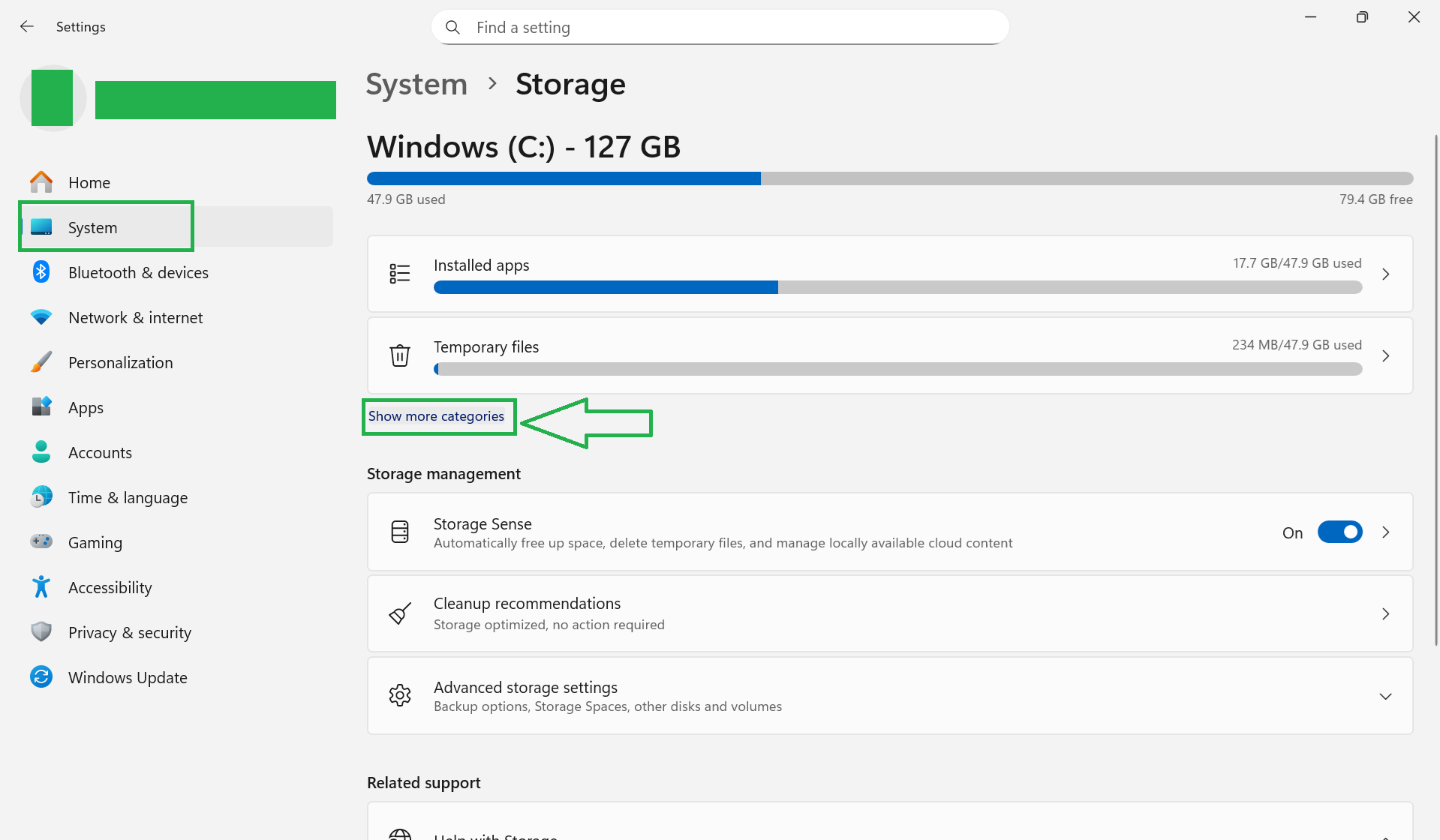
- Press Windows + I to open Settings.
- Go to System > Storage.
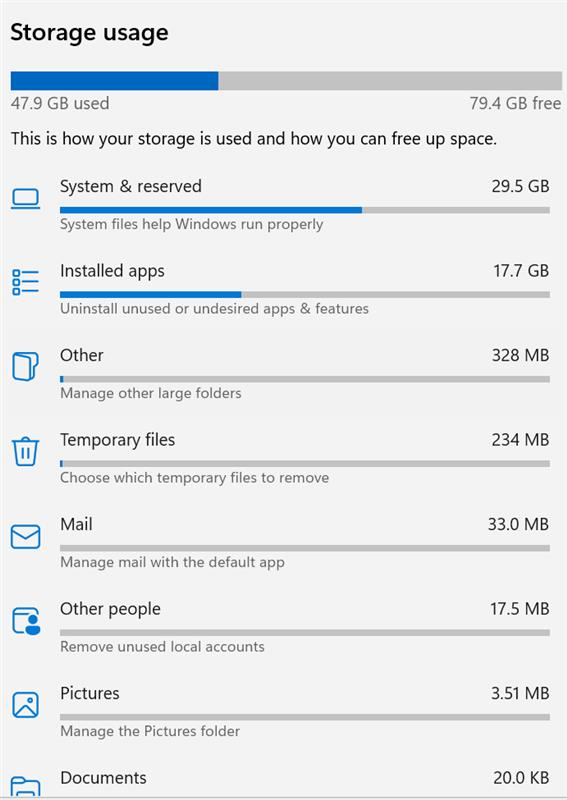
- Select Show more categories to see a detailed breakdown of storage usage.
- Choose Installed apps to review applications you may no longer need and uninstall them if appropriate.
Additionally, you can:
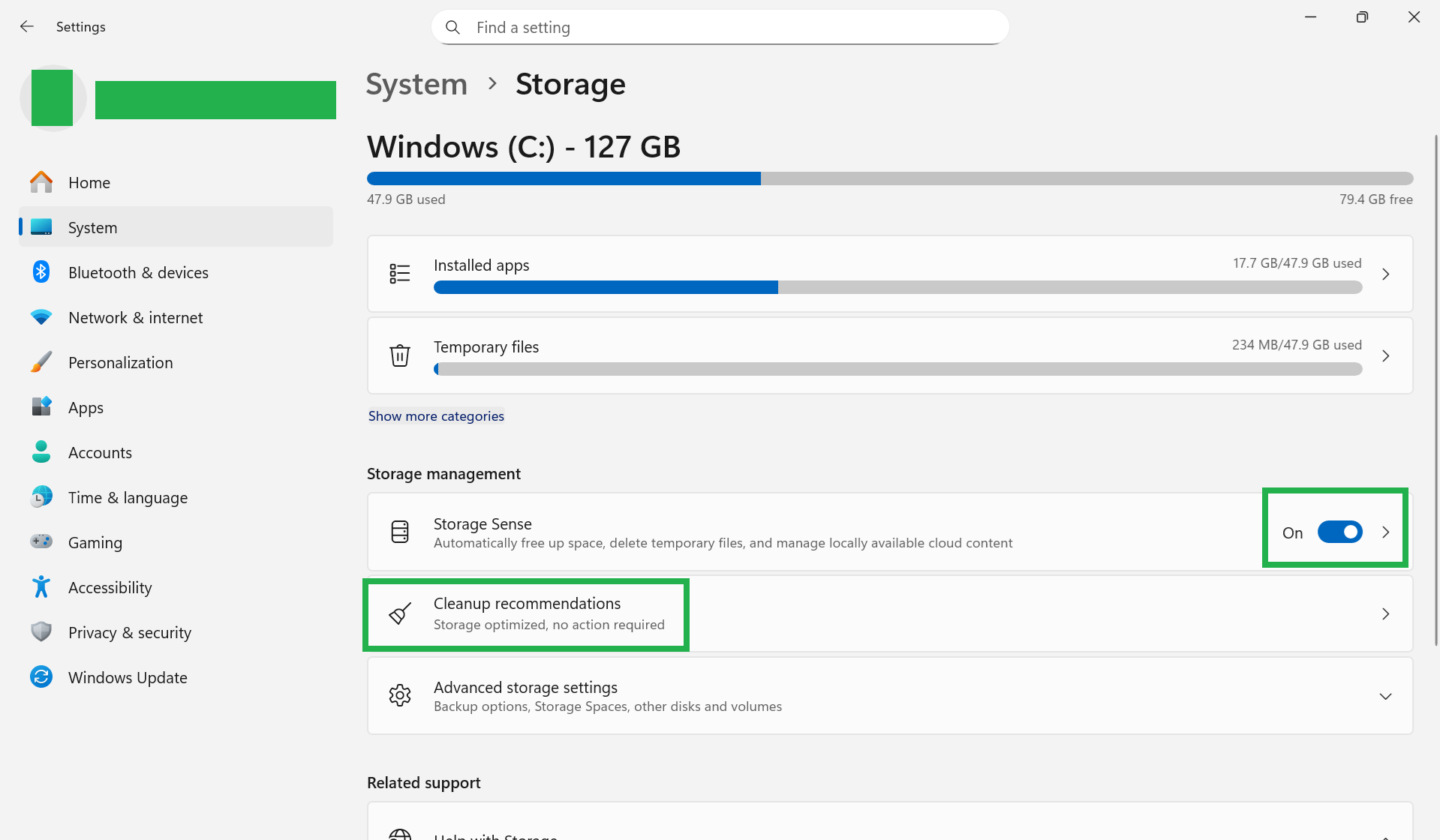
- Enable Storage Sense to automatically free up space.
- Select Cleanup recommendations to review suggested items you can remove to reclaim storage.
For more detailed guidance, please refer to the following article: Free up drive space in Windows
I hope this information is helpful. If you need any further assistance, please feel free to reach out. We are here to help. Thank you very much for your understanding and cooperation.
If you found the answer useful, please click "Accepted Answer" and kindly give it an upvote.
If you have any follow-up questions, feel free to click "Comment" to continue the discussion.
Note: To receive email notifications related to this thread, please follow the steps in our documentation to enable email alerts.
' cx='32' cy='32' r='32' /%3E%3Ctext x='50%25' y='55%25' dominant-baseline='middle' text-anchor='middle' fill='%23FFF' %3EPG%3C/text%3E%3C/svg%3E)

' cx='32' cy='32' r='32' /%3E%3Ctext x='50%25' y='55%25' dominant-baseline='middle' text-anchor='middle' fill='%23FFF' %3EA%3C/text%3E%3C/svg%3E)