Hi! I have littlebit of a problem. I wanted to update my bios since its been like a year since i last did it. I built my pc on my own. I got the update to my usb and went on with the installation. Firstly i got this prompt when i started the update. 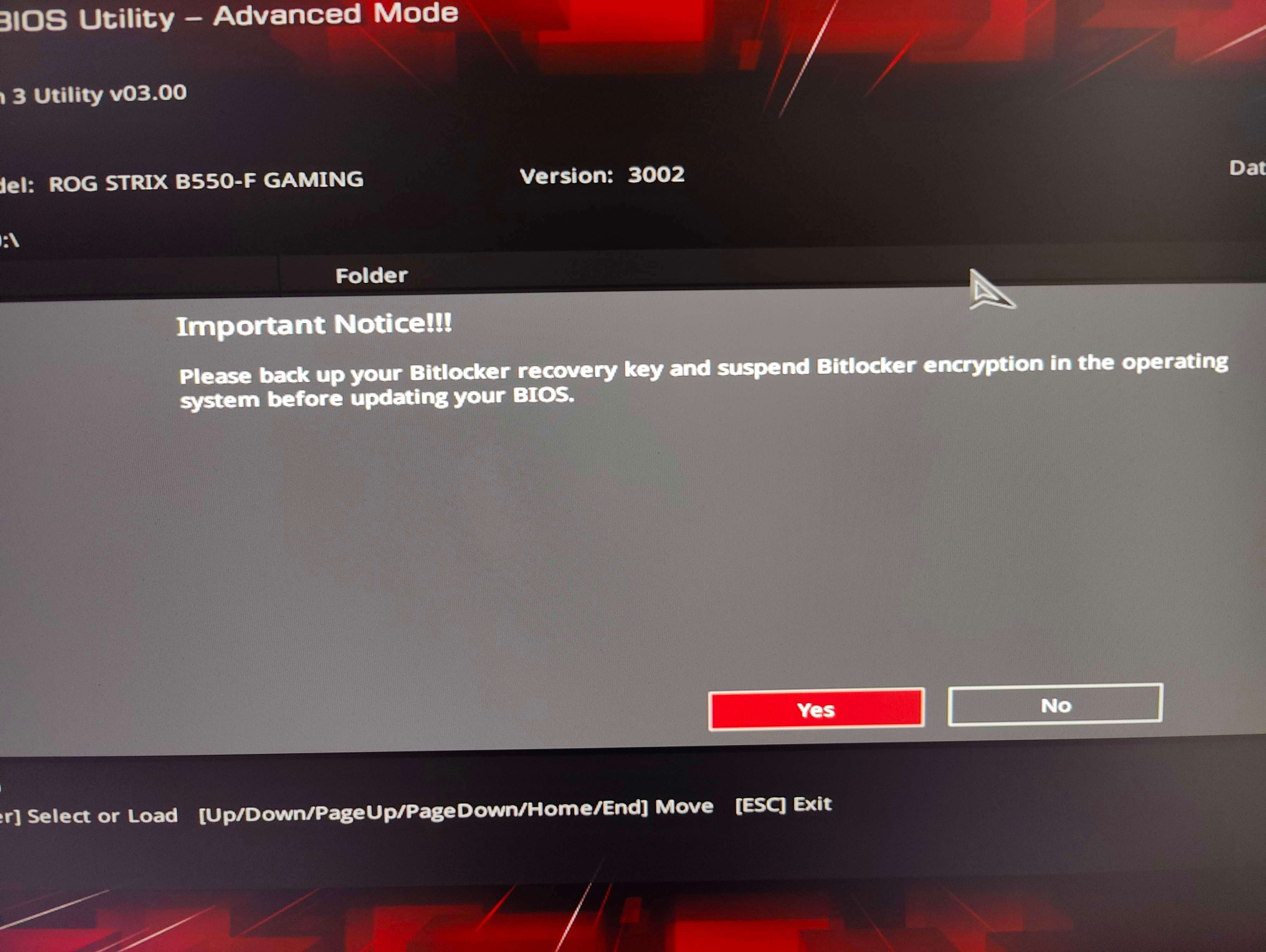 And i did some research and i don't have bitlocker enabled. I checked my microsoft account for the recovery key and i dont have it. and checked my drives on cmd prompt and everything seemed okay as in they werent encrypted. So i clicked yes. After the installation i got the next worrysome message.
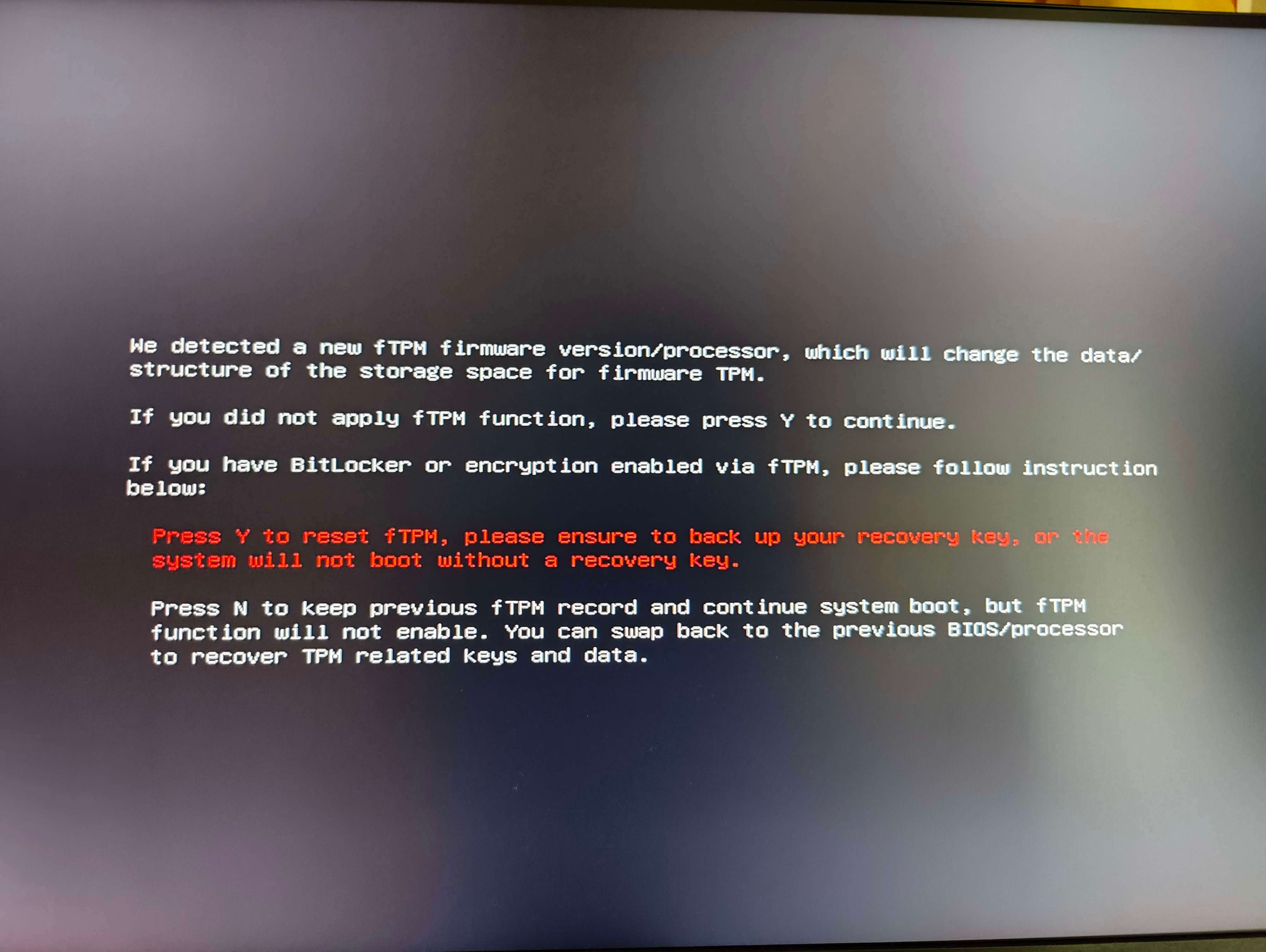 And this time i started sweating. Thinking what i should do because im pretty sure i checked all the boxes that i dont have bitlocker on. So i pressed N to continue. Everything seems good right now and the bios update went through. Im on my pc writing this, but now everytime i go to the bios i get this message again (Picture 2). Now im worrying like sick if something happens to the pc because of this and i would like to get this cleared ASAP. I did once think about upgrading to windows 11 and it said something about TPM and i did some research and im not sure if i enabled that from windows. But i backed off from the w11 upgrade. So could me "maybe" enabling TPM on bios made this problem possible. And if so im wondering if i can disable tpm from bios without causing more harm and fixing this. And if i could. I would really appreciate your assistance to how to do it correctly. I've read so much information on the internet its making my head spin.
PC Specs:
Motherboard: Asus ROG STRIX B550-f Gaming
CPU: Ryzen 7 5800x
RAM 16GB DDR4 3600MHz
GPU ASUS ROG STRIX RTX 3070Ti
' cx='32' cy='32' r='32' /%3E%3Ctext x='50%25' y='55%25' dominant-baseline='middle' text-anchor='middle' fill='%23FFF' %3EA%3C/text%3E%3C/svg%3E)

' cx='32' cy='32' r='32' /%3E%3Ctext x='50%25' y='55%25' dominant-baseline='middle' text-anchor='middle' fill='%23FFF' %3ESI%3C/text%3E%3C/svg%3E)