
FYI,
the issue has been fixed with august preview update "windows10.0-kb5016693-x64_cdae6466553f8a5025611babab46598380a5b83e.msu"
This browser is no longer supported.
Upgrade to Microsoft Edge to take advantage of the latest features, security updates, and technical support.

we upgraded two of our jump/admin servers from server 2019 to server 2022. one was installed fresh, the other one was upgraded via inplace upgrade.
now mstsc /remoteguard no longer works correctly, we seem to run into a kerberos double-hop issue.
what we do is, we logon to the admin server as usual with credentials. then from the admin server we use mstsc /remoteguard to jump to a different machine. on the destination machine, upon opening network shares we receive the message:
"The system cannot contact a domain controller to service the authentication reuqest. Please try again later."
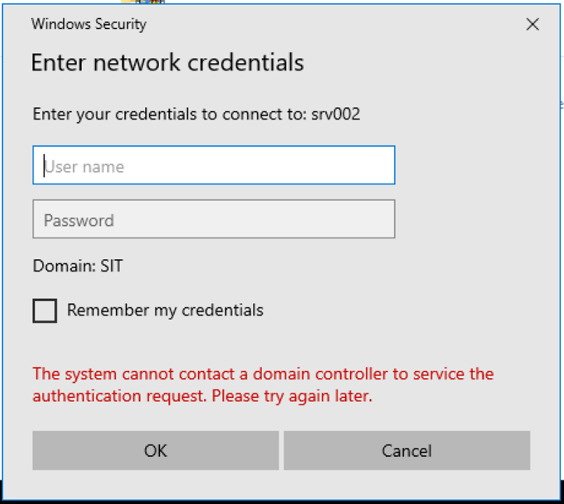
this did not happen before the upgrade. everything still works fine when starting from a server 2019 admin server.
no group policies, security settings or other modifications were done the infrastructure.
anyone else experiencing this?
FYI,
the issue has been fixed with august preview update "windows10.0-kb5016693-x64_cdae6466553f8a5025611babab46598380a5b83e.msu"
' cx='32' cy='32' r='32' /%3E%3Ctext x='50%25' y='55%25' dominant-baseline='middle' text-anchor='middle' fill='%23FFF' %3EAL%3C/text%3E%3C/svg%3E)
Hi
Please install the KB5011831 on client and check it again
https://support.microsoft.com/en-us/topic/april-25-2022-kb5011831-os-builds-19042-1682-19043-1682-and-19044-1682-preview-fe4ff411-d25a-4185-aabb-8bc66e9dbb6c
"Addresses an issue that causes Kerberos authentication to fail, and the error is “0xc0030009 (RPC_NT_NULL_REF_POINTER)”. This occurs when a client machine attempts to use the Remote Desktop Protocol (RDP) to connect to another machine while Remote Credential Guard is enabled."
thank you for trying to help but if you read the thread, you will see we already did that, and it doesn't solve the issue.
hyper-v .... i guessed so. thanks for confirming..... :)
let's see what MS support has to say about this.
thanks again!
' cx='32' cy='32' r='32' /%3E%3Ctext x='50%25' y='55%25' dominant-baseline='middle' text-anchor='middle' fill='%23FFF' %3ESP%3C/text%3E%3C/svg%3E)
We are running our VMs on Hyper-V (Guarded Fabric with Shielded VMs) , so the comparison will be difficult.
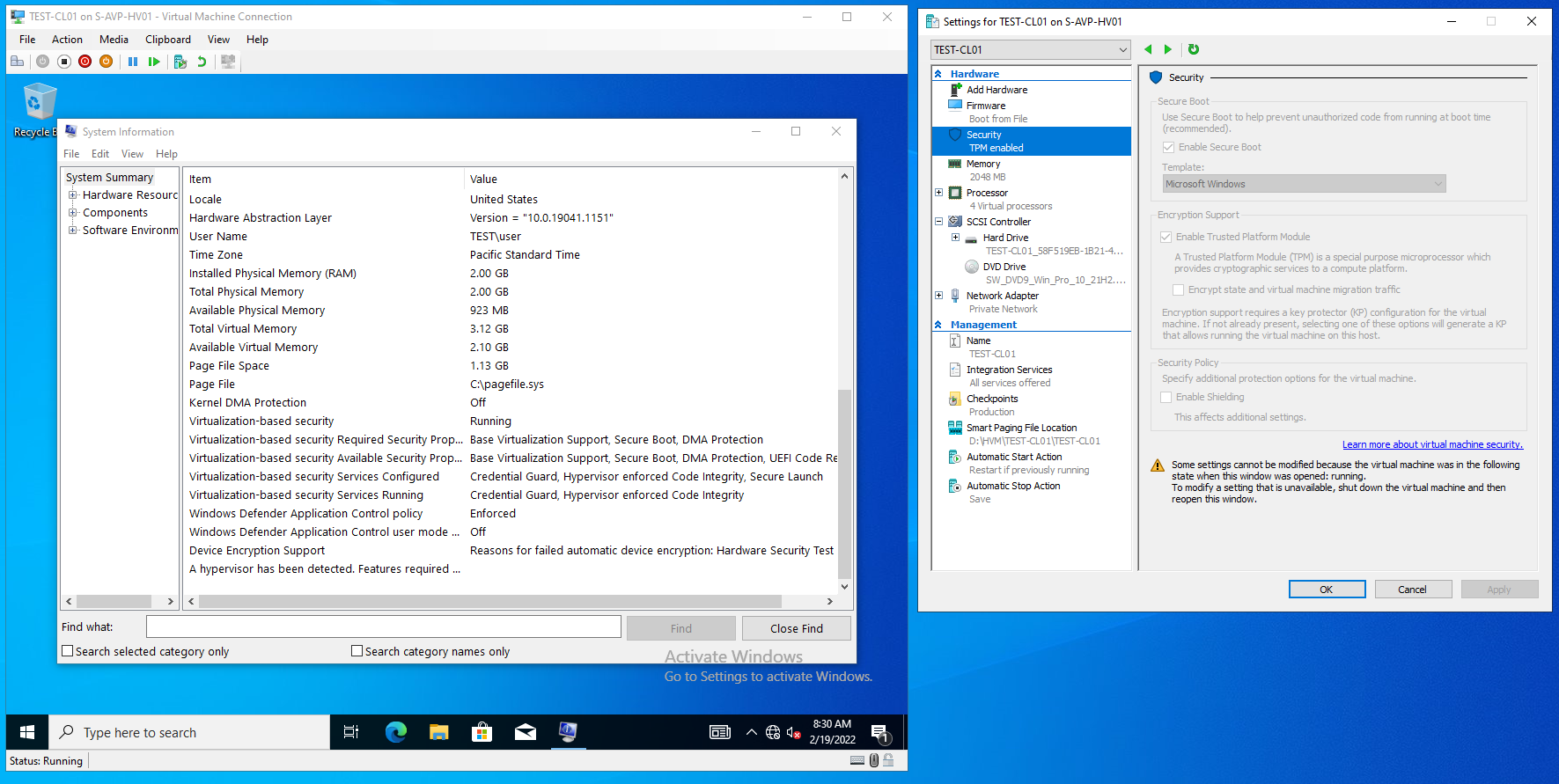
You probably don't have vTPM on you VMs (in our case the CLIENT needs to be VBS Capable , so with a TPM and Set-VMProcessor -VMName 'CLIENT' -ExposeVirtualizationExtensions $true )