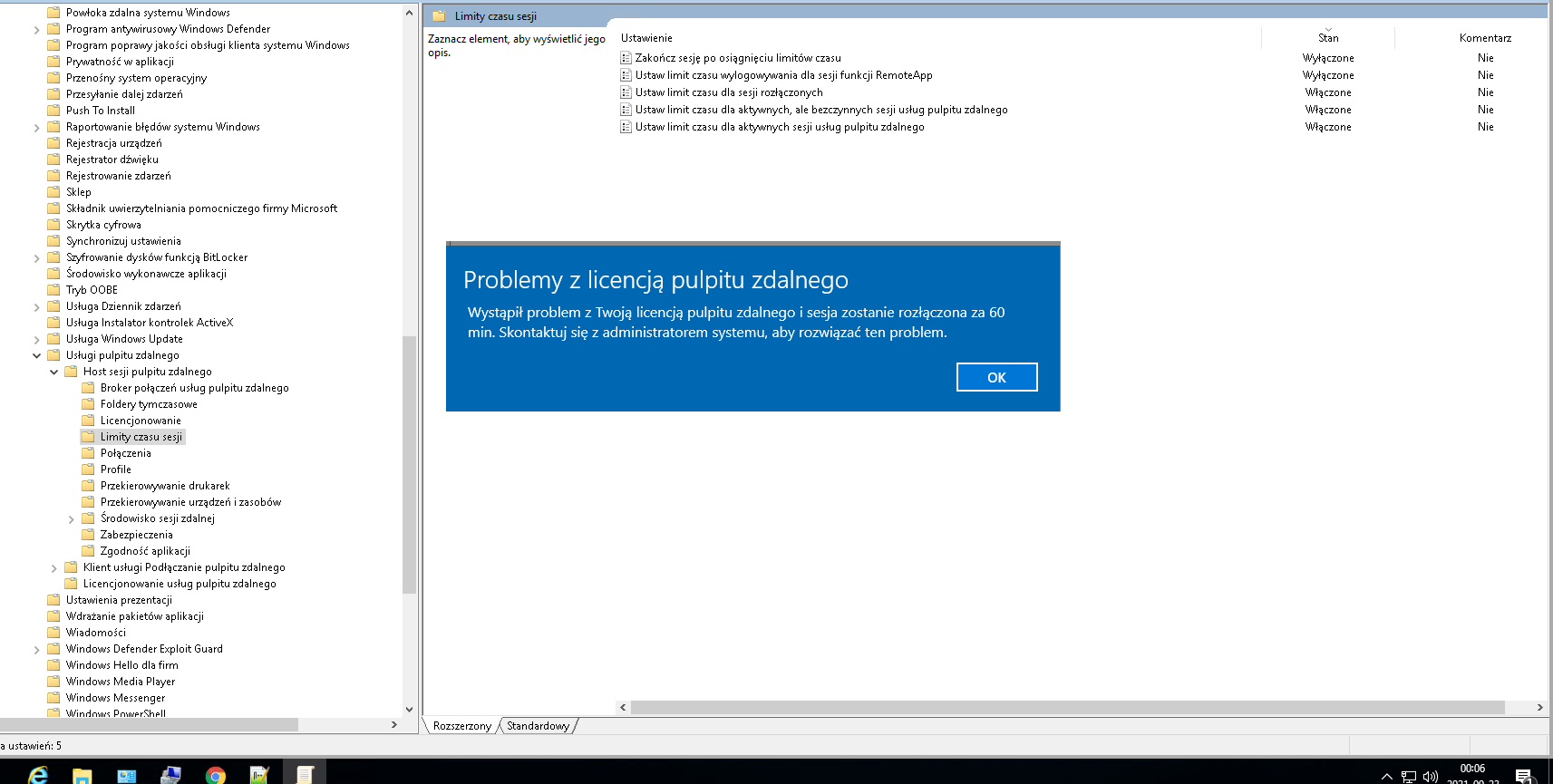
RDS sessions disconnecting after 60 minutes

Ruber Linden 61 Reputation points
2020-08-07T15:52:05.387+00:00

Hi all,

All the servers on my RDS farm are joined to a domain, the licensing server shows no errors on Licensing Diagnostics, but this message is being displayed on all sessions:

"There is a problem with your license for Remote Desktop and the session will end in 60 minutes."

RDS Licensing Server shows that the CALs were assigned to the user, but it keeps showing the error on the sessions, which are disconnected after 60 minutes.

The licensing mode is Per User. I've already set up on the Server Manager, enforced on GPO settings, but still shows the same error.

Windows for business | Windows Client for IT Pros | User experience | Remote desktop services and terminal services

9 answers

Sort by: Most helpful
  1. Robin Roy 0 Reputation points
    2023-01-12T21:09:30.6566667+00:00

    SO I have the same issue: Server 2019 not setup as a domain. (Program they are using does not work well in domain setup.)

    Have tried the CAL's as Per User and Per Device. I have tried EVERY solution so far that I can find online to stop the 60 minute time out. I have spent dozens and dozens of hours on this issue.

    Nothing is seeming to work. I contacted Microsoft through support benefit in the MAPS program and they say they do not help with this type of thing.
    I found this question asked dozens and dozens of times in forums all over. Seems Microsoft needs to put out a once and for all answer and solution to this problem.

    Any other solutions others have found would be really appreciated. I CANNOT make this s domain as mentioned earlier because of the software and because of remote branch office they must use RDP to connect to run this program and not client/server application.

    ANY help is greatly appreciated.

    Was this answer helpful?

    0 comments No comments

  2. peteg_adm 21 Reputation points
    2022-12-14T11:24:00.317+00:00

    I had the same issue, all CALS were user CALs. All settings looked ok and the Licence server was in the right group. For us though, we'd built a new RDS deployment, and within group policy, the RDS licence server was still set to the old server. This was an oversight and the new RDS deployment had been working fine. I'm assumong the 180 day grace period had expired, which triggered the error. Amending the RDS GPO and a quick reboot resolved it for us. Hopefully someone else will find this info useful.

    Was this answer helpful?

    0 comments No comments

  3. Charles Thivierge 4,201 Reputation points
    2021-09-24T16:01:19.43+00:00

    To be able to use RDS with User CAL, the RDSH and the RD License Server must be joined to an Active Directory Domain.

    The Licensing Server must be member of the Active Directory "Builtin\Terminal Server License Servers" group.

    The License Server must be activated and must have RDS CAL that match (or newer) the RDSH server version.
    Ex: A Windows 2012 RDSH will require a RD RDS CAL 2012 or 2016 or 2019

    The licensing server can manage RDS CAL that match the OS or a previous version
    Ex: a license server running on a Windows 2016 server can support RDS CAL 2016 or 2012...

    If you look in Active Directory users & Computers and open the user account that was supposed to receive the RDS CAL, if you click on the Attribute Editor tab, you should see several attributes starting with msTS...

    Look for the following attributes:
    msTSExpireDate --> The expiration date (Date -60 days should gives you when the user has receive the license)
    msTSManagingLS --> This match the ProductID of your License Server

    Was this answer helpful?

    0 comments No comments

  4. Dominik Bednarski 1 Reputation point
    2021-09-22T22:04:35.683+00:00

    I have the same problem but I do not have AD. On the Windows server 2016 version, it worked correctly with the same licenses.
    Could the reason be the fact that earlier the server had a different naming than today. So I wonder if the license seems to be a different server so they do not want to cooperate?

    In addition, this RDS server 2019 is a virtual machine on HyperV whether it changes anything.

    after I got the time limits and it still doesn't work,

    Please help.

    Was this answer helpful?


Your answer

Answers can be marked as 'Accepted' by the question author and 'Recommended' by moderators, which helps users know the answer solved the author's problem.