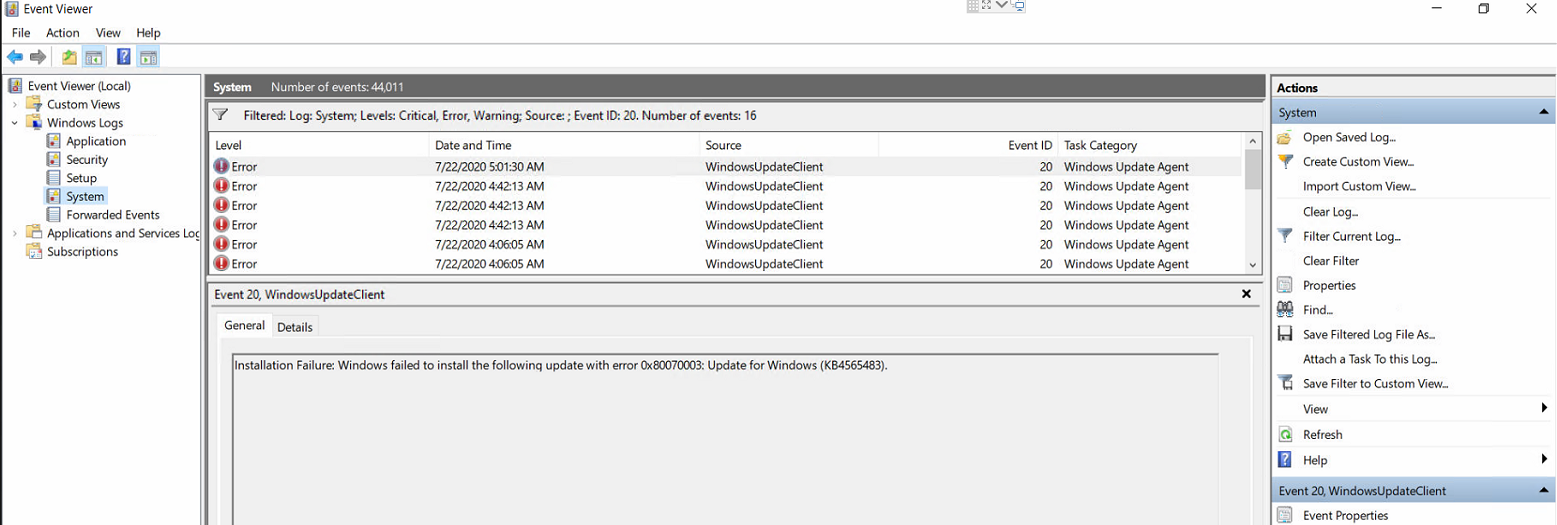
WINDOWS UPDATE FAILED - error 0x80070003

Vu Huynh 21 Reputation points
2020-07-31T03:14:03.64+00:00

Hi there,

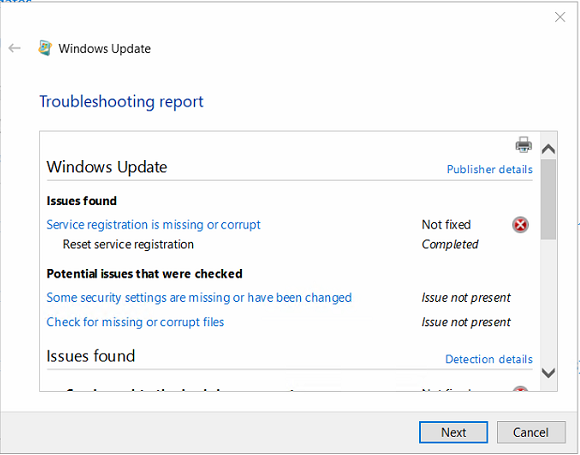
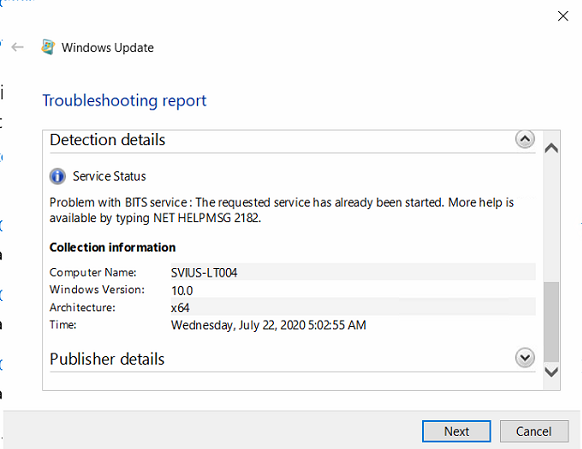
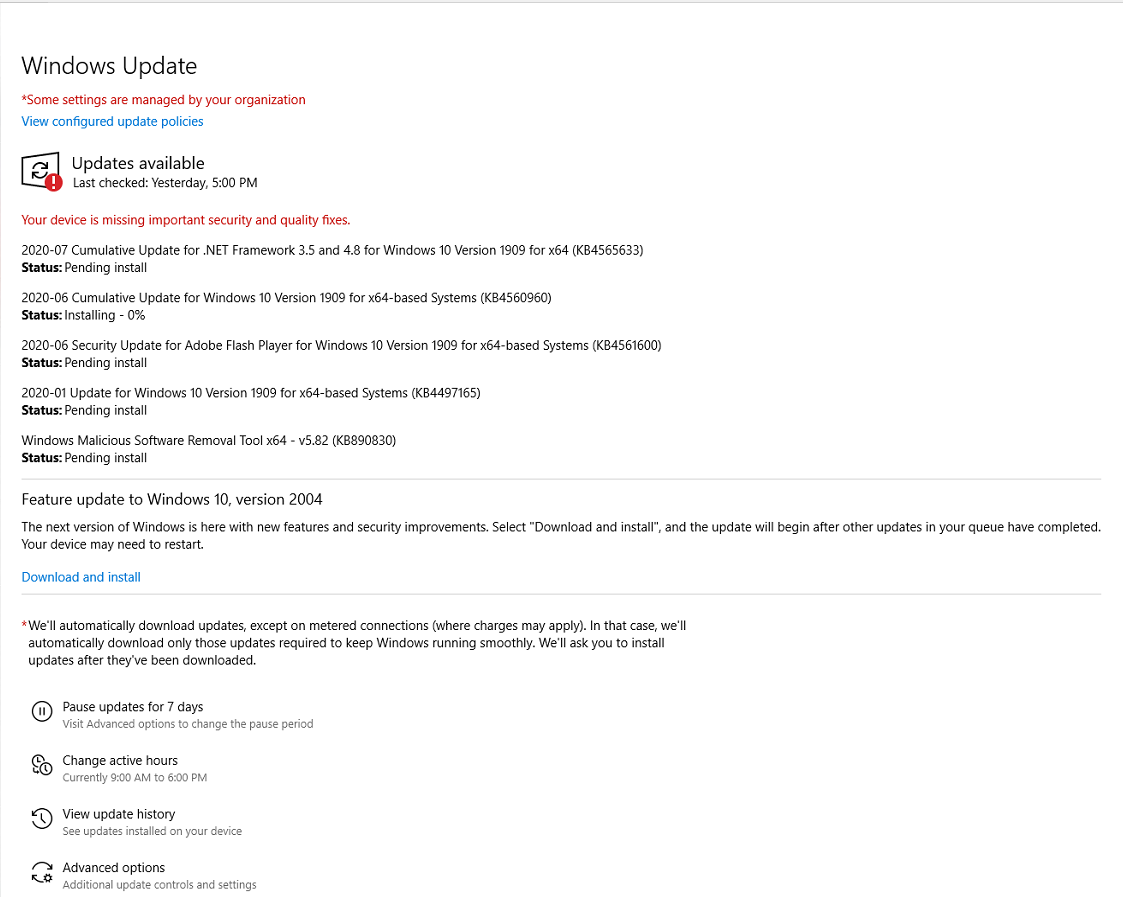
My Windows 10 client meets trouble with Windows update. It shows that failed install update as below

14792-teams.png

I tried:

  • Re-update many time, Windows just rollback after the restart. The update process still fails
  • Rename & Clean data update folder C:\Windows\SoftwareDistribution
  • Download & try to install offline these packages from Microsoft
  • Restart all related services: Windows update, Cryptographic services, Background intelligent transfer service, msiserver
  • Run DISM command (no error)
  • Re-install all .Net on Programs and Features

I attach more bug log that I collected:

14668-image.png

14782-image.png

14724-image.png

14608-image.png

14746-image.png

Should I update to the lastest Windows 10 version 2004?

Thanks & best regards,

Vu

Windows for business | Windows Client for IT Pros | User experience | Other

Locked Question. You can vote on whether it's helpful, but you can't add comments or replies or follow the question.

11 answers

Sort by: Most helpful
  1. Mateusz Belzak 0 Reputation points
    2025-08-25T18:33:07.12+00:00

    Hello all,

    In my case the 0x80070003 error on Windows updates was caused by missing INF file during driver uninstallation process:

    CBS.log:
    Screenshot From 2025-08-25 18-24-28

    Screenshot From 2025-08-25 18-23-08

    Restoring C:\Windows\System32\DriverStore\FileRepository\ntprint.inf_amd64_dc0a6d45c3f7a557 from other domain controller (using cmd.exe ran as system) has worked and system updated without any issue.

    Kind Regards
    Mateusz Belzak

    Was this answer helpful?

    1 person found this answer helpful.
  2. Ivan Ignev 5 Reputation points
    2023-03-14T09:47:02.3966667+00:00

    You can try the Windows 10 Update Assistant to force updates. Use a newly downloaded file because an old file is not resolve the problem. This is save me after months of Error Code 0x80070003 and WinUps rollbacks.

    Was this answer helpful?

    1 person found this answer helpful.
  3. Francine Felske 6 Reputation points
    2022-01-11T18:56:14.84+00:00

    I've been having the same problem with the 12/14 update ... KB5008212 - Been wasting a good 1 hour everyday watching it load and unload. Somewhere someone suggested to uninstall the update and then attempt to "re-update" - it worked! Im only a DIY techie, so I'm guessing that there were some type of "pathway" (like cookies) created during the first install and all the remaining one just followed suit. When I uninstalled the update and then reloaded it - the "pathway" disappeared?

    Uninstall and start over seems almost like "reboot" in terms of troubleshooting and I'm gonna keep that tool handy.

    Francine

    Was this answer helpful?

    1 person found this answer helpful.
    0 comments No comments
  4. t0m1sh4 6 Reputation points
    2021-03-17T20:27:41.707+00:00

    Hi,
    I have issue with newest update for Windows 10, it is the version 20H2, so I tried everything to fix that problem, but nothing isn't working, so I need help with fixing that issue.

    Was this answer helpful?

    1 person found this answer helpful.
    0 comments No comments
  5. Rob Greene 1 Reputation point
    2021-06-24T14:08:35.433+00:00

    Hallelujah.. and damn Macrium. This was my problem as well. Been hung up on this for nearly 18 months and had previously used Macrium perhaps 3 years ago and had uninstalled it soon after use. These lingering registry modifications were definitely the problem. So relieved to be passed this problem now.

    Thanks so much y'all!

    Rob

    Was this answer helpful?

    0 comments No comments