Microsoft Security | Microsoft Entra | Microsoft Entra ID
A cloud-based identity and access management service for securing user authentication and resource access

This browser is no longer supported.
Upgrade to Microsoft Edge to take advantage of the latest features, security updates, and technical support.
' cx='32' cy='32' r='32' /%3E%3Ctext x='50%25' y='55%25' dominant-baseline='middle' text-anchor='middle' fill='%23FFF' %3ERR%3C/text%3E%3C/svg%3E)
I am trying to setup SSO with an app via saml. The app expects upn in the claim but sadly upn attribute is not being passed in the claim.
Since upn is a restricted attribute I can not add it to the custom attribute way . Adding it as an optional attribute via Manifest is also not working.
Is it possible to pass upn attribute at all via the saml token?
A cloud-based identity and access management service for securing user authentication and resource access
This answer has been deleted due to a violation of our Code of Conduct. The answer was manually reported or identified through automated detection before action was taken. Please refer to our Code of Conduct for more information.
1 deleted commentComments have been turned off. Learn more
Hi @sikumars-msft ,
This is not with the namespace that the upn should have. The configured application does not identfy as a valid upn. This should have a valid namespace like the ones :
http://schemas.xmlsoap.org/ws/2005/05/identity/claims/upn
Do you have any trick for that.

Hello @Ritu Raj ,
Thanks for reaching out.
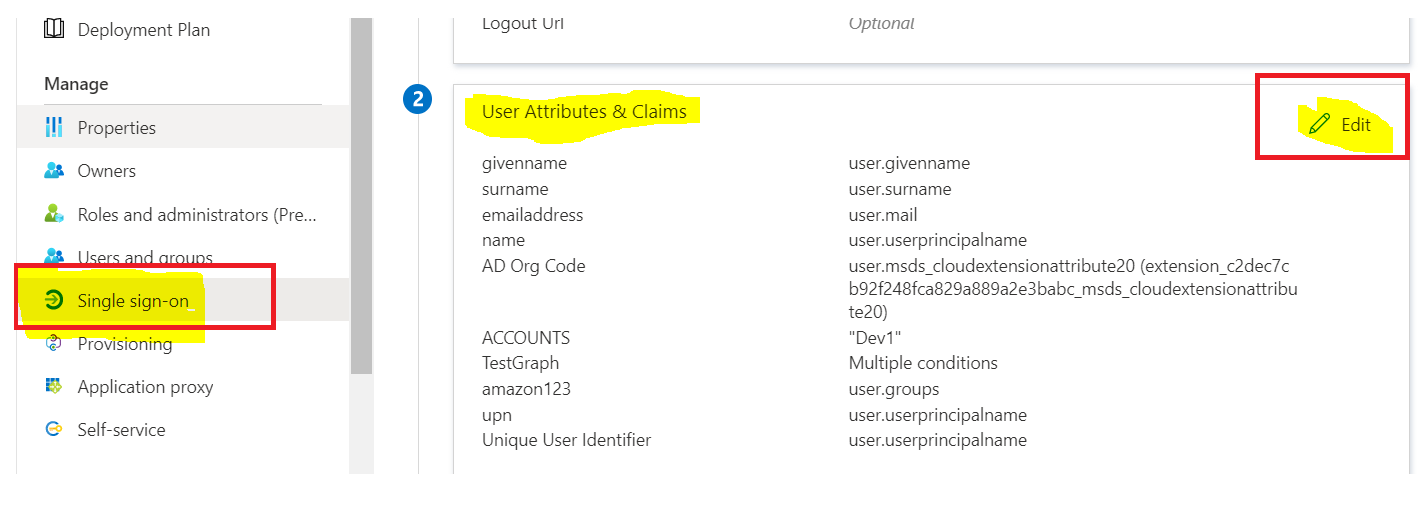
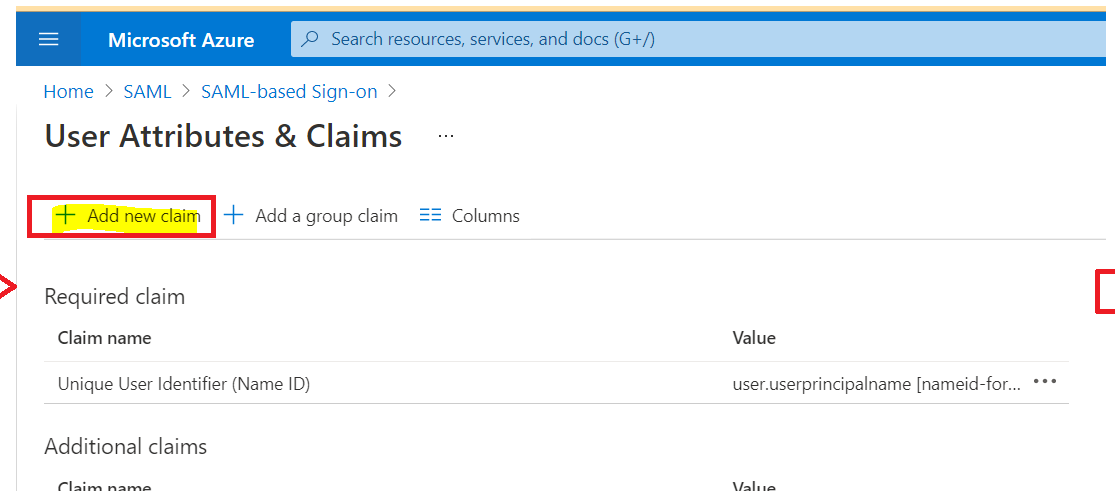
Could you please try adding "new claim" set from "User Attributes & Claims" section from Azure AD Enterprise Application as shown below:
Steps:
1.Under User Attributes & Claims, click the edit symbol
2.Click Add new claim
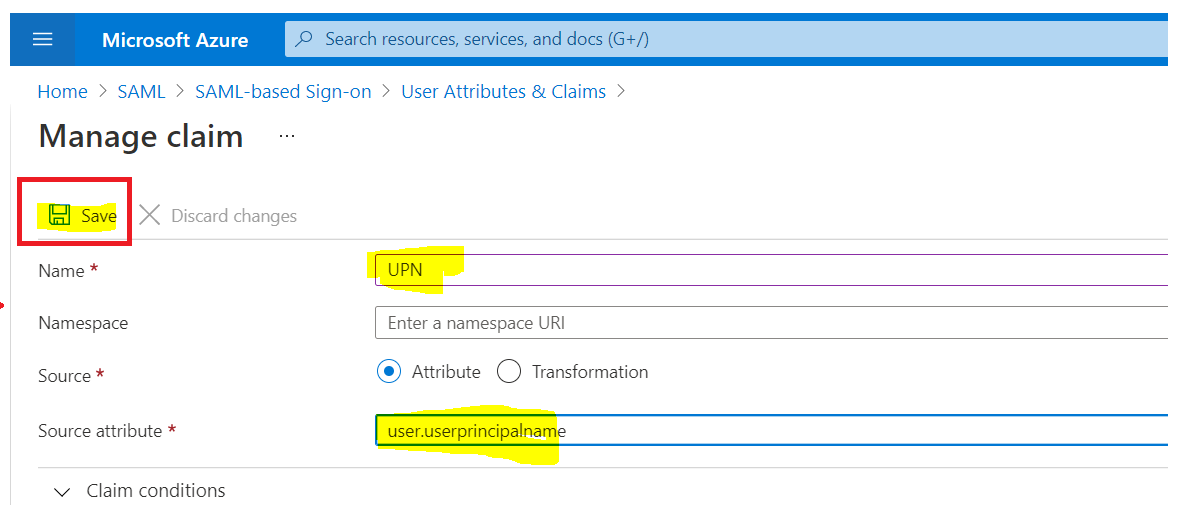
3.Write displayname in the Name field
4.Leave Namespace as empty
5.Choose Attribute as Source
6.Select user.userprincipalname as Source attribute and Save it.
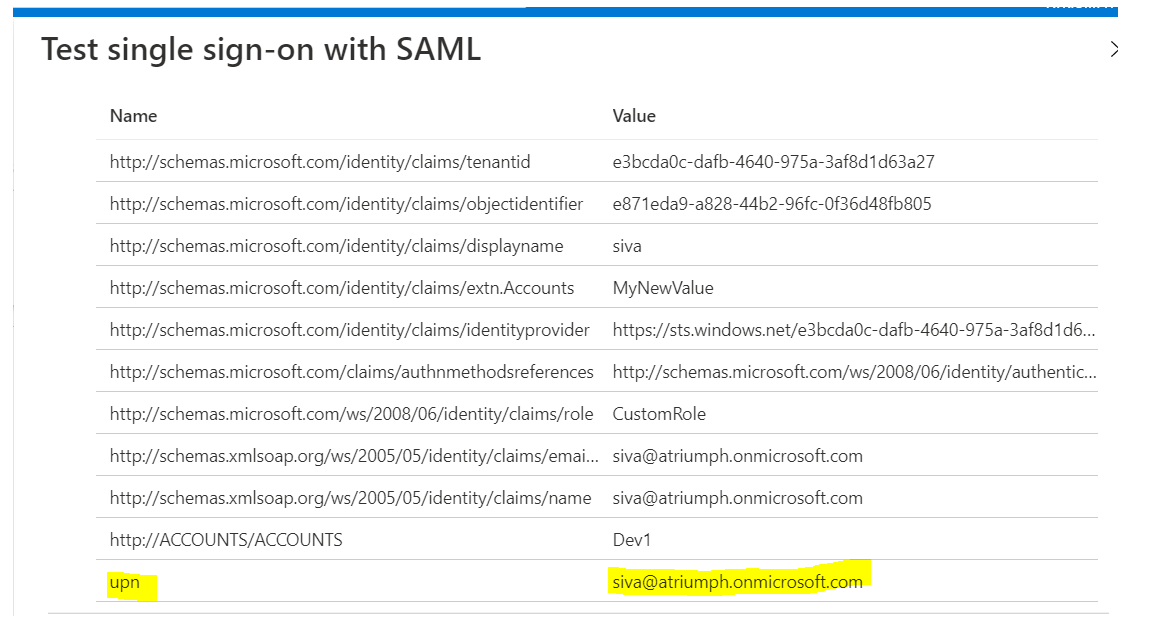
Here is an example of UPN claim in SAML token. Hope this helps.
----------------
Please "Accept the answer" if the information helped you. This will help us and others in the community as well.