Hello, I am facing a serious network issue on my Windows PC.
Before performing the Network Reset, I was already having issues with my TP-Link wireless USB adapter. I tried using two different TP-Link adapters, but both of them did not work on this computer. However, both adapters worked normally on other computers.
Because of that, I used USB tethering from my phone to access the internet. While doing so, I decided to perform a Network Reset in Windows to try to fix the issue.
After the Network Reset, the situation became worse.
Now, all of my network adapters are not working properly.
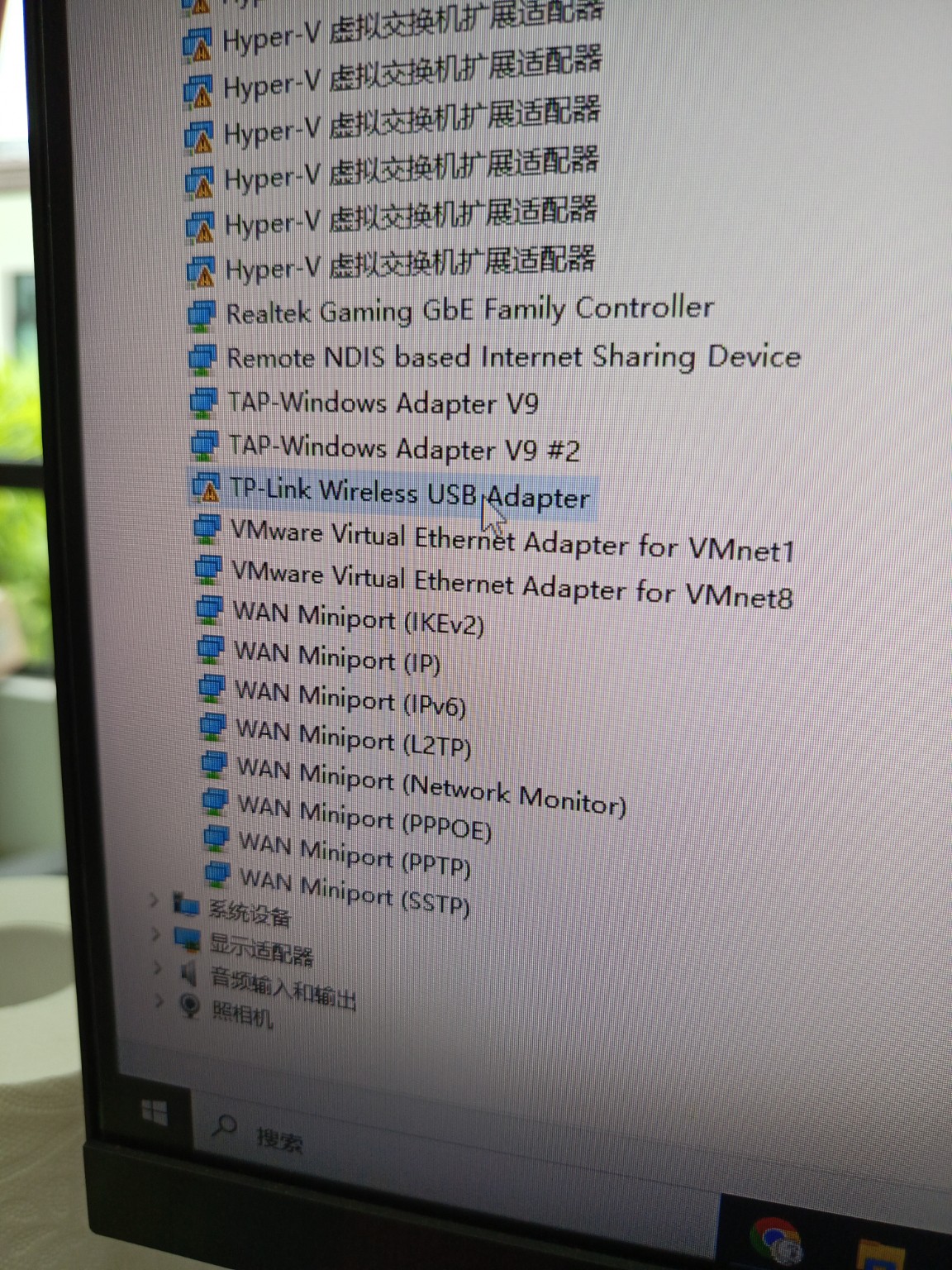
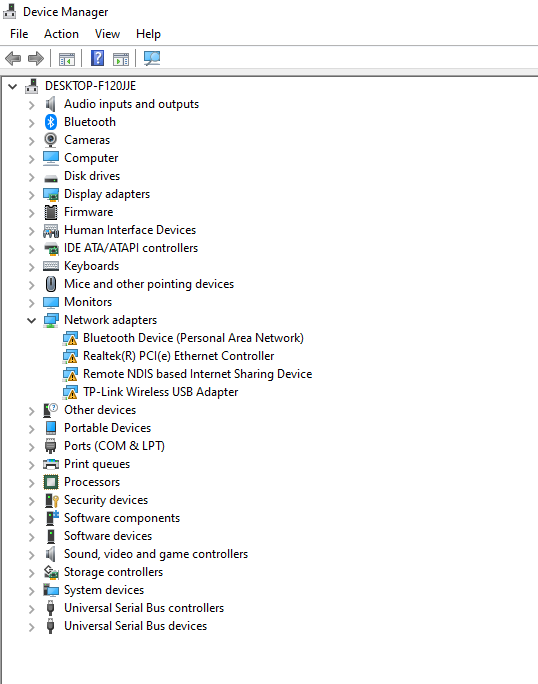
In Device Manager, all network adapters show a yellow warning icon. This includes:
Realtek Gaming GbE Family Controller (Ethernet)
TP-Link Wireless USB Adapter (Wi-Fi)
Remote NDIS based Internet Sharing Device (USB tethering)
I am currently unable to connect to the internet using any method, including Ethernet, Wi-Fi, or USB tethering.
I have already tried reinstalling the drivers for both the Realtek Ethernet and TP-Link adapter. I also uninstalled the devices from Device Manager and restarted the computer multiple times, but the issue still remains.
Previously, I had virtualization software installed such as VMware and Hyper-V, but I have already removed them.
At this point, it seems like Windows is unable to properly initialize any network adapter.
I would like to know if this could be caused by a corrupted network stack in Windows. Would running the command "netcfg -d" be an appropriate solution to completely reset and rebuild all network components?
Also, is there any risk involved in using that command?
This issue happened after using the built-in Network Reset feature in Windows.
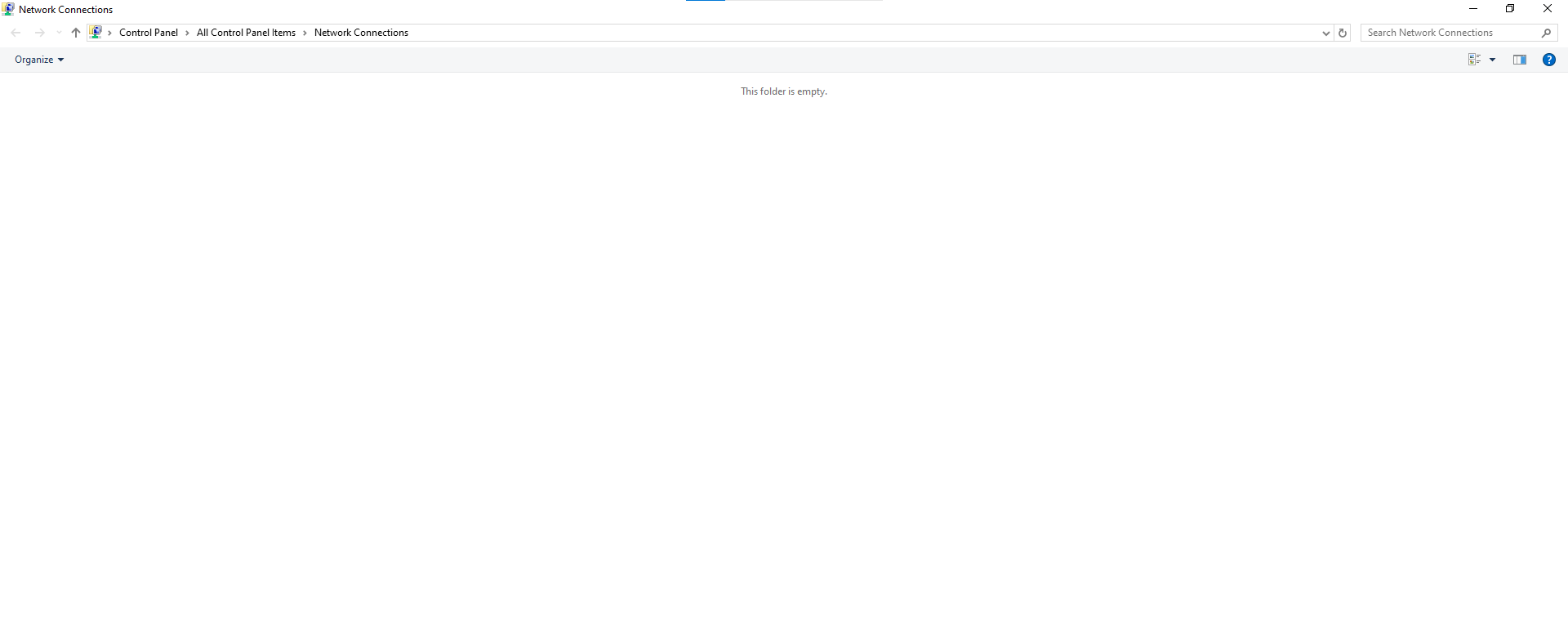
For reference, I have attached two screenshots taken after the reset, and one screenshot taken before the reset for comparison.
' cx='32' cy='32' r='32' /%3E%3Ctext x='50%25' y='55%25' dominant-baseline='middle' text-anchor='middle' fill='%23FFF' %3EWW%3C/text%3E%3C/svg%3E)

' cx='32' cy='32' r='32' /%3E%3Ctext x='50%25' y='55%25' dominant-baseline='middle' text-anchor='middle' fill='%23FFF' %3ECL%3C/text%3E%3C/svg%3E)