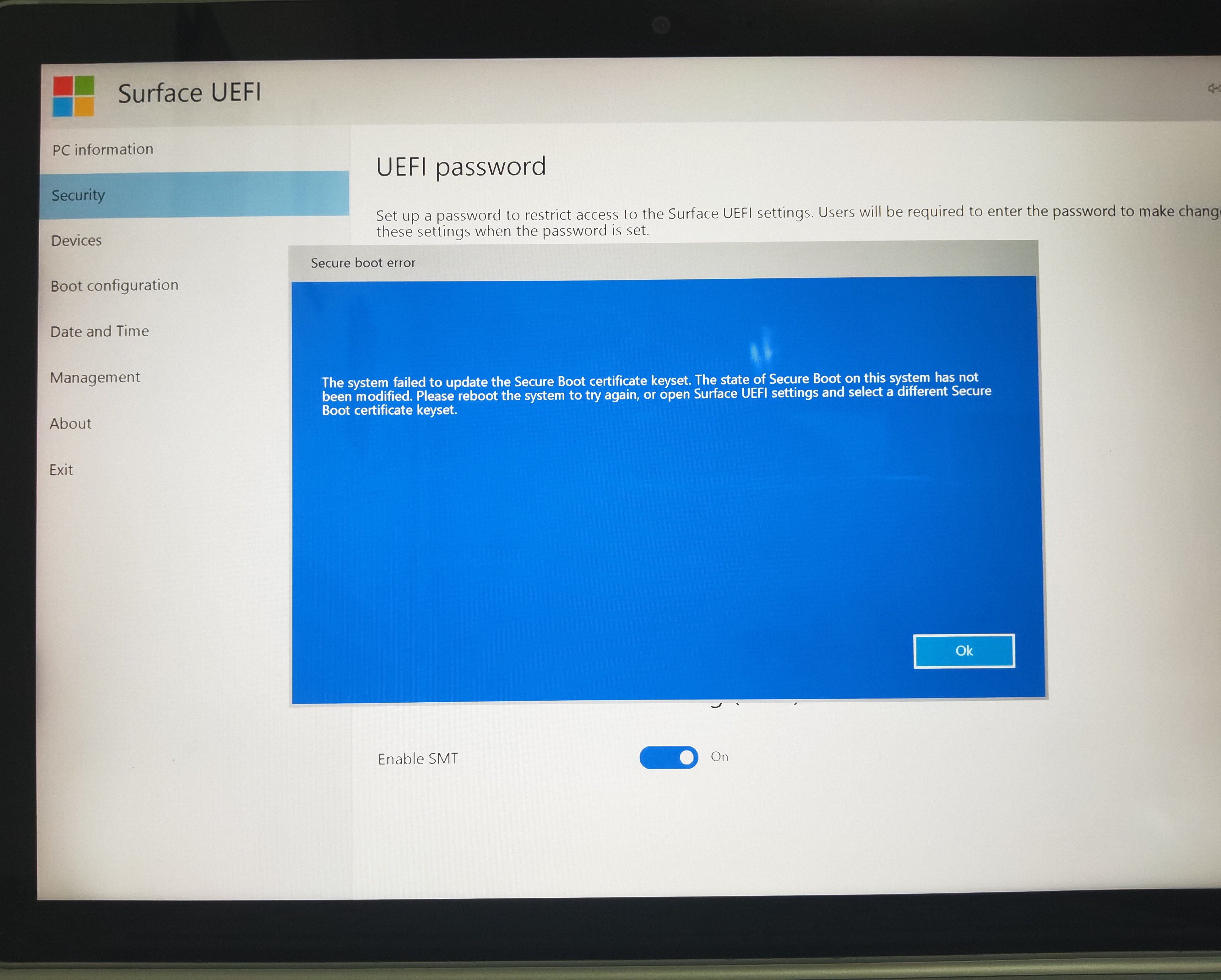
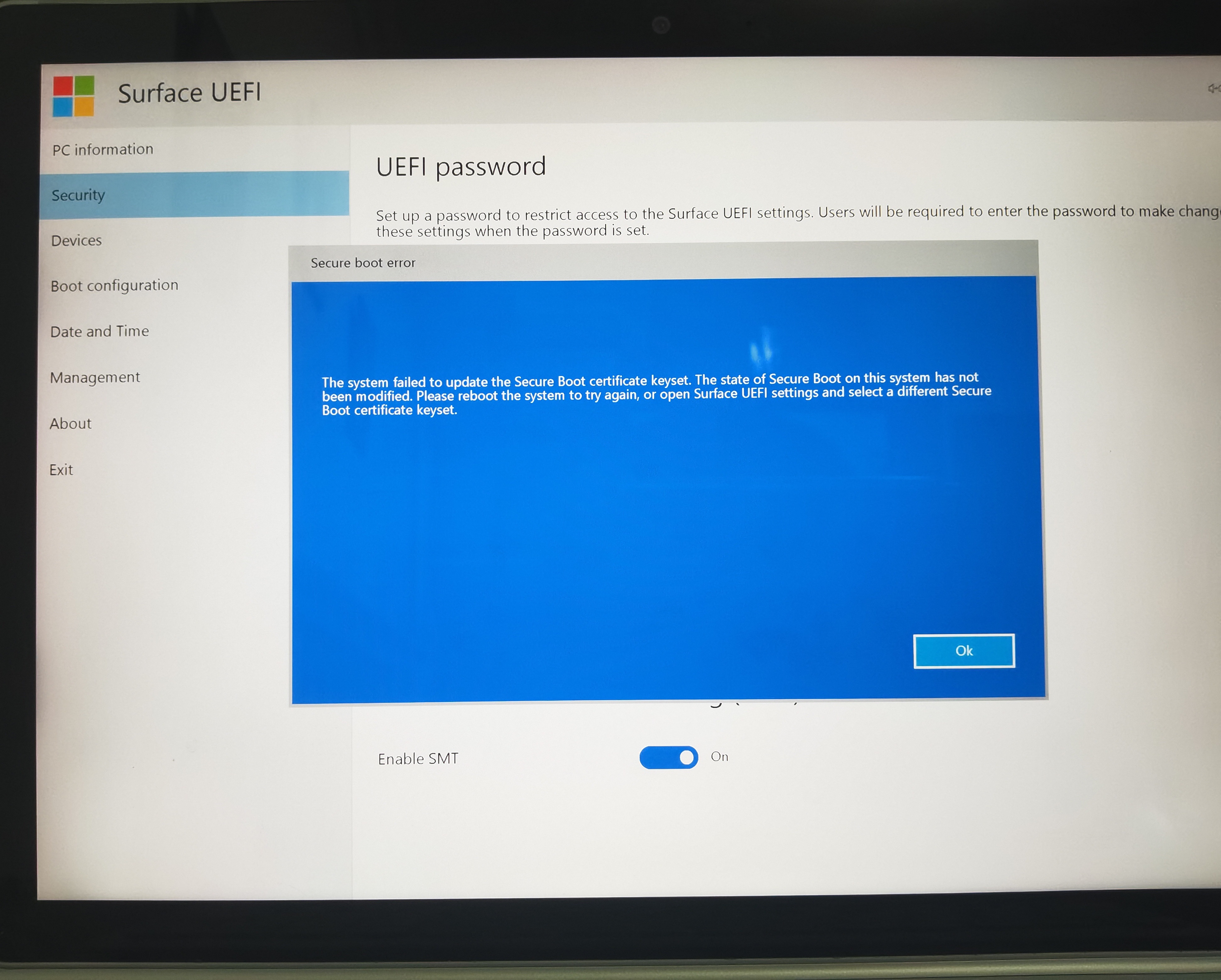
surface book2 在装过linux系统使用grub引导方式之后(linux系统和引导均已删除)无法开启secure boot,提示“The system failed to update the Secure Boot certificate keyset. "
看了网上的帖子尝试过以下方法:
1、按开机键30秒强制重启,无效
2、 Shift+Ctrl+Win键+B,无效
3、重新安装surface固件(https://www.microsoft.com/en-us/download/details.aspx?id=56261),无效;
4、完全重置,下载surface book2 固件用u盘恢复(https://support.microsoft.com/zh-cn/surface-recovery-image),恢复到99%的时候提示“重置电脑时出现问题。 未进行任何更改”,进入PE发现系统和引导都安装完成了,但是还是提示恢复错误,感觉是在最后将引导信息同步到uefi的时候由于某种原因失败了;很奇怪启动电脑可以进入重置后的系统,但secure boot仍然无法开启,无效
另外uefi中其他异常的情况:“xxxx_Surface Book 2_Microsoft Corporation.Dfi not found."文件找不到,不知道和无法开启secure boot有关系
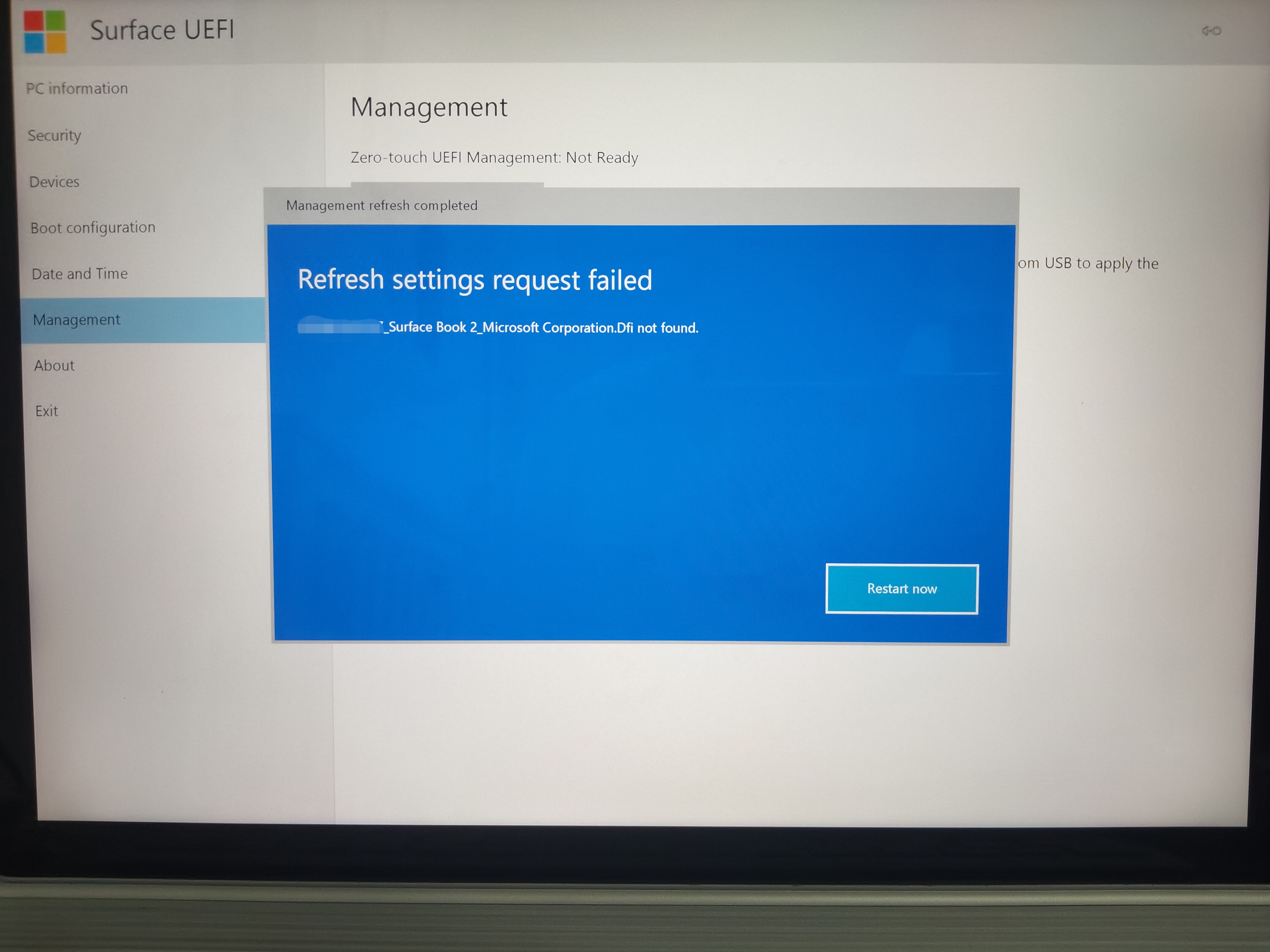
这种情况是bios或者uefi丢失了设备的信息吗?
求IT专业解决方法
Surface Book2 cannot enable Secure Boot after installing the Linux system and using the GRUB boot mode (both the Linux system and the boot have been deleted), and with the error message "The system failed to update the Secure Boot certificate keyset. "
After reading the posts on the Internet, I tried the following methods:
- Press the power button for 30 seconds to force restart, invalid
- Shift+Ctrl+Win+B, invalid
- Reinstall the surface firmware (https://www.microsoft.com/en-us/download/details.aspx?id=56261), which is invalid;
- Completely reset, download Surface Book2 firmware and restore it with a USB flash drive (https://support.microsoft.com/zh-cn/surface-recovery-image), and when it recovers to 99%, it prompts "There was a problem resetting the computer." No changes have been made", when I enter the PE system and find that the windows system and bootloader are installed, but it still prompts a recovery error, and it feels like it failed for some reason when synchronizing the boot information to uefi at the end of installation; It's strange that booting the computer can enter the reseted system, but Secure Boot still can't be turned on, and it doesn't work
In addition, there are other abnormal situations in UEFI: "Surface Book 2_Microsoft Corporation.Dfi not found." The file cannot be found, and I don't know that it is related to the inability to open Secure Boot.
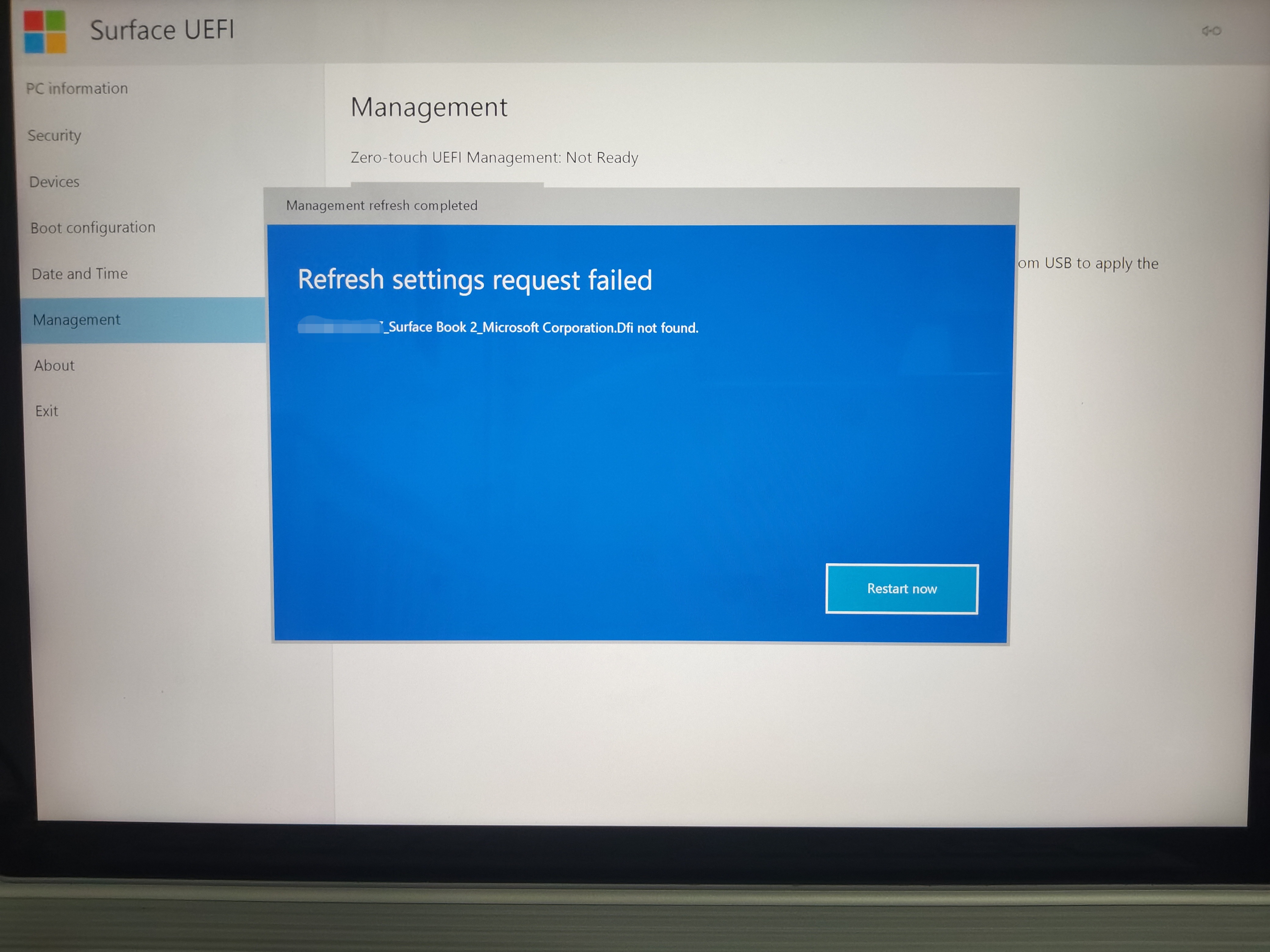
Is it because the BIOS or UEFI has lost the information of the device? Call for IT professional to solve the tricky problem
' cx='32' cy='32' r='32' /%3E%3Ctext x='50%25' y='55%25' dominant-baseline='middle' text-anchor='middle' fill='%23FFF' %3EA%3C/text%3E%3C/svg%3E)
