ลบผ่าน command dos ยังไม่ OK
ลบได้เป็นบาง file ถ้าไฟล์ชื่อยาวหรือมีอักขระแปลกๆ ลบไม่ได้ครับ
ไม่น่าจะใช่วิธีที่ถูกต้อง ใช้งานผ่าน Dos เป็นเรื่องที่ยุ่งยากมากครับ
เพื่อตัดข้อสงสัยที่ว่า Windowns 10 USB Installer ที่มากับกล่องที่ซื้อมา File มีปัญหา
เมื่อคืนผมได้ Download windows 10 ล่าสุดจาก Microsoft
โดยสร้าง Imageใส่ USB และ Install แบบ Clean โดย Format Windows 10 เดิมออกก่อนลง
เมื่อลงเสร็จแล้ว OS Build ตามด้านล่างนี้ครับ
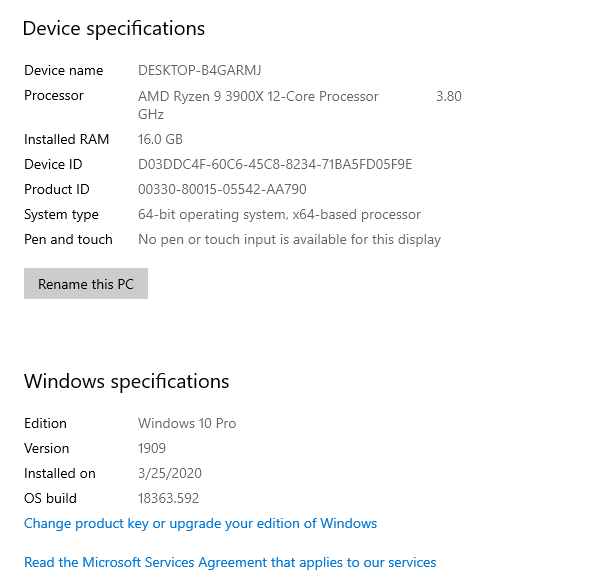
การทดลอง เมื่อลง Window เสร็จ windows 10 ใหม่สะอาด
- ลอง Download Pdf file จาก internet save ลง ที่ Desktop และลบ
- ลอง Copy File Pdf จาก computer มาวาง ที่ destop และลบ
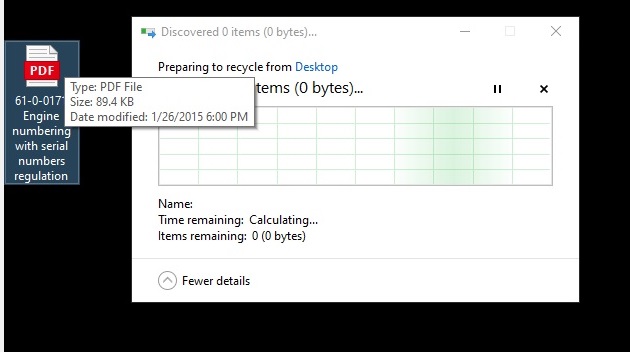
ทั้งสองวิธี ก็เกิดอาการ อาการ Discovered 0 items (0 bytes)...
ตามรูปล่างเช่นเดียวกัน
ทำยังไงดีครับ รบกวนแก้หน่อยครับ
ข้อมูลการ Scan Windows ที่ลงล่าสุด
Microsoft Windows [Version 10.0.18363.592]
(c) 2019 Microsoft Corporation. All rights reserved.
C:\Windows\system32>DISM.exe /Online /Cleanup-image /Restorehealth
Deployment Image Servicing and Management tool
Version: 10.0.18362.1
Image Version: 10.0.18363.592
[==========================100.0%==========================] The restore operation completed successfully.
The operation completed successfully.
C:\Windows\system32>sfc /scannow
Beginning system scan. This process will take some time.
Beginning verification phase of system scan.
Verification 100% complete.
Windows Resource Protection found corrupt files and successfully repaired them.
For online repairs, details are included in the CBS log file located at
windir\Logs\CBS\CBS.log. For example C:\Windows\Logs\CBS\CBS.log. For offline
repairs, details are included in the log file provided by the /OFFLOGFILE flag.
C:\Windows\system32>
' cx='32' cy='32' r='32' /%3E%3Ctext x='50%25' y='55%25' dominant-baseline='middle' text-anchor='middle' fill='%23FFF' %3EA%3C/text%3E%3C/svg%3E)
