Please note that this is the ru-ru forum. We kindly recommend posting your question in Russian so that more community members can assist you. Alternatively, you may consider posting in the English forum if you prefer to use your native language. We sincerely appreciate your understanding.
Please note that our forum is a public platform, and we will modify your question to hide your personal information in the description. Kindly ensure that you hide any personal or organizational information the next time you post an error or other details to protect personal data.
Hi @Saltanat Kolesnichenko
I have tested the PowerShell, and it changed all of the folders including Junk emails. I notice that -LocalizeDefaultFolderName doesn't need $true.
Set-MailboxRegionalConfiguration (ExchangePowerShell) | Microsoft Learn
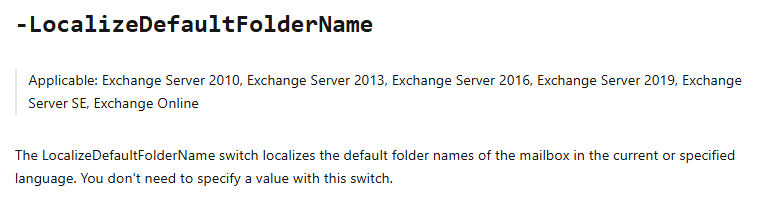
So, the behavior you are seeing is unexpected. Can you check in https://outlook.cloud.microsoft/mail/ and see if it shows the right language?
If you only meet this issue locally on Classic Outlook, you can try Windows +R and type in Outlook.exe /resetfoldernames.
You can also try:
Set-MailboxRegionalConfiguration -Identity ******@domain.com -Language en-US -LocalizeDefaultFolderName -DateFormat $null -TimeFormat $null
Wait a few minutes, then verify folders in Outlook/OWA are now English
Switch back to ru-RU with exact formats
Set-MailboxRegionalConfiguration -Identity ******@domain.com -Language ru-RU -LocalizeDefaultFolderName -DateFormat $null -TimeFormat $null
If the issue persists, can you please specify which folders do not change? Please make sure it is a default folder, if you right click the folder and see the Delete button greyed out, it is a default folder. If you can delete it, it is not a default folder.
I hope this information helps.
If the answer is helpful, please click "Accept Answer" and kindly upvote it. If you have extra questions about this answer, please click "Comment".
Note: Please follow the steps in our documentation to enable e-mail notifications if you want to receive the related email notification for this thread.
' cx='32' cy='32' r='32' /%3E%3Ctext x='50%25' y='55%25' dominant-baseline='middle' text-anchor='middle' fill='%23FFF' %3ESK%3C/text%3E%3C/svg%3E)
' cx='32' cy='32' r='32' /%3E%3Ctext x='50%25' y='55%25' dominant-baseline='middle' text-anchor='middle' fill='%23FFF' %3EJP%3C/text%3E%3C/svg%3E)