Since your thread is in English, I will provide my response in English. If any part of my explanation is unclear, please do not hesitate to let me know, and I will gladly clarify.
Dear @Артем Разумов,
Thank you for reaching out to Microsoft Q&A forum. We are happy to assist you.
For a quick resolution, please reach out to your school's IT or admin team and ask them to reset the MFA methods for the affected users.
Please note that forum moderators have no control over user accounts, especially when it comes to logging in to your account, resetting your password, changing your access, etc.
Below is a step-by-step solution tailored for your IT admin to follow to reset MFA or change authenticate phone number for your account.
1 – Navigate to Microsoft 365 Admin Center, you can click Identity at the sidebar.
Microsoft 365 Admin Center website: Microsoft 365 admin center.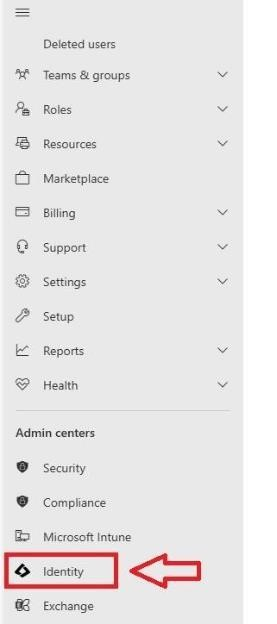
It will lead you to Microsoft Entra Admin Center (Microsoft Entra - Microsoft Entra admin center)
Select Users
Click All users
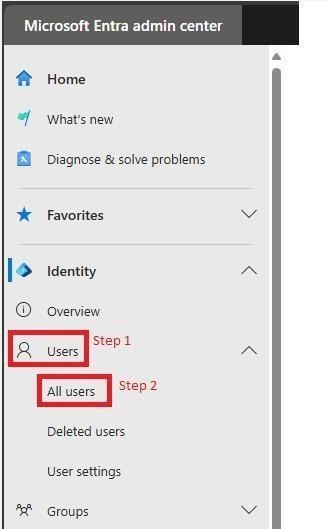
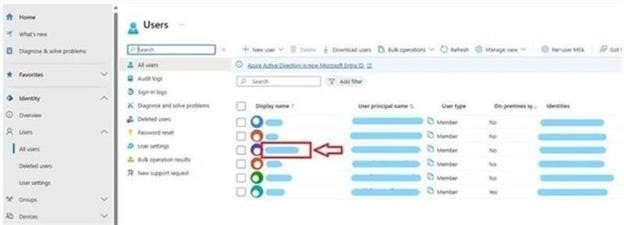
Click on to the affected account name (your account)
For example:
3 – Click "Require re-register multifactor authentication" or update the authentication phone number.
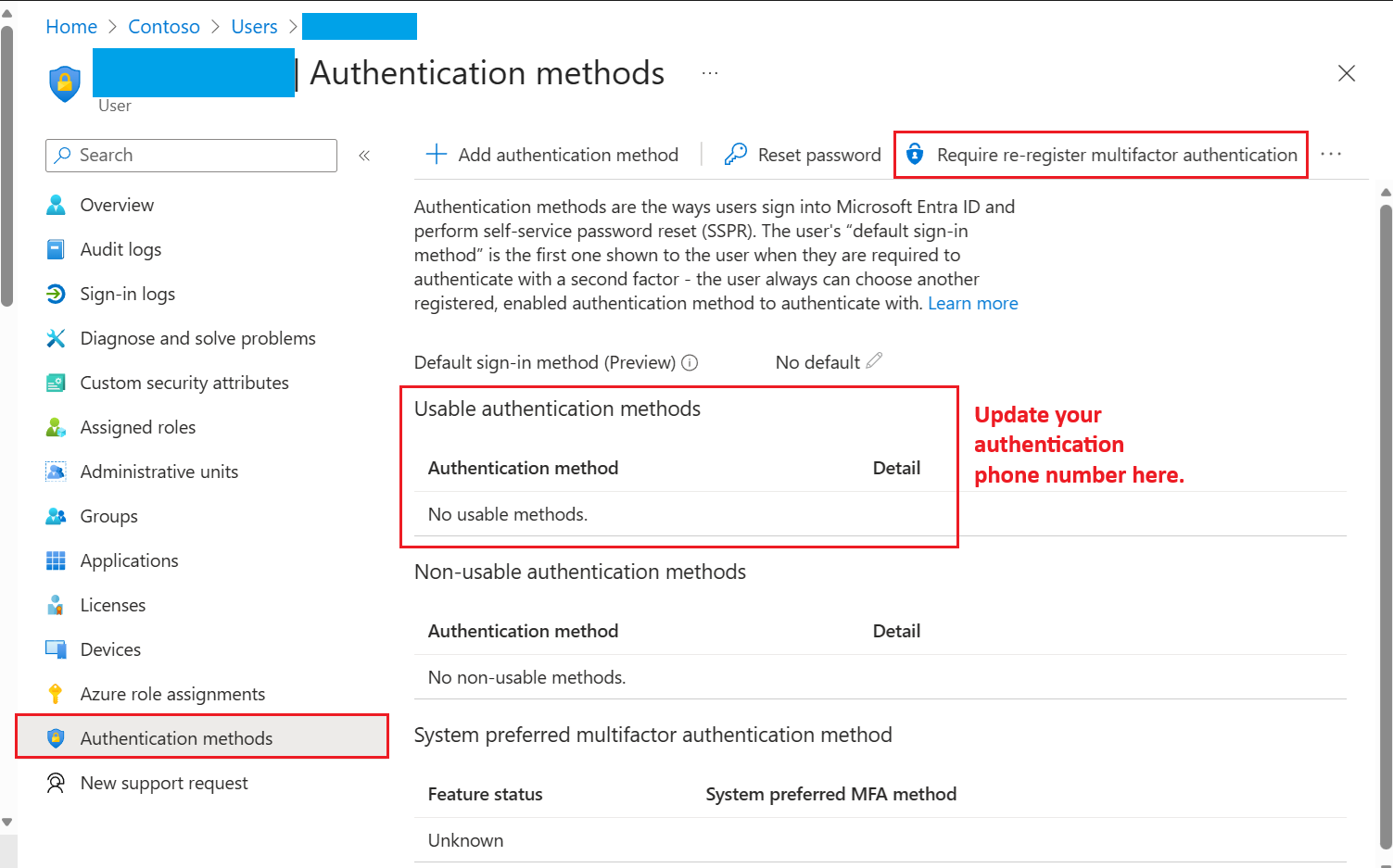
Next time the user sign in, the system will require them to set up a new authentication method. By using this, the affected user can re-set up the right authentication method.
Note: If you’re an end-user, please coordinate with your Office 365 Global Administrator to handle these steps
If you need any further assistance, feel free to reach out. We're here to help. Thank you very much for your understanding and your cooperation.
' cx='32' cy='32' r='32' /%3E%3Ctext x='50%25' y='55%25' dominant-baseline='middle' text-anchor='middle' fill='%23FFF' %3EA%3C/text%3E%3C/svg%3E)

' cx='32' cy='32' r='32' /%3E%3Ctext x='50%25' y='55%25' dominant-baseline='middle' text-anchor='middle' fill='%23FFF' %3EA%3C/text%3E%3C/svg%3E)