when opening File Explorer, clicking on any folder with files on the desktop or on the disk freezes and then restarts File Explorer. Help me how to fix this problem, the update has some kind of bug and breaks the normal operation of the explorer: https://github.com/valinet/ExplorerPatcher/issues/3884
Я не знаю уже куда писать, писал и на русском и на английском, данная ошибка наблюдается в 3-х последних обновлениях на DEV канале, у меня просто не работает проводник, я ничего не могу открыть ни на рабочем столе, ни на диске С или D, никакие папки не открываются, сразу всё начинает виснуть и проводник перезагружается.
Помогите кто сталкивался, как вы это вылечили?
this problem is observed on the last 3 builds in the Dev channel, rolling back to the previous version 11 for Windows insider preview 10.0.26120.1930 (ge_release_upr) solves the problem.
The problematic versions of the following have numbers, they are the ones that break my explorer:
Windows 11 Insider Preview 10.0.26120.2122 (ge_release_upr)
Windows 11 Insider Preview 10.0.26120.2200 (ge_release_upr)
Windows 11 Insider Preview 10.0.26120.2213 (ge_release_upr)
In these versions, the explorer is damaged
Данная проблема наблюдается на 3-х последних сборках в канале DEV, откат на предыдущую версию 11 для Windows Insider Preview 10.0.26120.1930 (ge_release_upr) проблему решает.
Проблемные версии следующие имеют номера, именно они ломают мне проводник:
Предварительный просмотр Windows 11 Insider Preview 10.0.26120.2122 (ge_release_upr)
Предварительный просмотр Windows 11 Insider Preview 10.0.26120.2200 (ge_release_upr)
Предварительный просмотр Windows 11 Insider Preview 10.0.26120.2213 (ge_release_upr)
В этих версиях проводник поврежден и не работает, каждый раз при открытии любой папки он виснет наглухо и потом перезапускается.
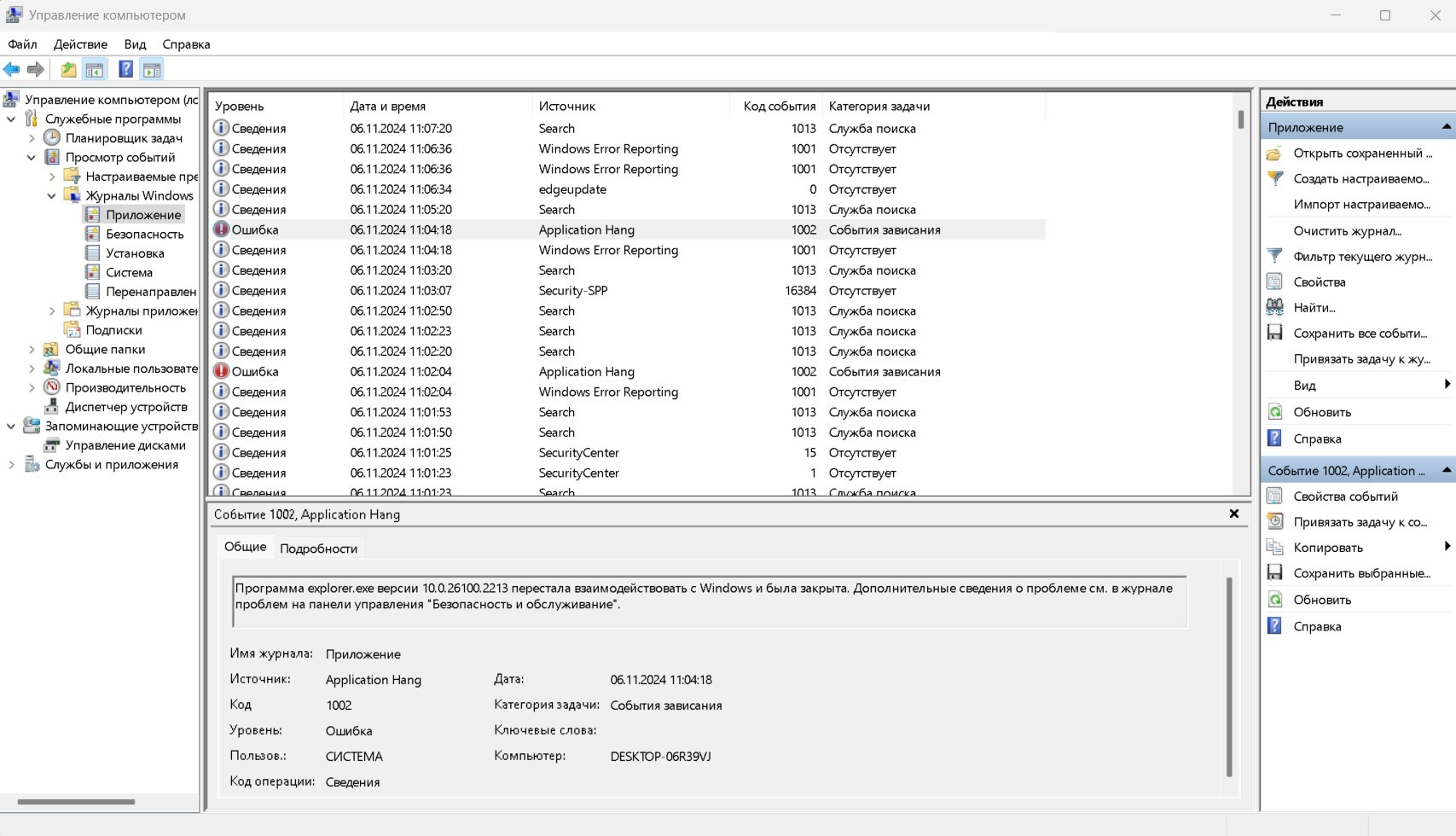
No, no third-party explorer extensions are installed.
You'll laugh, but pressing the F11 button helped me. I will describe the sequence of actions:
- Opened the explorer, pressed F11, the explorer stretched to full screen
- pressed F11 again, the explorer took its original window position
- after that everything started working, I have folders opening correctly both on the desktop and in my computer on disk C and D
I do not know how this is related, but it is possible this article is the key to solving this problem (translate it into English): https://habr.com/ru/news/758872/
Нет, никакие сторонние расширения проводника я не устанавливал.
Вы будете смеяться, но нажатие кнопки F11 мне помогло. Я опишу последовательность действий:
- Открыл эксплорер, нажал F11, эксплорер растянулся на весь экран
- Снова нажав F11, исследователь занял исходное положение окна
- После этого все заработало, у меня папки правильно открываются как на рабочем столе, так и в компьютере на дисках C и D
Я не знаю, как это связано, но возможно, что эта статья является ключом к решению этой проблемы: https://habr.com/ru/news/758872/
' cx='32' cy='32' r='32' /%3E%3Ctext x='50%25' y='55%25' dominant-baseline='middle' text-anchor='middle' fill='%23FFF' %3EA%3C/text%3E%3C/svg%3E)