nvlddmkm.sys video tdr failure

Anoniem
2022-01-23T12:23:24+00:00

Hello,

1,5 month ago I first met with this BSOD error. I searched on youtube for many fixes. But none of them worked.

I tried:

  • Updating windows
  • Updating my drivers
  • Completely reinstall my drivers
  • Windows build in troubleshooting in cmd
  • And many more I forgot about the names etc.

The blue screen i get:
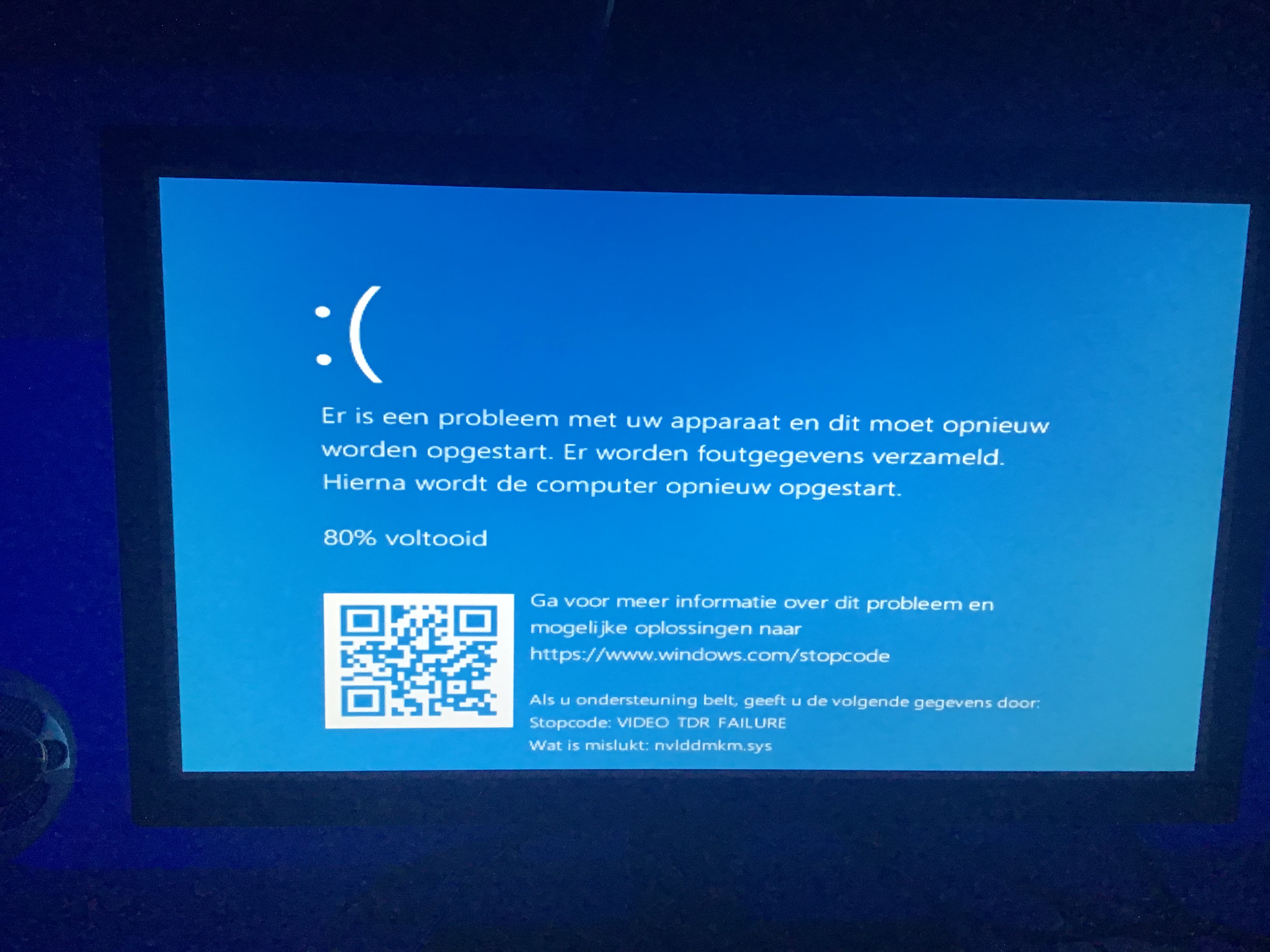
On January 13th, my windows system pushed a mention that said that it had deleted some updates after the crashes began. From that time, my computer didnt crash anymore, until yesterday, january 22th. For my feelings, I tried everything.

While I’m writing this post, my pc keep crashing.

My graphic card is: NVIDIA Geforce GTX 1050

The software version of my graphic card is: version 497.29

My windows version is: 21H2

Please can someone help me with my problem? I’ll be really thankful.

Windows voor thuisgebruik | Windows 10 | Pc-projectie

Vergrendelde vraag. Deze vraag is gemigreerd vanuit de Microsoft Ondersteuning-community. U kunt met een stem aangeven of de inhoud nuttig is, maar u kunt geen opmerkingen of antwoorden toevoegen of de vraag volgen.

0 opmerkingen Geen opmerkingen
Antwoord geaccepteerd door vraagauteur
Anoniem
2022-01-23T17:22:03+00:00

Hi Dave,

It looks like it worked, for now. Also I installed the wrong versions before. I installed the gtx series 16 (notebook) versions, but I had to install the Series 10 version. It did’nt crash for a long time so I hope it’ll stay like this.

Thanks for the help, I appreciate it.

Was dit antwoord nuttig?

0 opmerkingen Geen opmerkingen

5 extra antwoorden

Sorteren op: Meest nuttig
  1. DaveM121 938.1K Reputatiepunten Onafhankelijke adviseur
    2022-01-23T17:26:23+00:00

    Hi zJqcco, glad to help!

    Was dit antwoord nuttig?

    0 opmerkingen Geen opmerkingen
  2. DaveM121 938.1K Reputatiepunten Onafhankelijke adviseur
    2022-01-23T13:11:45+00:00

    Hi zJqcco

    A version of that driver that is a month or more older than the latest version, should be stable on your system.

    Was dit antwoord nuttig?

    0 opmerkingen Geen opmerkingen
  3. Anoniem
    2022-01-23T13:05:26+00:00

    Hi Dave,

    Thank you for responding, I’ll try this once again. But I already did this 3 times in the past month. I’ll do it this time with an older version, because I didn’t try that before. Which version do you think is the best for me? Or from when?

    Was dit antwoord nuttig?

    0 opmerkingen Geen opmerkingen
  4. DaveM121 938.1K Reputatiepunten Onafhankelijke adviseur
    2022-01-23T12:57:14+00:00

    Hi zJqcco

    I am Dave, I will help you with this.

    You should completely remove the current Nvidia device driver using the widely available free DDU utility, then restart your PC and go to the support page for your PC on the manufacturer's website to download and install their recommended version of the Nvidia device driver.

    An older version of that Nvidia driver is usually more stable than the latest version of the driver.

    Was dit antwoord nuttig?

    0 opmerkingen Geen opmerkingen