Hello,
We are a company using Microsoft 365, and Microsoft Loop has been working perfectly for us across multiple workspaces. I can still create new Loop workspaces, collaborate with team members, and get invited to new workspaces without any issues.
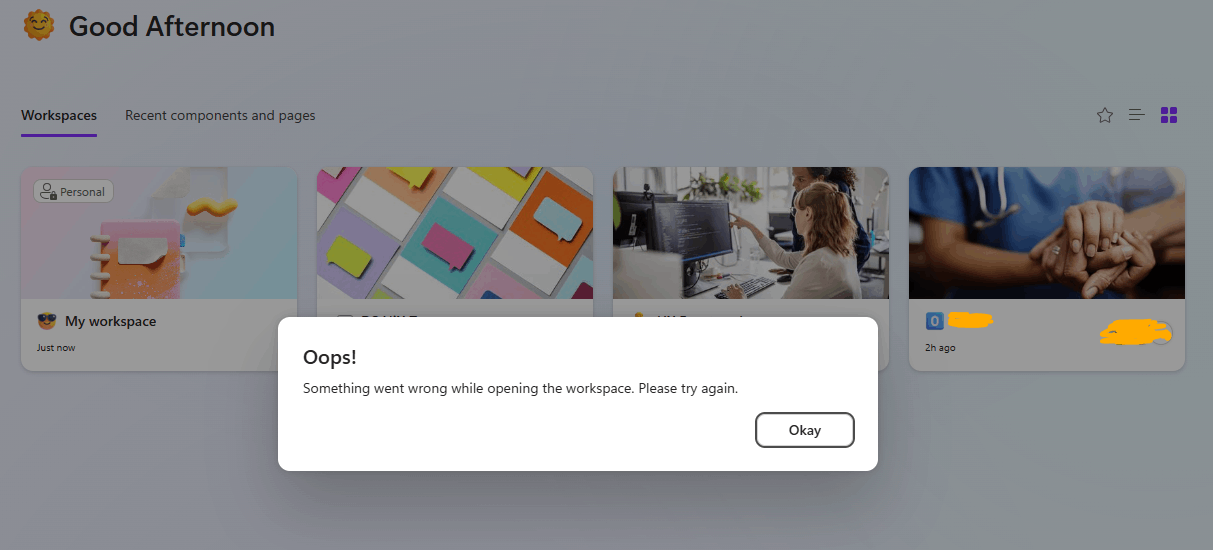
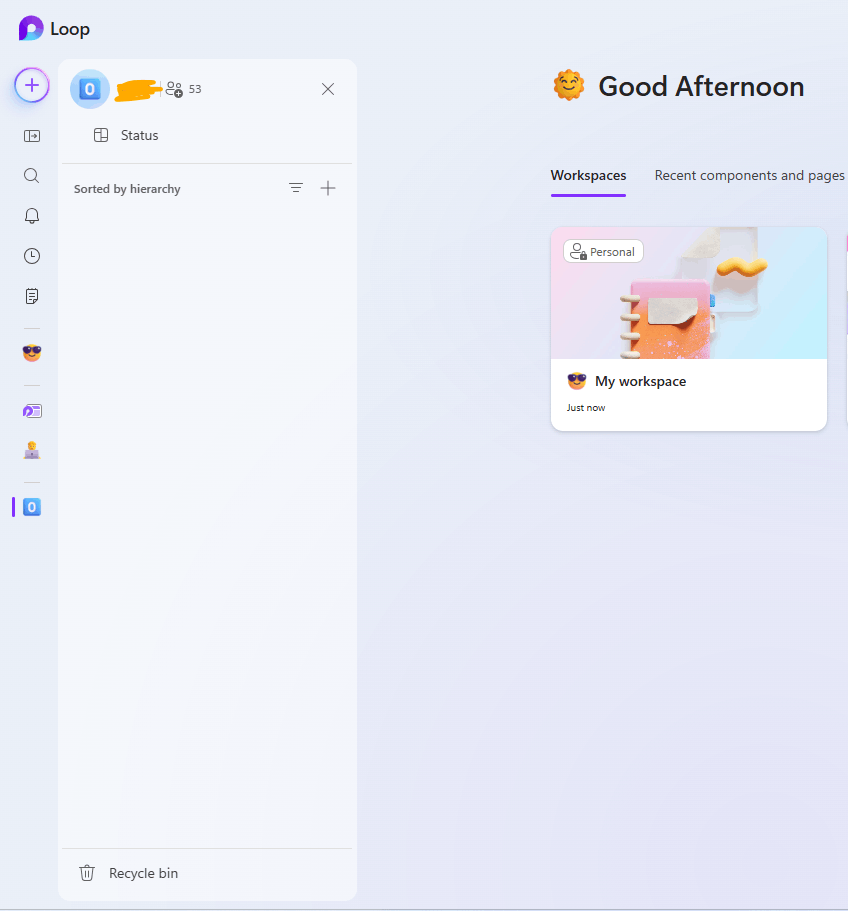
However, I’ve lost access to our main/shared workspace, which contains critical project documentation. Strangely, this workspace is still visible in my Loop dashboard, and it appears as though I still have owner permissions (I can see members and "manage access" options), but when I try to open it, I receive the following message:
“Make sure you're signed in – It seems like you don’t have access to this. Check that you’re signed in, then reload the page. If that doesn’t work, make sure the owner has given you access.”
This issue began after I tried helping a colleague who was experiencing the exact same access problem with this workspace.
I’ve already tried:
- Signing out and back in with a clean session (including clearing browser cache/cookies)
- Using different browsers and devices (including incognito/private mode)
- Asking other owners to re-invite me or remove/re-add me
- Verifying I still appear in the member list as an owner
- Confirming I still have access to all other Loop workspaces
Yet, the problem persists only with this specific workspace, which is fully active and accessible to other members.
Could this be a permission sync issue between Loop and the underlying Microsoft 365 Group or SharePoint permissions? Or is there a known bug that causes this false ownership/access state?
P.S. Just to clarify — as shown in the second image, I can still view the list of members in the workspace, which kinda suggests I technically still have access. However, I’m unable to see any of the actual content. Normally, this workspace would display multiple pages, documentation, and project materials. And when I select our project like in the first image, I get the error a showed
We would appreciate any insight or guidance you can offer, as this workspace is actively in use.
Thank you in advance,
Karl Smit
' cx='32' cy='32' r='32' /%3E%3Ctext x='50%25' y='55%25' dominant-baseline='middle' text-anchor='middle' fill='%23FFF' %3EA%3C/text%3E%3C/svg%3E)
