Hey Rodrigo
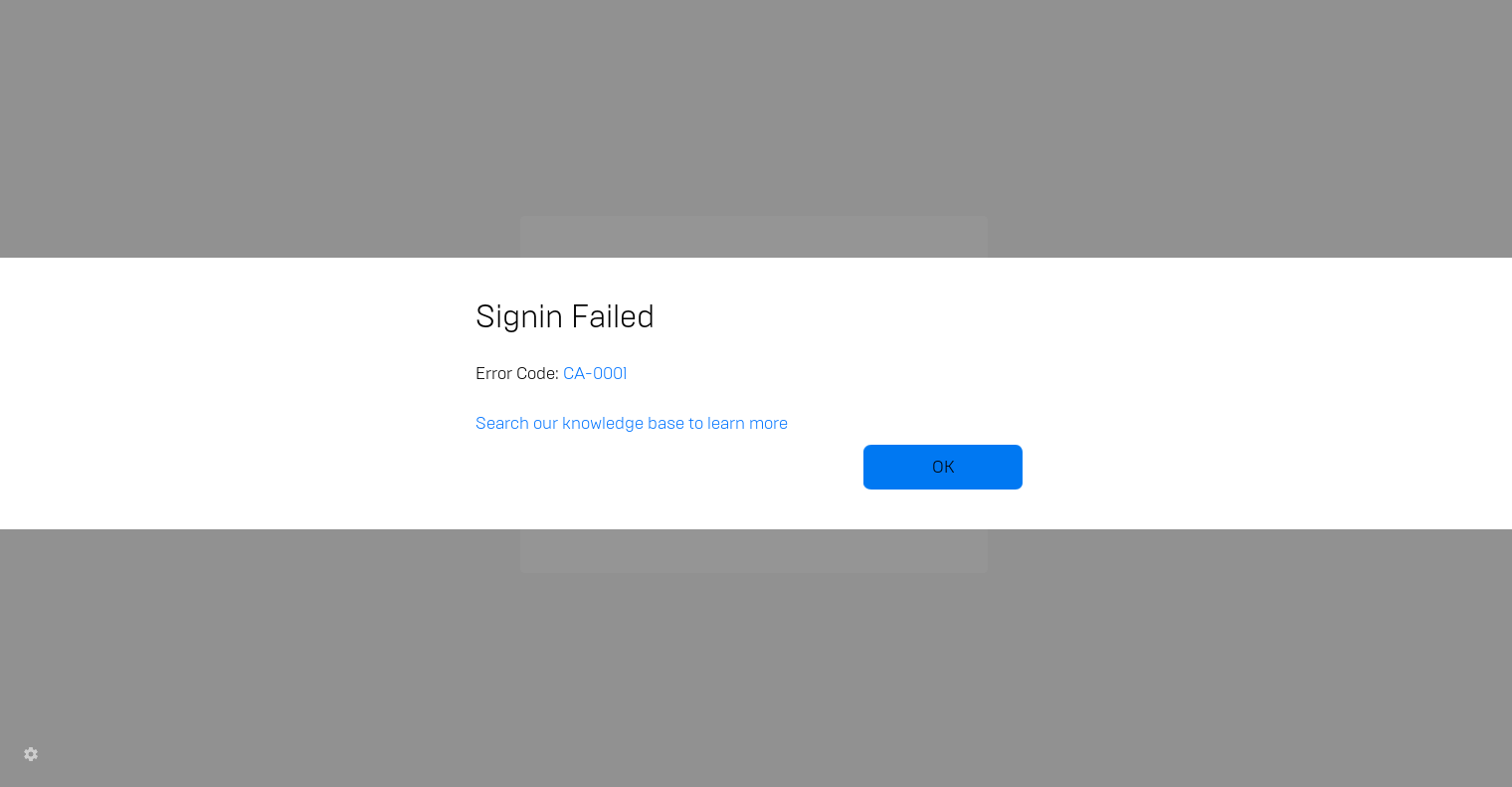
I reinstalled Epic Games Launcher and it started downloading a 500mb update. After the update it started preparing the launcher, but then i got an error code. (screenshot below). When I press ok, I get the same connection error as before.
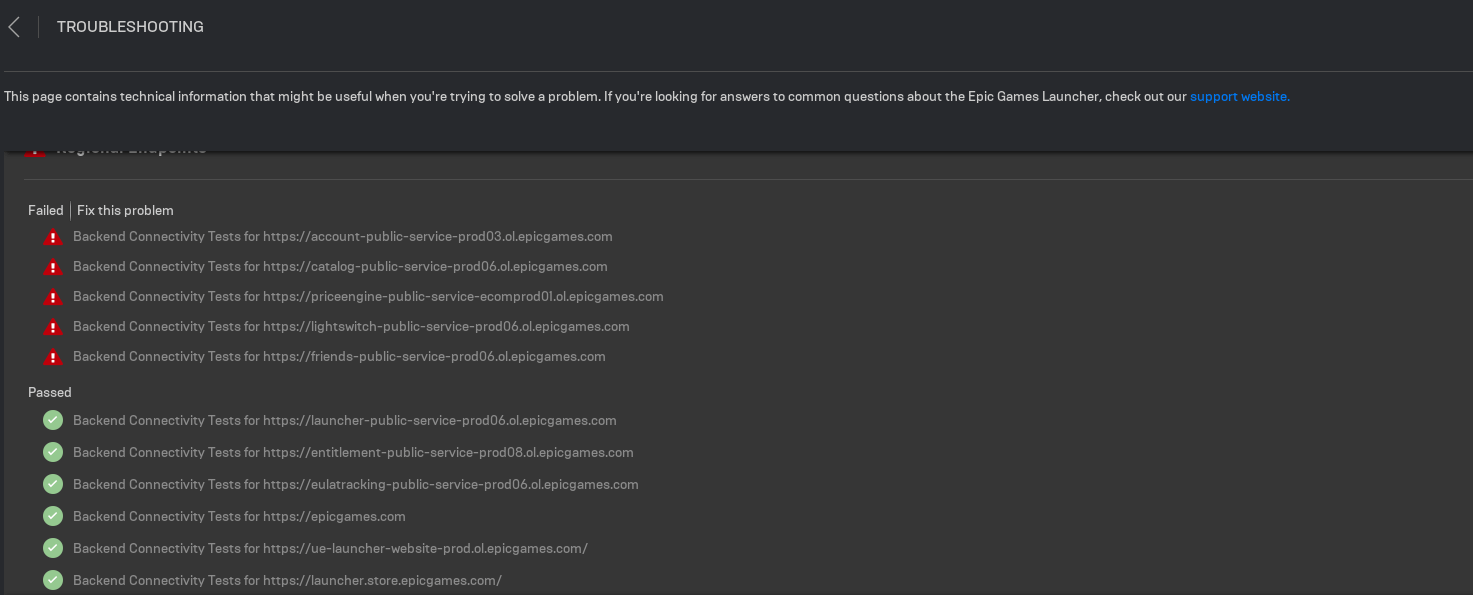
Here is some troubleshooting stuff when I enter the launcher settings in offline mode. Can't see any of my games in offline mode.
Picture in text
{ "EndPointResults": [ { "Type": "Endpoint", "Result": "Failed", "Code": "TS-NC-0001", "Desc": "Backend Connectivity Tests for https://account-public-service-prod03.ol.epicgames.com" }, { "Type": "Endpoint", "Result": "Passed", "Code": "", "Desc": "Backend Connectivity Tests for https://launcher-public-service-prod06.ol.epicgames.com" }, { "Type": "Endpoint", "Result": "Failed", "Code": "TS-NC-0001", "Desc": "Backend Connectivity Tests for https://catalog-public-service-prod06.ol.epicgames.com" }, { "Type": "Endpoint", "Result": "Passed", "Code": "", "Desc": "Backend Connectivity Tests for https://entitlement-public-service-prod08.ol.epicgames.com" }, { "Type": "Endpoint", "Result": "Failed", "Code": "TS-NC-0001", "Desc": "Backend Connectivity Tests for https://priceengine-public-service-ecomprod01.ol.epicgames.com" }, { "Type": "Endpoint", "Result": "Failed", "Code": "TS-NC-0001", "Desc": "Backend Connectivity Tests for https://lightswitch-public-service-prod06.ol.epicgames.com" }, { "Type": "Endpoint", "Result": "Passed", "Code": "", "Desc": "Backend Connectivity Tests for https://eulatracking-public-service-prod06.ol.epicgames.com" }, { "Type": "Endpoint", "Result": "Failed", "Code": "TS-NC-0001", "Desc": "Backend Connectivity Tests for https://friends-public-service-prod06.ol.epicgames.com" }, { "Type": "Endpoint", "Result": "Passed", "Code": "", "Desc": "Backend Connectivity Tests for https://epicgames.com" }, { "Type": "Endpoint", "Result": "Passed", "Code": "", "Desc": "Backend Connectivity Tests for https://ue-launcher-website-prod.ol.epicgames.com/" }, { "Type": "Endpoint", "Result": "Passed", "Code": "", "Desc": "Backend Connectivity Tests for https://launcher.store.epicgames.com/" } ], "MinimumSpecResults": [ { "Type": "Processor", "Result": "Passed", "Code": "", "Desc": "CPU: 2 Cores" }, { "Type": "Memory", "Result": "Passed", "Code": "", "Desc": "RAM: 2GB" }, { "Type": "Graphics Device", "Result": "Passed", "Code": "", "Desc": "GPU: GeForce 5, Radeon 9000, Intel HD Graphics" }, { "Type": "Operating System", "Result": "Passed", "Code": "", "Desc": "OS: Windows 7 (or similar)" } ], "RecommendedSpecResults": [ { "Type": "Processor", "Result": "Passed", "Code": "", "Desc": "CPU: 4 Cores" }, { "Type": "Memory", "Result": "Passed", "Code": "", "Desc": "RAM: 4GB" }, { "Type": "Graphics Device", "Result": "Passed", "Code": "", "Desc": "GPU: GeForce 400, Radeon HD 5000, Intel HD Graphics 4000/2500" }, { "Type": "Operating System", "Result": "Passed", "Code": "", "Desc": "OS: Windows 7 (or similar)" } ] }
' cx='32' cy='32' r='32' /%3E%3Ctext x='50%25' y='55%25' dominant-baseline='middle' text-anchor='middle' fill='%23FFF' %3EA%3C/text%3E%3C/svg%3E)

