Blue error screen on Windows 11

Anónimas
2024-09-11T03:17:31+00:00

Hello,

I contact because I don not how to proceed to fix an error. I am very desperate.

Error description:

Windows 11 shows a blue error screen and performs a restart. This error happens randomly several times in a day

Also I detected that when I try to search something in the search box of the task bar appears a black modal and a progress bar on top. See image below

For the other hand I detected that some softwares crashes suddenly and some software also restarts suddenly. (Word, Mediamonkey, Firefox, Slack, OneNote, Notepad++, Postman, Thunderbird, Unity, Foxit PDF Editor)

UPDATE: I detected another error, video conferences where I use the camera suddenly close both in Google Meets and in Slack.

When is triggered the error:

  • Aparently randomly.
  • When Windows starts and shows the desktop.
  • When I open the System tray of the taskbar.
  • When I start a search from the taskbar.

Specs of the computer:

  • Windows 11 23H2 22631.4169
  • Mainboard Z790 D DDR4
  • Intel Core i9 14900KS
  • Ram 128GB DDR4
  • 6 hard drives and 1 NV2 NVMe PCIe 4.0 (main unit with Windows)
  • Nvidia GeForce RTX 4070 Ti Super 16Gb (Studio driver 560.81)

What I did?

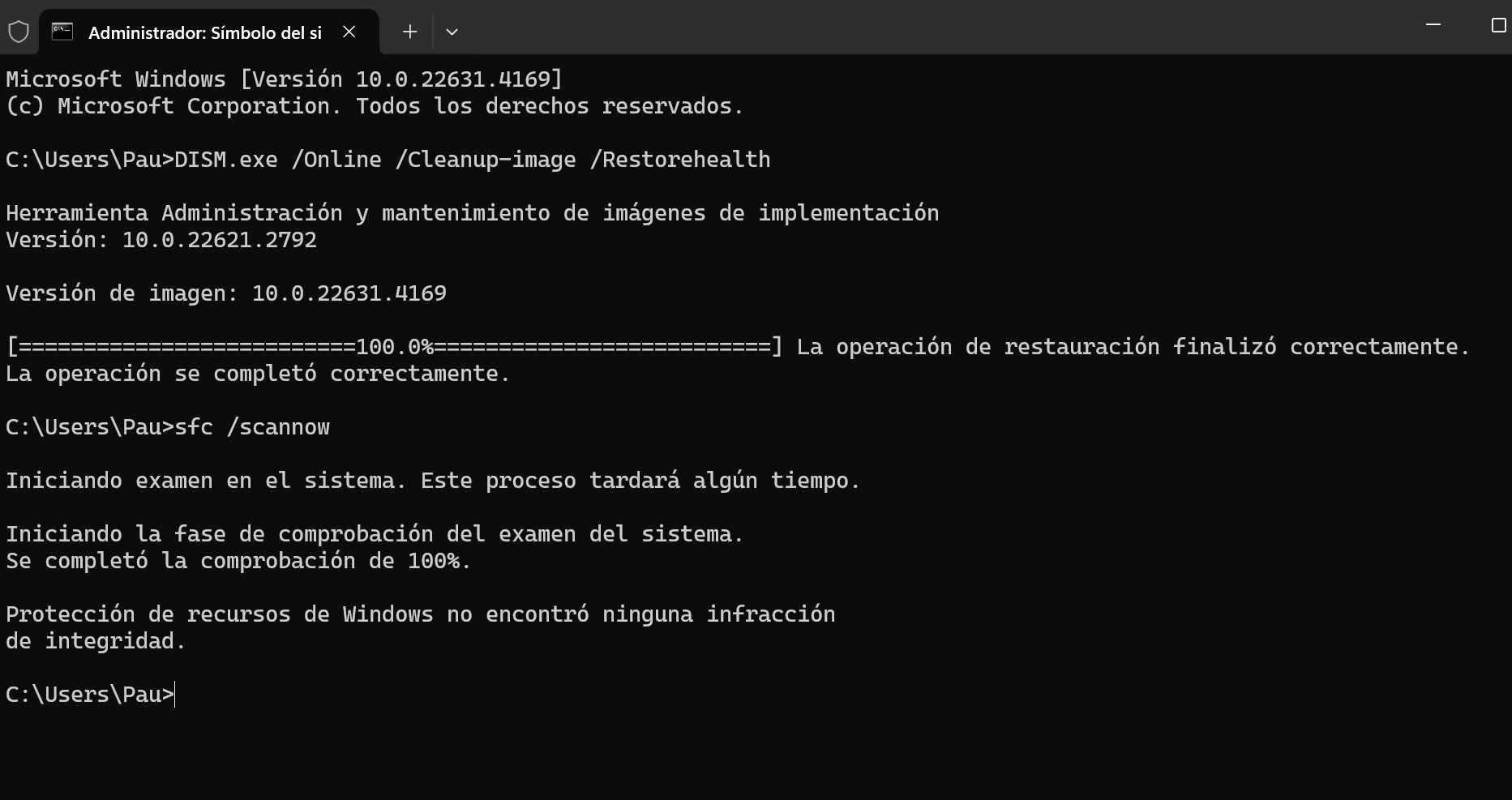
Run these commands and no errors found.

  • DISM.exe /Online /Cleanup-image /Restorehealth
  • sfc /scannow
  • chkdsk/f C:
  • chkdsk/f U:
  • chkdsk/f V:
  • chkdsk/f W:
  • chkdsk/f X:
  • chkdsk/f Y:
  • chkdsk/f Z:

How I can identify the cause of the blue screen and the rest of errors?

How I can fix the problems?

I appreciate a lot any type of help. In fact I tried to purchase a Single Incident (Business Hours Support) for Businesses bu I got this error during the payment process: Tax calculation was unsuccessful, please try again later.

Windows para el hogar | Windows 11 | Errores de rendimiento y sistema

Pregunta bloqueada. Esta pregunta se migró desde la Comunidad de Soporte técnico de Microsoft. Puede votar si es útil, pero no puede agregar comentarios o respuestas ni seguir la pregunta.

0 comentarios No hay comentarios

19 respuestas

Ordenar por: Más reciente
  1. Nallasamy K 4,750 Puntos de reputación
    2024-09-13T01:57:57+00:00

    Thank you for the update. I’m glad to hear that uninstalling Unity Hub has helped with the random restarts, but I understand that the issue of programs closing on their own is still ongoing.

    To better investigate what might be causing this, I’d be happy to analyze any new minidump files you may have. These files could provide more insight into the underlying issue. Could you please share the latest minidumps from your system? You can find them in the following location:

    C:\Windows\Minidump

    Once I have those files, I'll take a closer look and provide you with further recommendations.

    ¿Le ha resultado útil esta respuesta?

    0 comentarios No hay comentarios
  2. Anónimas
    2024-09-12T18:06:59+00:00

    Hello Nals,

    I uninstalled Unity Hub, for the moment I do not have random restarts but many programs continue to close on their own. Is there information about this in the minidumps?

    Thank you,

    Pau

    ¿Le ha resultado útil esta respuesta?

    0 comentarios No hay comentarios
  3. Anónimas
    2024-09-12T16:59:28+00:00

    Hello Nals,

    Yes I have Unity Hub. Is an important software. I will try to uninstall and see if the PC has a better performance but Unity Hub is an important software. I can not work wihtout him.

    Thank you,

    Pau

    ¿Le ha resultado útil esta respuesta?

    0 comentarios No hay comentarios
  4. Nallasamy K 4,750 Puntos de reputación
    2024-09-12T09:24:42+00:00

    Thank you for sharing files!

    The minidump analysis suggests that the crash occurred within the Windows kernel, specifically in the nt!MiAllocateWsle+27e function. This kernel-mode issue seems to have manifested in the context of the Unity Hub.exe process, which is the launcher application for the Unity game engine.

    Have you installed Unity Hub on your system? If so, please try to uninstall it and see if that helps.

    ¿Le ha resultado útil esta respuesta?

    0 comentarios No hay comentarios
  5. Anónimas
    2024-09-12T07:05:48+00:00

    Hola Nals,

    Gracias otra vez, aquí tienes nuevos archivos de minivolcado.

    https://drive.google.com/file/d/1Qg7-9BDanoktAwwXMOUkPj-DCJzZZFWr/view?usp=sharing

    Un saludo y gracias,

    Pau

    ¿Le ha resultado útil esta respuesta?

    0 comentarios No hay comentarios