Azure Databricks
An Apache Spark-based analytics platform optimized for Azure.
This browser is no longer supported.
Upgrade to Microsoft Edge to take advantage of the latest features, security updates, and technical support.
' cx='32' cy='32' r='32' /%3E%3Ctext x='50%25' y='55%25' dominant-baseline='middle' text-anchor='middle' fill='%23FFF' %3ES%3C/text%3E%3C/svg%3E)
Hi All,
I dont know python/scala just googling and understanding the commands. We got a requirement to read Azure SQL database from databricks. I got the info related to JDBC driver and established connection and read one table from SQL.
Is there anyway to mount or create a DBFS Azure SQL database in the databricks to query and update data?
Basically I want to view all the Azure SQL table from databricks rather than writing lengthy query for individual tables.
Thanks
SS
An Apache Spark-based analytics platform optimized for Azure.

Hello @Sandhya ,
Thanks for the question and using MS Q&A platform.
There are couple of methods to connect Azure SQL Database using Azure Databricks.
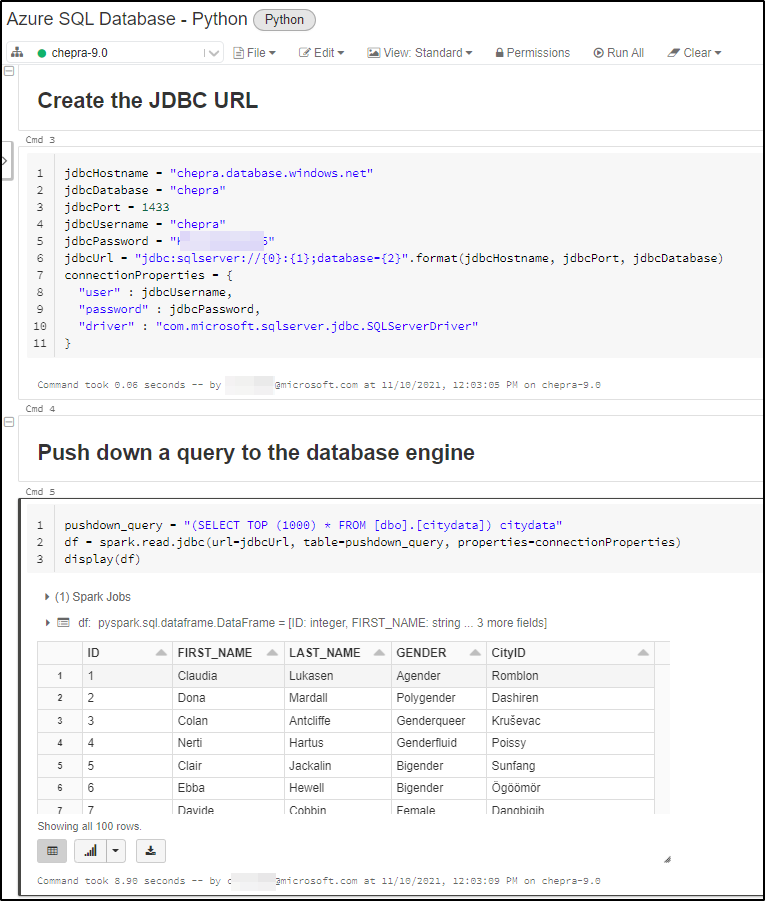
Method1: SQL databases using JDBC
The following Python examples cover some of the same tasks:
#Create the JDBC URL
jdbcHostname = "<DBNAME.database.windows.net>"
jdbcDatabase = "<DatabaseName>"
jdbcPort = 1433
jdbcUsername = "<UserName>"
jdbcPassword = "<Password>"
jdbcUrl = "jdbc:sqlserver://{0}:{1};database={2}".format(jdbcHostname, jdbcPort, jdbcDatabase)
connectionProperties = {
  "user" : jdbcUsername,
  "password" : jdbcPassword,
  "driver" : "com.microsoft.sqlserver.jdbc.SQLServerDriver"
}
#Push down a query to the database engine
pushdown_query = "(select * from employees where emp_no < 10008) emp_alias"
df = spark.read.jdbc(url=jdbcUrl, table=pushdown_query, properties=connectionProperties)
display(df)
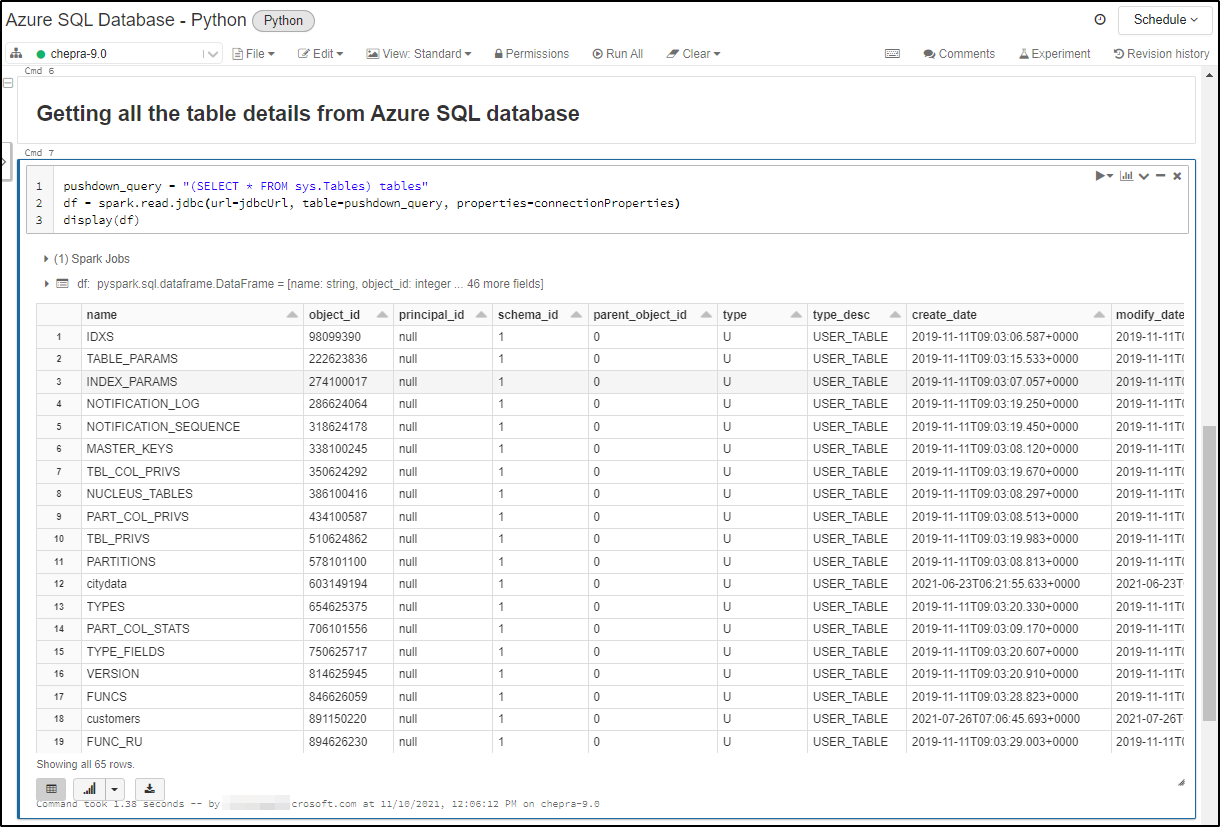
Push down query to get the tables details from Azure SQL Database:
pushdown_query = "(SELECT * FROM sys.Tables) tables"
df = spark.read.jdbc(url=jdbcUrl, table=pushdown_query, properties=connectionProperties)
display(df)
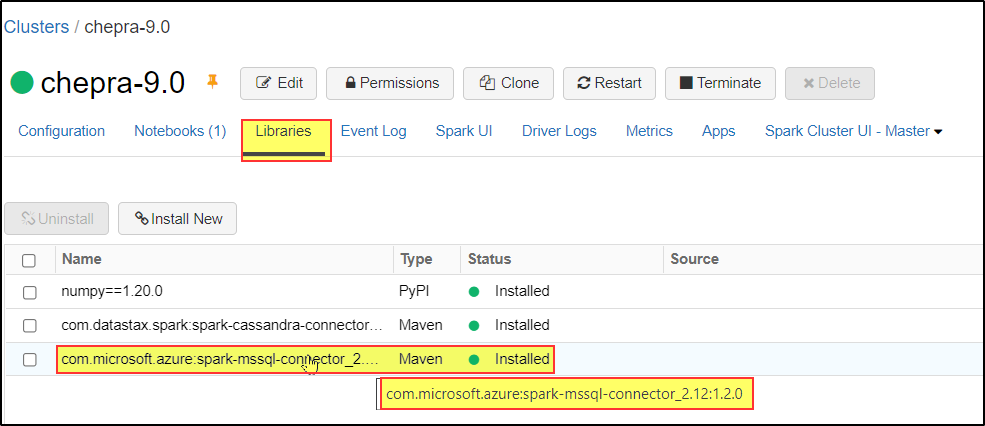
There are two versions of the connector available through Maven, a 2.4.x compatible version and a 3.0.x compatible version. Both versions can be found here and can be imported using the coordinates below:

Prerequisites: You need to install the Apache Spark Connector.
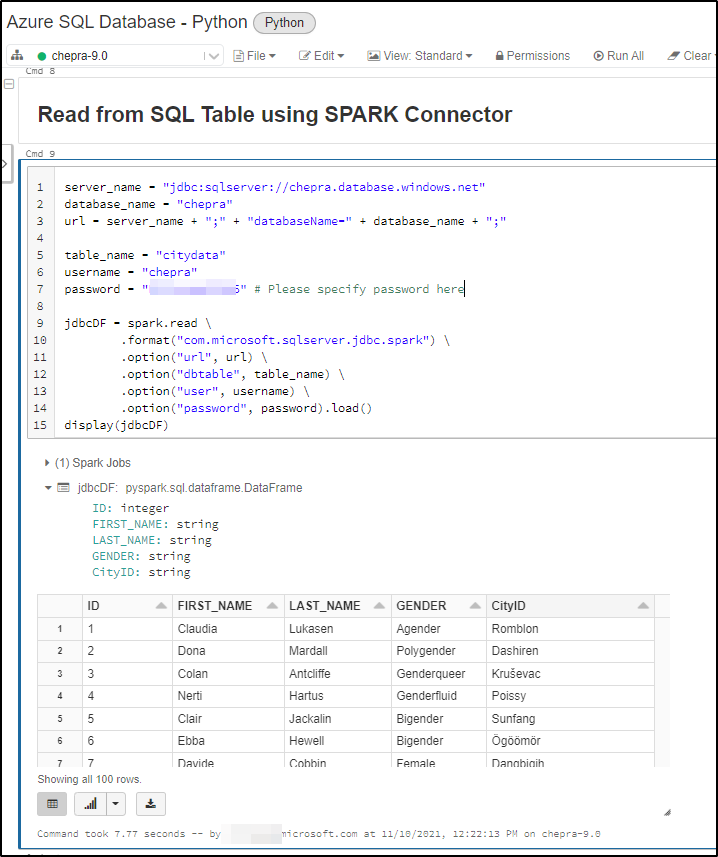
Python code to Read from SQL Table using Apache Spark Connector:
server_name = "jdbc:sqlserver://<ServerName>.database.windows.net"
database_name = "<DatabaseName>"
url = server_name + ";" + "databaseName=" + database_name + ";"

table_name = "<TableName>"
username = "<UserName>"
password = "<Password>" # Please specify password here

jdbcDF = spark.read \
        .format("com.microsoft.sqlserver.jdbc.spark") \
        .option("url", url) \
        .option("dbtable", table_name) \
        .option("user", username) \
        .option("password", password).load()
display(jdbcDF)
Hope this will help. Please let us know if any further queries.
------------------------------
 or upvote
 button whenever the information provided helps you. Original posters help the community find answers faster by identifying the correct answer. Here is how
Spark connector is not working for me. I've already tried JDBC connector.
Hello @Sandhya ,
When you say "Spark connector is not working for me", have you installed the Apache Spark Connector as shown above?
Could you please open a new thread with detailed explanation of your issue along with code which you are running and error message?