Microsoft Security | Microsoft Graph
An API that connects multiple Microsoft services, enabling data access and automation across platforms

This browser is no longer supported.
Upgrade to Microsoft Edge to take advantage of the latest features, security updates, and technical support.
' cx='32' cy='32' r='32' /%3E%3Ctext x='50%25' y='55%25' dominant-baseline='middle' text-anchor='middle' fill='%23FFF' %3EA%3C/text%3E%3C/svg%3E)
Hello, I would like to search for a file with the Graph SDK(ASP.Net Core and C#), with Postman this also works as desired.
https://graph.microsoft.com/v1.0/users/{user-id}/drive/root/search(q='Filename')
But I just can't get it to work with the SDK (empty collection).
private async Task<IDriveItemSearchCollectionPage> SearchFiles(GraphServiceClient graphClient){
  var search = await graphClient.Users["User-iD"].Drive.Root
    .Search("Filename")
    .Request()
    .GetAsync();

    return search;
}
And the associated iterator:
 private void PrintFiles(IDriveItemSearchCollectionPage files) {

        foreach(var file in files) {
          var message = $"File: {file.Name}, Id: {file.Id}";

          Console.WriteLine(message);
        }
    }
What am I doing wrong ?
I would be very happy to receive help.
Greetings
An API that connects multiple Microsoft services, enabling data access and automation across platforms
An object-oriented and type-safe programming language that has its roots in the C family of languages and includes support for component-oriented programming.
A set of technologies in .NET for building web applications and web services. Miscellaneous topics that do not fit into specific categories.
' cx='32' cy='32' r='32' /%3E%3Ctext x='50%25' y='55%25' dominant-baseline='middle' text-anchor='middle' fill='%23FFF' %3EA%3C/text%3E%3C/svg%3E)
Hi @APIPointNewbie ,
Please read the SDK documentation for details on how to add the SDK to your project and create an authProvider instance.
Hello,
this is what I have, I have coded a webhook with delta(Following these instructions) that works fine, only this search does not work properly.
Hi @APIPointNewbie , this is my code and my test result. Pls note that you need to give the api permission in azure portal before, here I used client credential flow, so I set application permission but not delegate permission.
using Azure.Identity;
using Microsoft.AspNetCore.Mvc;
using Microsoft.Graph;
using System.Linq;
using System.Threading.Tasks;

namespace WebApplication3.Controllers
{
    public class HomeController : Controller
    {
        public IActionResult Index()
        {
            return View();
        }

        public async Task<string> testAsync() {
            var def = new[] { "https://graph.microsoft.com/.default" };
            var tenantId = "tenant_name.onmicrosoft.com";
            var clientId = "azure_ad_app_id_here";
            var clientSecret = "client_secret_here";

            var options = new TokenCredentialOptions
            {
                AuthorityHost = AzureAuthorityHosts.AzurePublicCloud
            };
            var clientSecretCredential = new ClientSecretCredential(tenantId, clientId, clientSecret, options);
            var graphClient = new GraphServiceClient(clientSecretCredential, def);
            DriveItemSearchCollectionPage a = (DriveItemSearchCollectionPage)await graphClient.Users["my_user_id"].Drive.Root.Search("win-arm").Request().GetAsync();
            return a.FirstOrDefault<DriveItem>().Name;
        }
    }
}
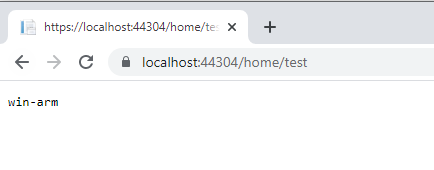
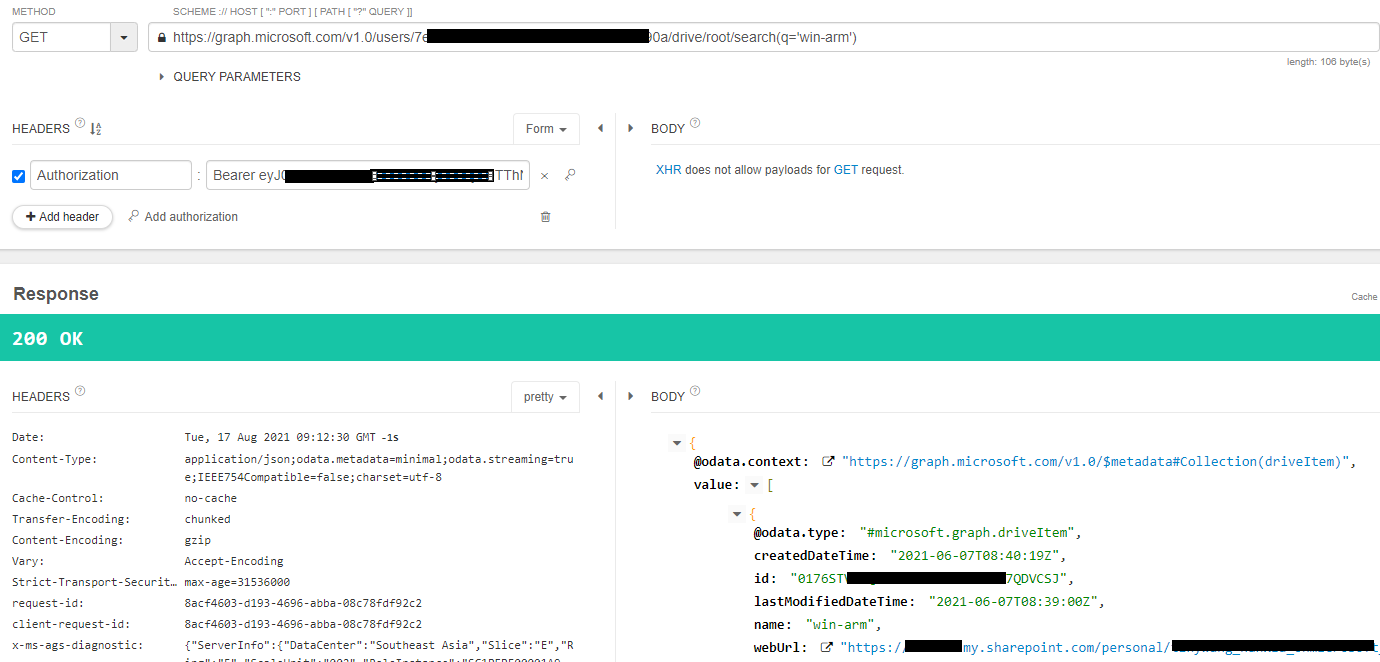
If the answer is helpful, please click "Accept Answer" and upvote it.
Note: Please follow the steps in our documentation to enable e-mail notifications if you want to receive the related email notification for this thread.
Best Regards,
TinyWang
What is strange: I didn't change anything in my original code and the search now works with my daemon service.
Hi @APIPointNewbie , it may take place when you newly set the api permission for you ad app and you authorize the client before the permission take effect. There's no error message for you issue so I'm afraid it hard to find out the reason why it's ok without any change on it. However, it worked any way, I think we can end this case : )