Server 2022 settings app crashing

John555444 21 Reputation points
2022-08-04T16:45:16.883+00:00

Hi,

I am getting an issue when leaving the settings app open on system, it crashes after around a minute.

This is on a Server 2022 machine (a domain controller) on a vmware host. If I leave another screen in settings open it doesn't crash.

Windows for business | Windows Server | User experience | Other

8 answers

Sort by: Most helpful
  1. Christopher Thorjussen 1 Reputation point
    2022-11-16T20:03:55.203+00:00

    I had the same problem, but not with a domain controller, just a normal win2022 vmware template. It turned out to be that I had tweaked/hardened the template a bit too much.

    Turns out two services needed to run; Network Connections Broker (NcbService) and Connected Devices Platform Service (CDPSvc). I had disabled NbcService. So CDPSvc would not start. So setting NbcService to manual (or auto) and restarting CDPS, which starts NbcService automatically as it's a dependency, solved it.

    I found that solution here: https://social.technet.microsoft.com/Forums/en-US/da0a06a0-05d8-4223-9d4b-973b8d3688a0/systemsettingsexe-crashing-on-multiple-computers

    Was this answer helpful?

    1 person found this answer helpful.
    0 comments No comments

  2. Flemming Wilton Hansen 1 Reputation point
    2022-09-14T06:50:49.88+00:00

    Hi,

    Just promoted my new 2022 server to DC yesterday and have now the issue too.
    It only happens when I am under the "system" in settings and leave it there, not touching the mouse, it crashes after about 30sec.
    All other "SUBmenues" works as expected.

    M$ - please FIX !!

    Was this answer helpful?

    0 comments No comments

  3. Anonymous
    2022-08-05T00:26:19.563+00:00

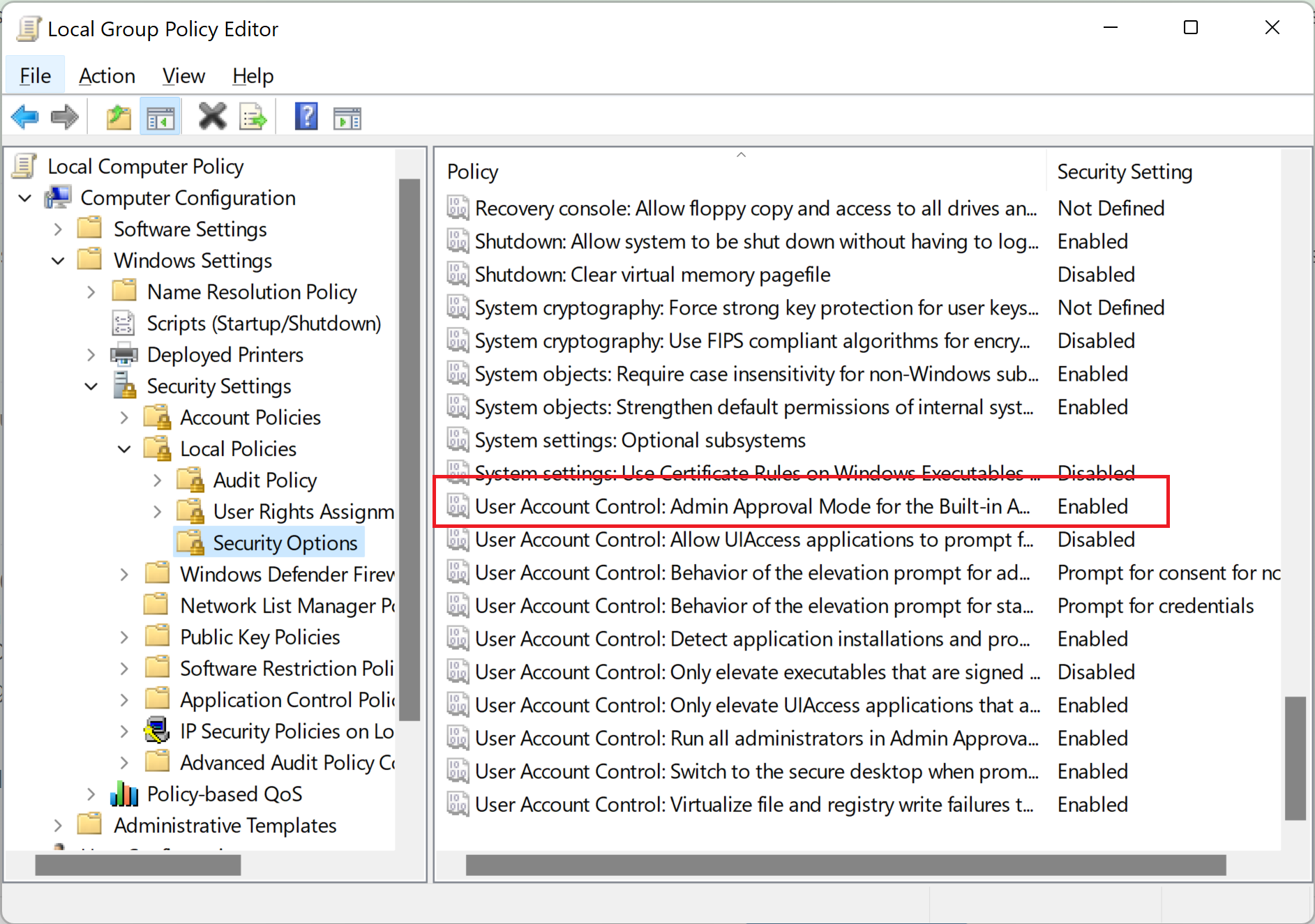
    A shot in the dark but might check this one is Enabled.

    --please don't forget to upvote and Accept as answer if the reply is helpful--

    228297-image.png

    Was this answer helpful?


  4. Anonymous
    2022-08-04T18:53:51.71+00:00

    The simplest / safest method would be to stand up a new one for replacement and move on.

    I'd use dcdiag / repadmin tools to verify health correcting all errors found before starting any operations. Then stand up the new 2022, patch it fully, license it, join existing domain, add active directory domain services, promote it also making it a GC (recommended), transfer FSMO roles over (optional), transfer pdc emulator role (optional), use dcdiag / repadmin tools to again verify health, when all is good you can decommission / demote old one.

    --please don't forget to upvote and Accept as answer if the reply is helpful--

    Was this answer helpful?


  5. Anonymous
    2022-08-04T17:38:12.42+00:00

    What app are you asking about?

    Was this answer helpful?


Your answer

Answers can be marked as 'Accepted' by the question author and 'Recommended' by moderators, which helps users know the answer solved the author's problem.