Community Center | Not monitored
Tag not monitored by Microsoft.

This browser is no longer supported.
Upgrade to Microsoft Edge to take advantage of the latest features, security updates, and technical support.
' cx='32' cy='32' r='32' /%3E%3Ctext x='50%25' y='55%25' dominant-baseline='middle' text-anchor='middle' fill='%23FFF' %3EBT%3C/text%3E%3C/svg%3E)
Hello all,
Graph API newbie here.
I am trying to search for messages in the body of the email.
I have tried the following and it did not work because it appears that filter cannot filter body of the email.
$upn = '******@domain.com'
$api = "https://graph.microsoft.com/v1.0/users/$upn/messages?filter=contains(subject,'XYZ') or contains(body/content,'XYZ')&count=true"
$api = "https://graph.microsoft.com/v1.0/users/$upn/messages?filter=contains(bodyPreview,'XYZ')&count=true"
So, I moved to use $search like below which just return all messages in the mailbox.
$api = "https://graph.microsoft.com/V1.0/users/$upn/messages?$search=subject:'XYZ'&count=true"
$api = "https://graph.microsoft.com/V1.0/users/$upn/messages?$search=bodyPreview:'XYZ'&count=true"
What did I do wrong?
Tag not monitored by Microsoft.
I finally got the answer after posting on Spiceworks and Serverfault.
The issue has to do with variable substitution.
Please check here.
https://community.spiceworks.com/topic/2353956-graph-api-to-filter-bodypreview-or-body-content-in-messages?page=1#entry-9487618
https://serverfault.com/questions/1103528/graph-api-cannot-use-search
This answer has been deleted due to a violation of our Code of Conduct. The answer was manually reported or identified through automated detection before action was taken. Please refer to our Code of Conduct for more information.
1 deleted commentComments have been turned off. Learn more
' cx='32' cy='32' r='32' /%3E%3Ctext x='50%25' y='55%25' dominant-baseline='middle' text-anchor='middle' fill='%23FFF' %3ESM%3C/text%3E%3C/svg%3E)
Hi @Blue Tongue ,
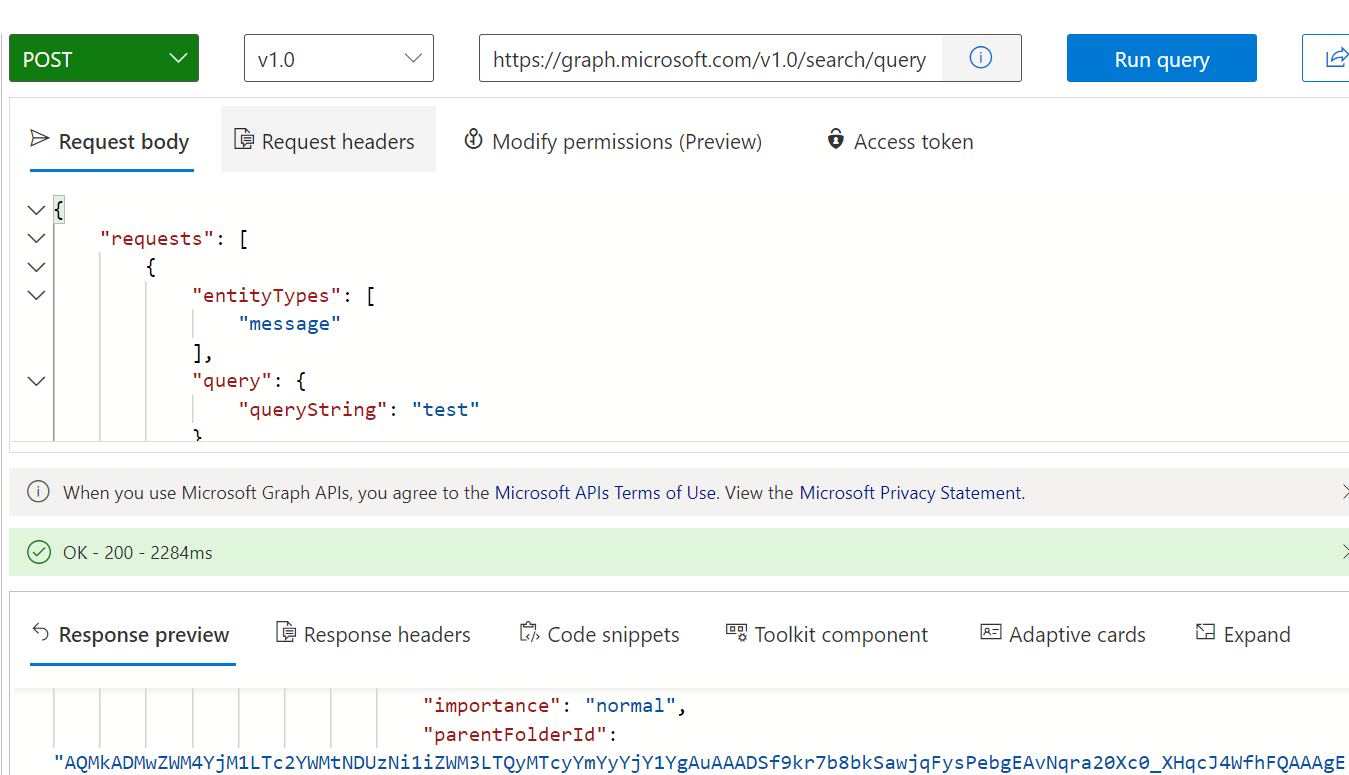
According to this documentation search-query-parameter , to search for messages in the body of an email use the following API https://graph.microsoft.com/v1.0/me/messages?$search="body:XYZ"&count=true. You can check the above document for more searchable email property.
OR use this search-concept-messages API.
Please find the screenshot below:
If the answer is helpful, please click Accept Answer and kindly upvote it. If you have any further questions about this answer, please click Comment.
Thanks Sheena for your prompt response.
I have no problem running the query against "me" (my own mailbox) from Graph Explorer like below.
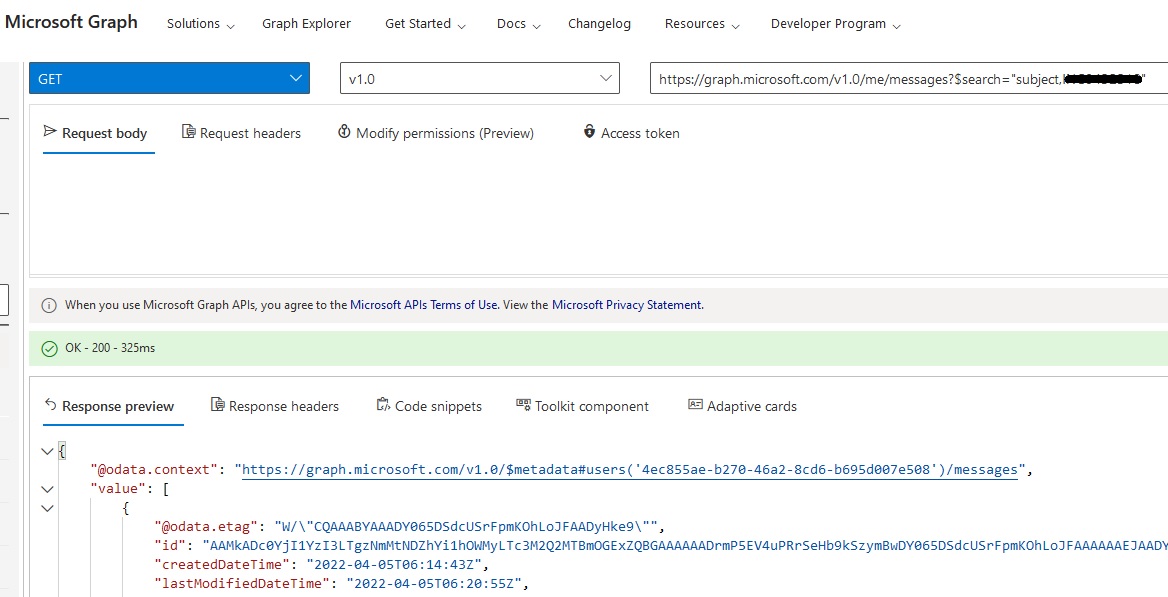
The problem is when I run the following command in Powershell, it returns all messages in the target upn mailbox instead of returning only those which match the search criteria.
$upn='******@domain.com'
$api = "https://graph.microsoft.com/V1.0/$upn/messages?$search='subject:XYZ'"
$messages = Invoke-RestMethod -Headers @{Authorization = "Bearer $($ConnectGraph.access_token)"} -ContentType application/json -Uri $api -Method Get