Microsoft Teams | Microsoft Teams for business | Other
Additional features, settings, or issues not covered by specific Microsoft Teams categories

This browser is no longer supported.
Upgrade to Microsoft Edge to take advantage of the latest features, security updates, and technical support.
' cx='32' cy='32' r='32' /%3E%3Ctext x='50%25' y='55%25' dominant-baseline='middle' text-anchor='middle' fill='%23FFF' %3EMS%3C/text%3E%3C/svg%3E)
In Teams, there is a right-click "Copy Image" option on the thumbnails with team member images. This option is not working for me. Is this a known issue?
Additional features, settings, or issues not covered by specific Microsoft Teams categories
' cx='32' cy='32' r='32' /%3E%3Ctext x='50%25' y='55%25' dominant-baseline='middle' text-anchor='middle' fill='%23FFF' %3EA%3C/text%3E%3C/svg%3E)
When it will be fixed in the client app?
Thx!
' cx='32' cy='32' r='32' /%3E%3Ctext x='50%25' y='55%25' dominant-baseline='middle' text-anchor='middle' fill='%23FFF' %3EK%3C/text%3E%3C/svg%3E)
I'm having the same issue- it's never been a problem until today. We just switched to the 'new' Teams when I go back to 'old' Teams, I'm able to copy image.
' cx='32' cy='32' r='32' /%3E%3Ctext x='50%25' y='55%25' dominant-baseline='middle' text-anchor='middle' fill='%23FFF' %3EYS%3C/text%3E%3C/svg%3E)
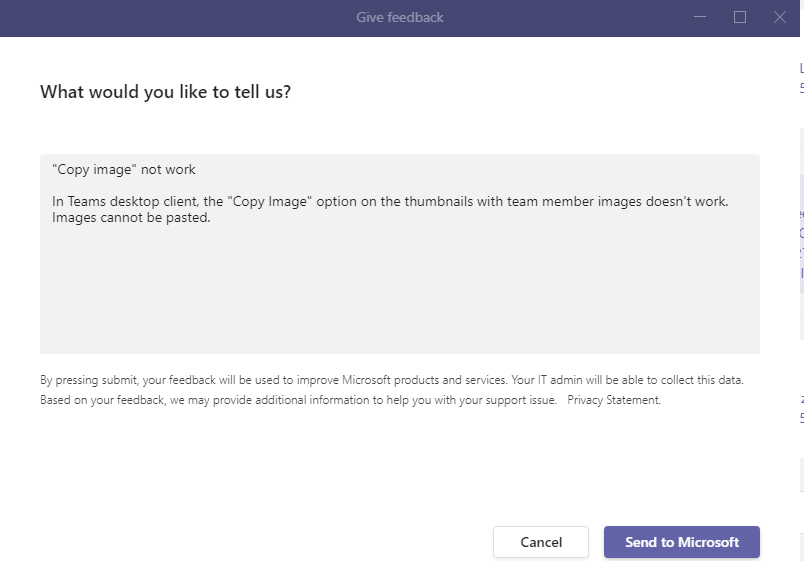
I checked in my test environment(Microsoft Teams Version 1.5.00.7715) and can also reproduce the same as you described. As after a lot of research I didn't see any official document stating if it's already a known issue, I tried submitting this via the "Give Feedback" option from the Teams desktop and you can submit one from your end as well.
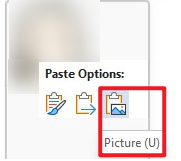
Besides, based on my test, we may consider using the "Copy image" option in Teams web client instead as a workaround:
If the answer is helpful, please click "Accept Answer" and kindly upvote it. If you have extra questions about this answer, please click "Comment".
Note: Please follow the steps in our documentation to enable e-mail notifications if you want to receive the related email notification for this thread.