Microsoft 365 and Office | SharePoint | For business | Windows
A group of Microsoft Products and technologies used for sharing and managing content, knowledge, and applications.

This browser is no longer supported.
Upgrade to Microsoft Edge to take advantage of the latest features, security updates, and technical support.
' cx='32' cy='32' r='32' /%3E%3Ctext x='50%25' y='55%25' dominant-baseline='middle' text-anchor='middle' fill='%23FFF' %3EGT%3C/text%3E%3C/svg%3E)
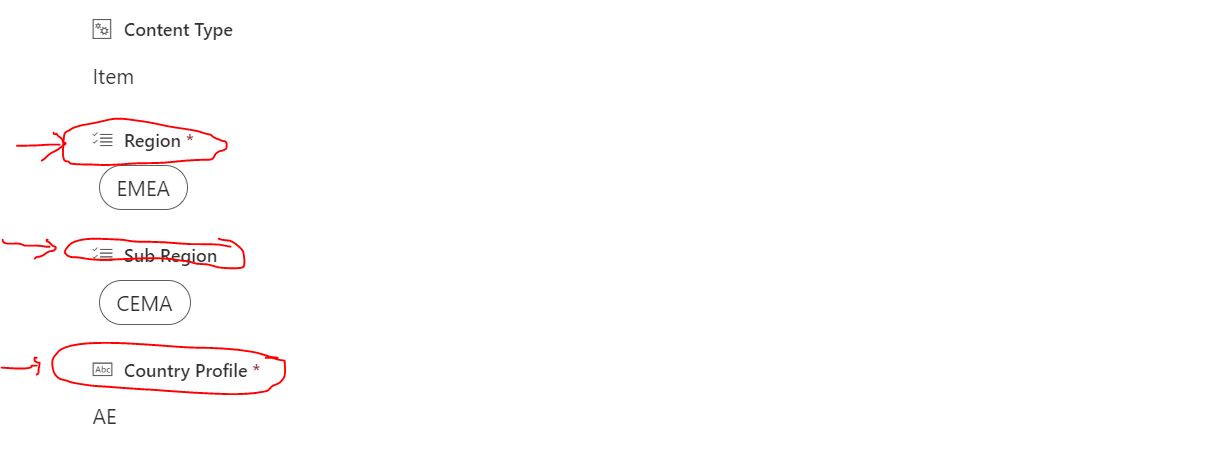
I would need to make the font size of "Column Name" bigger than the text or multiple choice criteria font size. I have not been able to identify how to do the change in Microsoft 365 Sharepoint list settings.
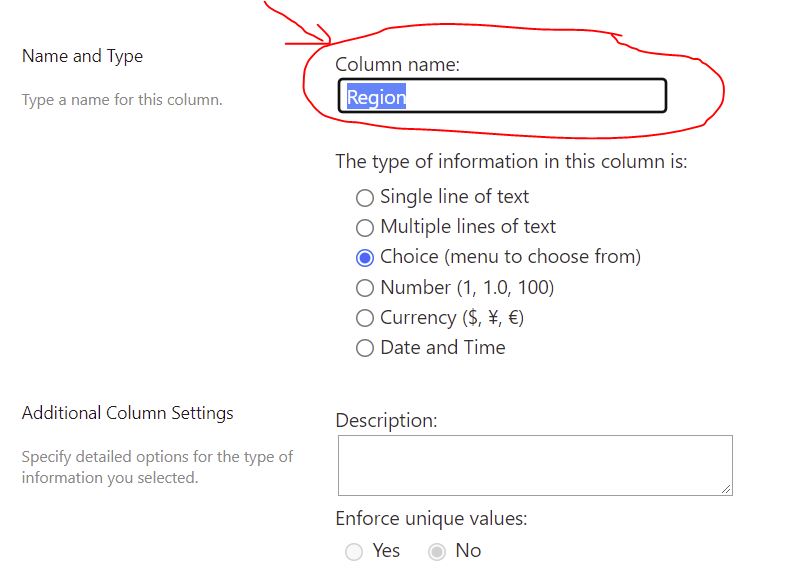
I am attaching the snapshots of how the "column name" appears on display mode smaller in font size compared to the Text it represents. The column Name is defined at the list settings edit.

A group of Microsoft Products and technologies used for sharing and managing content, knowledge, and applications.
' cx='32' cy='32' r='32' /%3E%3Ctext x='50%25' y='55%25' dominant-baseline='middle' text-anchor='middle' fill='%23FFF' %3ECM%3C/text%3E%3C/svg%3E)
Hi @gokhan tastekin ,
There is no OOTB way to change the font size of column header. In list settings we can change font size of item by JSON formatting. But to change the font size of column header you have to inject custom CSS code using SPFx Application Extensions as a workaround.
CSS code be like:
.ms-DetailsList-headerWrapper .ms-DetailsHeader-cell{
	font-size:18px !important;
}
For Reference: Column Header Size
If the answer is helpful, please click "Accept Answer" and kindly upvote it. If you have extra questions about this answer, please click "Comment".
Note: Please follow the steps in our documentation to enable e-mail notifications if you want to receive the related email notification for this thread.
Hi @gokhan tastekin ,
Is there any update on this thread? Comment here if you still need any help.
Hi Casey,
Thank you so much for your solution "you have to inject custom CSS code using SPFx Application Extensions as a workaround."
But as I am not an expert on how to be able to do your above explained process. May I kindly ask for you to provide me in simple terms "step by step" what I need to do.
Thanks a lot
Cheers
Gokhan
Hi @gokhan tastekin ,
Here is a article about how to Inject Custom CSS on SharePoint Modern Pages using SPFx Application Extensions step by step. You have to download and deploy SPFx solution package in your tenant’s app catalog.
Note: Microsoft is providing this information as a convenience to you. The sites are not controlled by Microsoft. Microsoft cannot make any representations regarding the quality, safety, or suitability of any software or information found there. Please make sure that you completely understand the risk before retrieving any suggestions from the above link.