Microsoft 365 and Office | SharePoint | For business | Windows
A group of Microsoft Products and technologies used for sharing and managing content, knowledge, and applications.

This browser is no longer supported.
Upgrade to Microsoft Edge to take advantage of the latest features, security updates, and technical support.
' cx='32' cy='32' r='32' /%3E%3Ctext x='50%25' y='55%25' dominant-baseline='middle' text-anchor='middle' fill='%23FFF' %3EA%3C/text%3E%3C/svg%3E)
Hello
Does anyone know of any way to change the regional settings and timezone of a 365 user in onedrive using powershell. When creating new users we seem to have to change this as by default it is set up as US and have to change it to UK, UTC time for each user that we create. I am just wondering if there is any way to alter this using a powershell script as this would make it a lot easier than having to wait for the user to login.
A group of Microsoft Products and technologies used for sharing and managing content, knowledge, and applications.
A Microsoft file hosting and synchronization service.

Hello @Anonymous ,
This is a quick note to let you know that we are performing research on this issue.
Thanks,
Echo Du
Hi @Anonymous ,
Welcome to Q&A Forum!
Please run the below PowerShell script as an admin on the SharePoint Online Management Shell:
#Set Config Variables
$SiteURL = "https://domian-my.sharepoint.com/personal/username_domain_onmicrosoft_com/"
$TimezoneName = "(UTC-08:00) Pacific Time (US and Canada)"
#English  en-US   1033
$LocaleId = "1033"

#Connect to SharePoint Online with PnP PowerShell
#Enter the user account and password corresponding to the Onedrive page
Connect-PnPOnline $SiteURL -Credentials (Get-Credential)

#Get the Web
$web = Get-PnPWeb -Includes RegionalSettings.TimeZones

#Get the time zone
$Timezone  = $Web.RegionalSettings.TimeZones | Where {$_.Description -eq $TimezoneName}

If($Timezone -ne $Null)
{
    #Update time zone of the site
    $Web.RegionalSettings.TimeZone = $Timezone
    $Web.RegionalSettings.LocaleId = $LocaleId
    $Web.Update()
    Invoke-PnPQuery
    Write-host "Timezone Updated Successfully!" -ForegroundColor Green
}
else
{
    Write-host "Timezone $TimezoneName not found!" -ForegroundColor Yellow
}
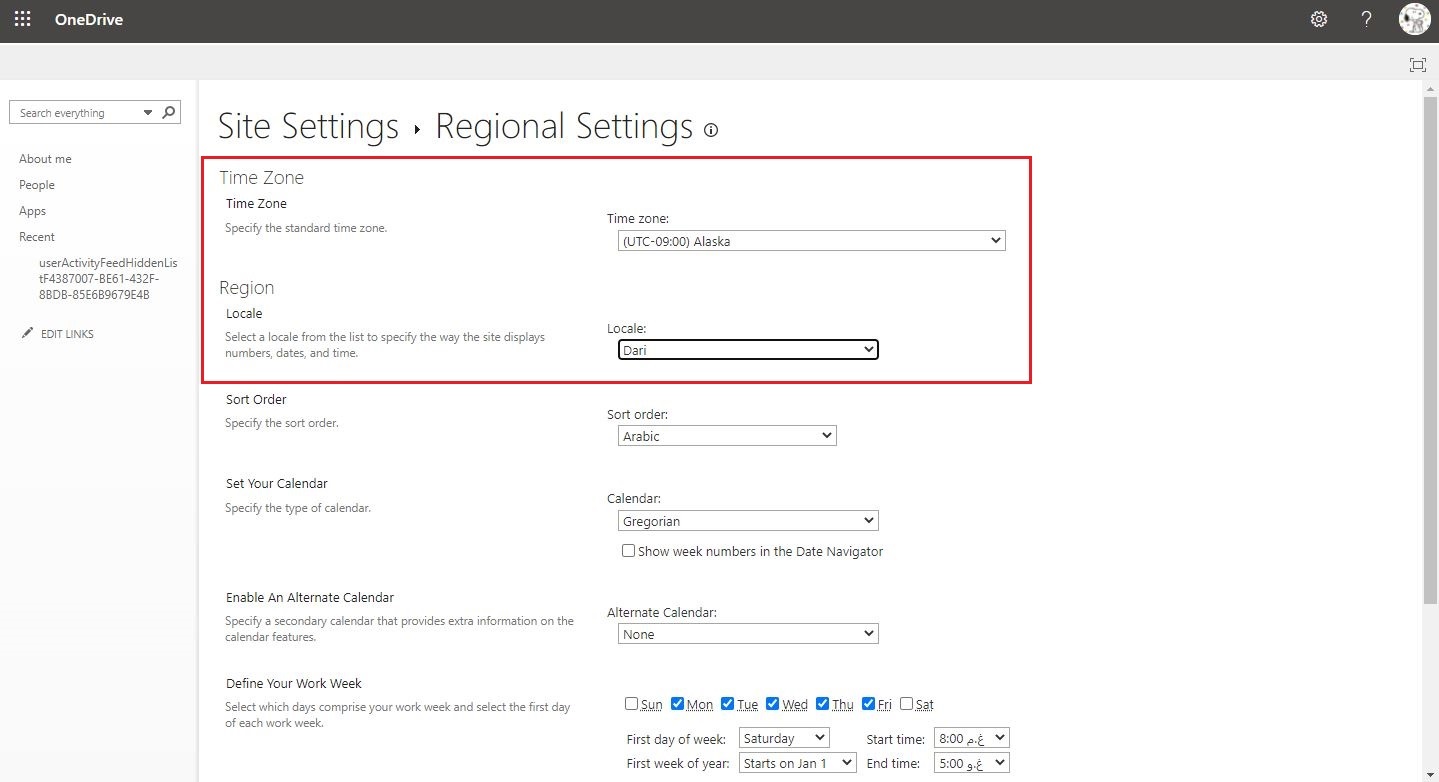
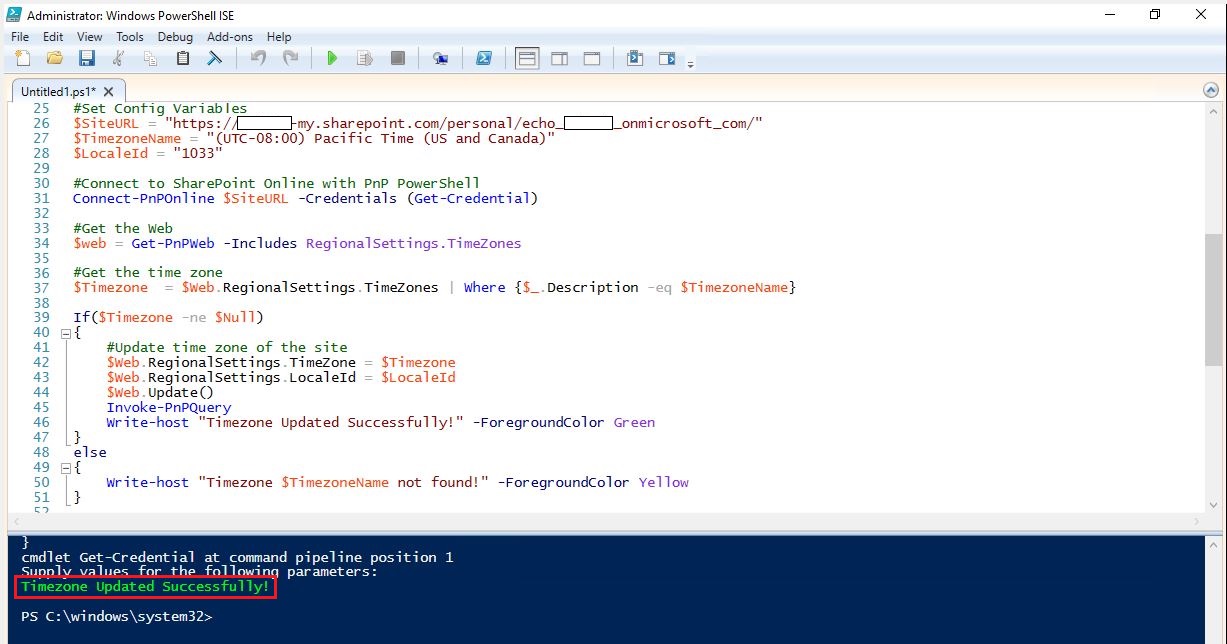
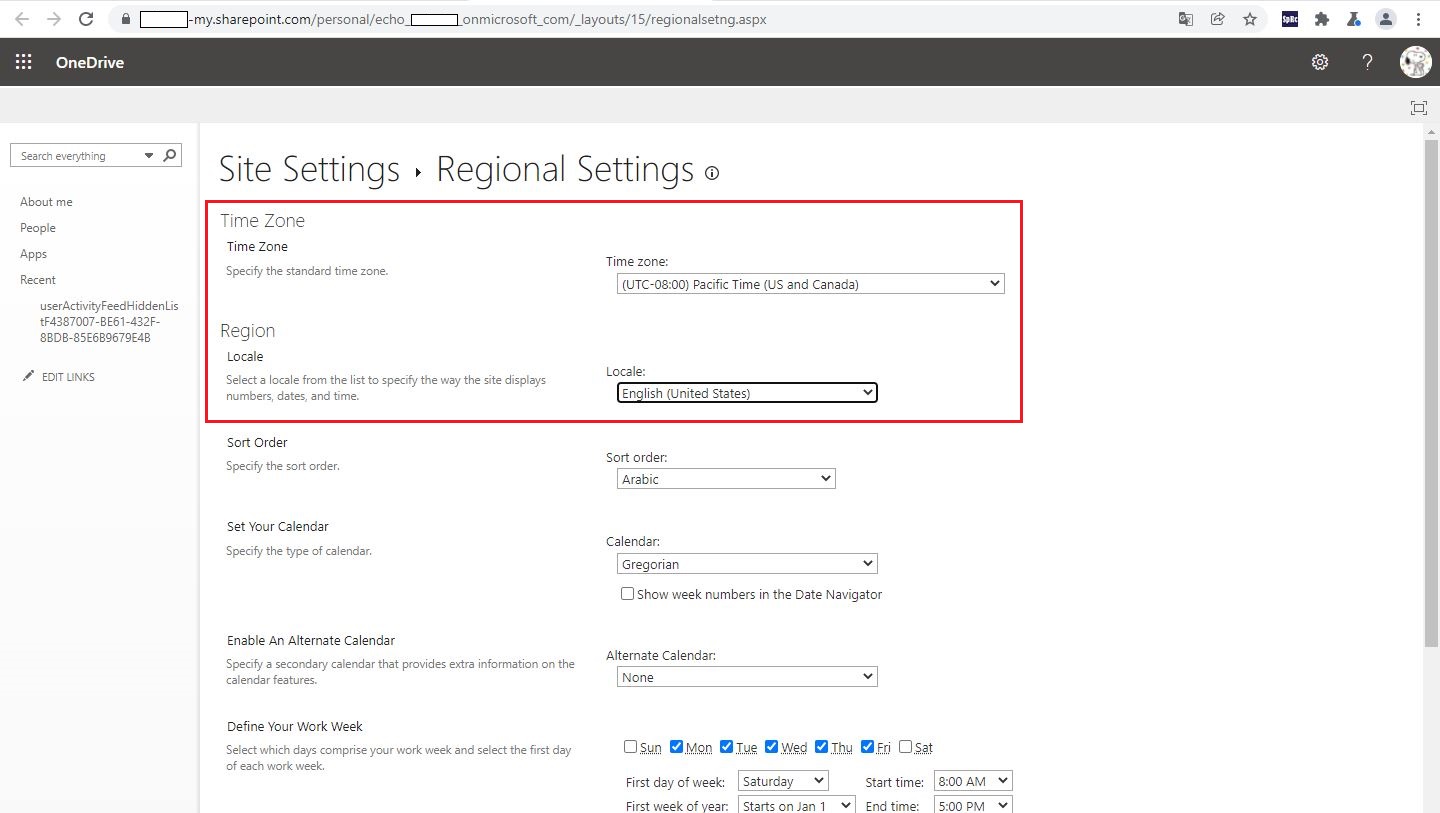
Here is my test:
Reference:
Note: Microsoft is providing this information as a convenience to you. The sites are not controlled by Microsoft. Microsoft cannot make any representations regarding the quality, safety, or suitability of any software or information found there. Please make sure that you completely understand the risk before retrieving any suggestions from the above link.
Thanks,
Echo Du
====================================
If the answer is helpful, please click "Accept Answer" and kindly upvote it. If you have extra questions about this answer, please click "Comment".
Note: Please follow the steps in our documentation to enable e-mail notifications if you want to receive the related email notification for this thread.
Hi @Anonymous ,
Is there anything else I can help with regarding this issue?
You can comment us at any time and we will continue to follow up.
Thanks,
Echo Du

Hi @Anonymous ,
Do you have any progress on this issue?
Please remember to update this thread if you need further assistance.
Hi @Anonymous ,
Have you tried the solution I proposed?
If you have any questions or progress, you can contact me in time.
Looking forward to your reply
Have a lucky day!
Thanks,
Echo Du

You can use CSOM/PnP for that. This article has an example (just connect to the relevant ODFB site instead): https://www.pkbullock.com/blog/2020/the-many-ways-to-set-uk-locale-in-sharepoint/