' cx='32' cy='32' r='32' /%3E%3Ctext x='50%25' y='55%25' dominant-baseline='middle' text-anchor='middle' fill='%23FFF' %3ERL%3C/text%3E%3C/svg%3E)

' cx='32' cy='32' r='32' /%3E%3Ctext x='50%25' y='55%25' dominant-baseline='middle' text-anchor='middle' fill='%23FFF' %3EA%3C/text%3E%3C/svg%3E)
' cx='32' cy='32' r='32' /%3E%3Ctext x='50%25' y='55%25' dominant-baseline='middle' text-anchor='middle' fill='%23FFF' %3ELC%3C/text%3E%3C/svg%3E)
hi,
l Have you ever set the session time limits for all user who logged on before?
If not, here a workaround is to go to Group Policy and try to set session time limit, details shown as below:
- Cmd prompt, gpedit.msc
- Computer Configuration->Admin Templates-> Windows Components-> Remote Desktop Services->Remote Desktop Session Host->Session Time Limits
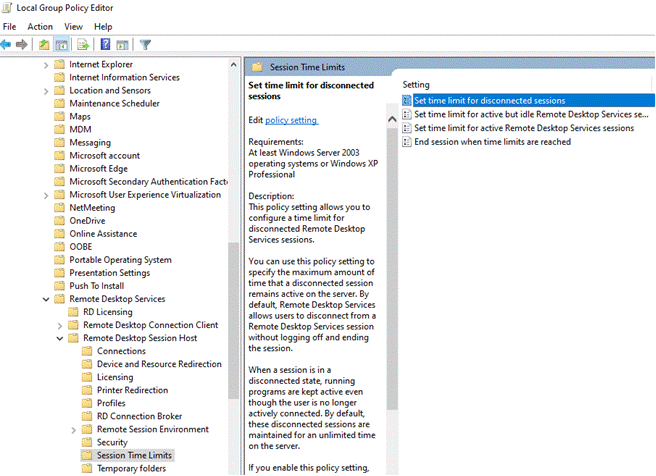
- Enable appropriate group policies and modify as needed
- We recommend setting this one because it will prevent disconnected sessions from consuming server resources — “Set time limit for disconnect sessions”
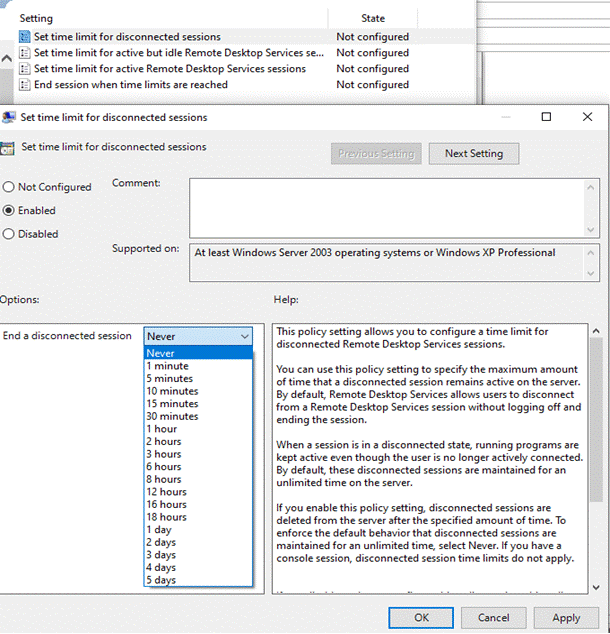
- After modifying group policies, you can force an update without rebooting by typing “gpupdate /force” at cmd prompt
plz. inform me if it works well after the setting. And if it’s convenient to you, a clean boot is another workaround we can try.
--please don't forget to Accept as answer if the reply is helpful--


' cx='32' cy='32' r='32' /%3E%3Ctext x='50%25' y='55%25' dominant-baseline='middle' text-anchor='middle' fill='%23FFF' %3EDB%3C/text%3E%3C/svg%3E)
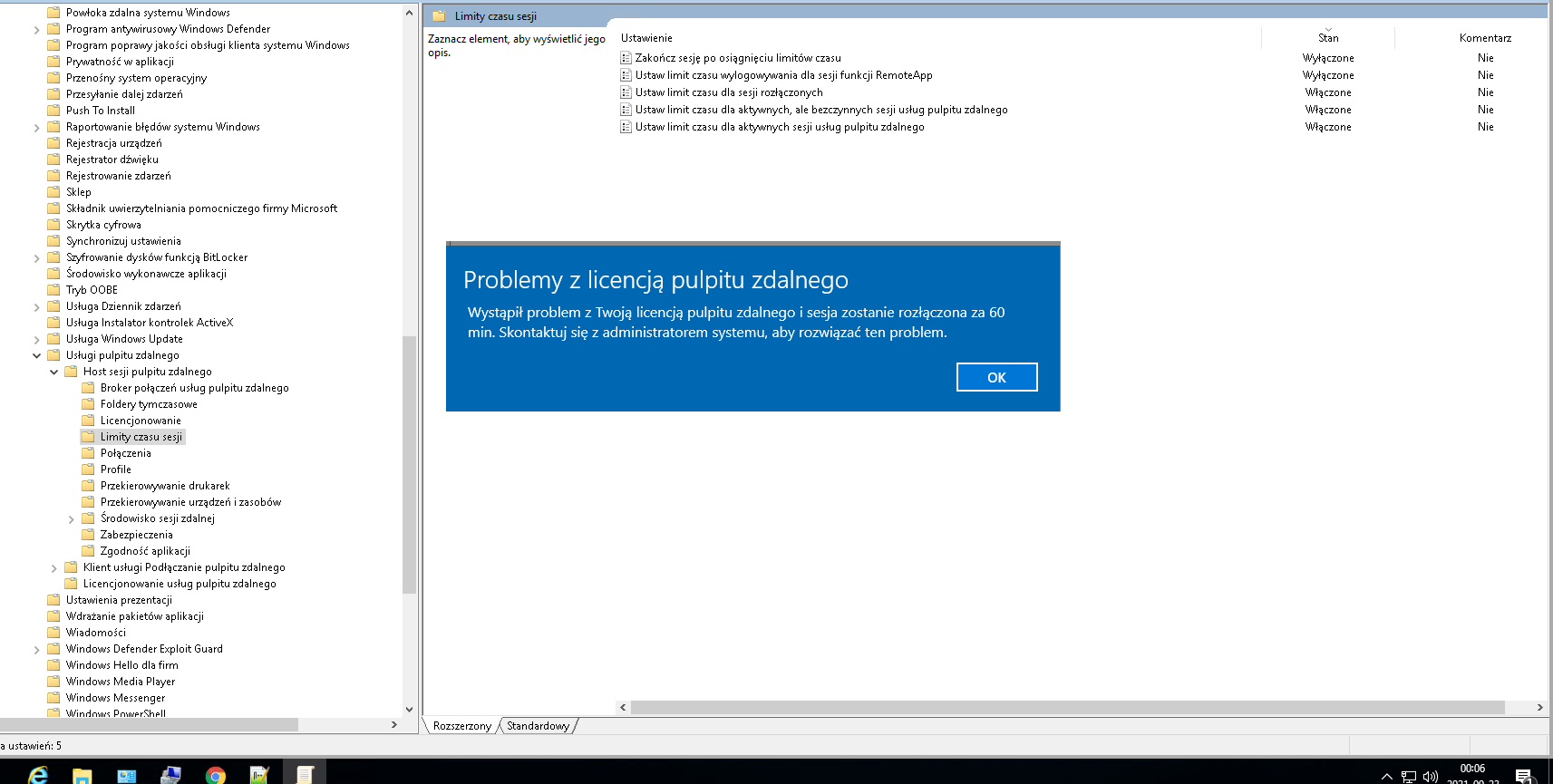
' cx='32' cy='32' r='32' /%3E%3Ctext x='50%25' y='55%25' dominant-baseline='middle' text-anchor='middle' fill='%23FFF' %3ES%3C/text%3E%3C/svg%3E)
' cx='32' cy='32' r='32' /%3E%3Ctext x='50%25' y='55%25' dominant-baseline='middle' text-anchor='middle' fill='%23FFF' %3ECT%3C/text%3E%3C/svg%3E)