Modern Standby/Hibernate Cause a Silent Power Crash into Shutdown Each Time

SurferWest44 0 Reputation points
2026-11-01T19:29:12.4133333+00:00

2025 Surface Laptop 7. Windows 11 Pro, 25H2

OS build    26200.9711. Windows Feature Experience Pack 1000.26100.372.0

Notes:  Sleep Study could not be attached because the file is too big, I've included it in a Google Folder and the Energy Report and Event Viewer List here--> ElevenForums - Google Drive
Also I have NO external devices attached or USB's.

**
Issue:

Both Sleep (Modern Standby) and Hibernate, lead to the laptop shutting down, Error 41, upon attempting to wake it back up. Happens within a minute or so of putting it to Modern Standby or hibernate. Battery is at 50% to 80% at all times. Not a battery drain issue. There is no BSOD screen nor a BSOD logged.

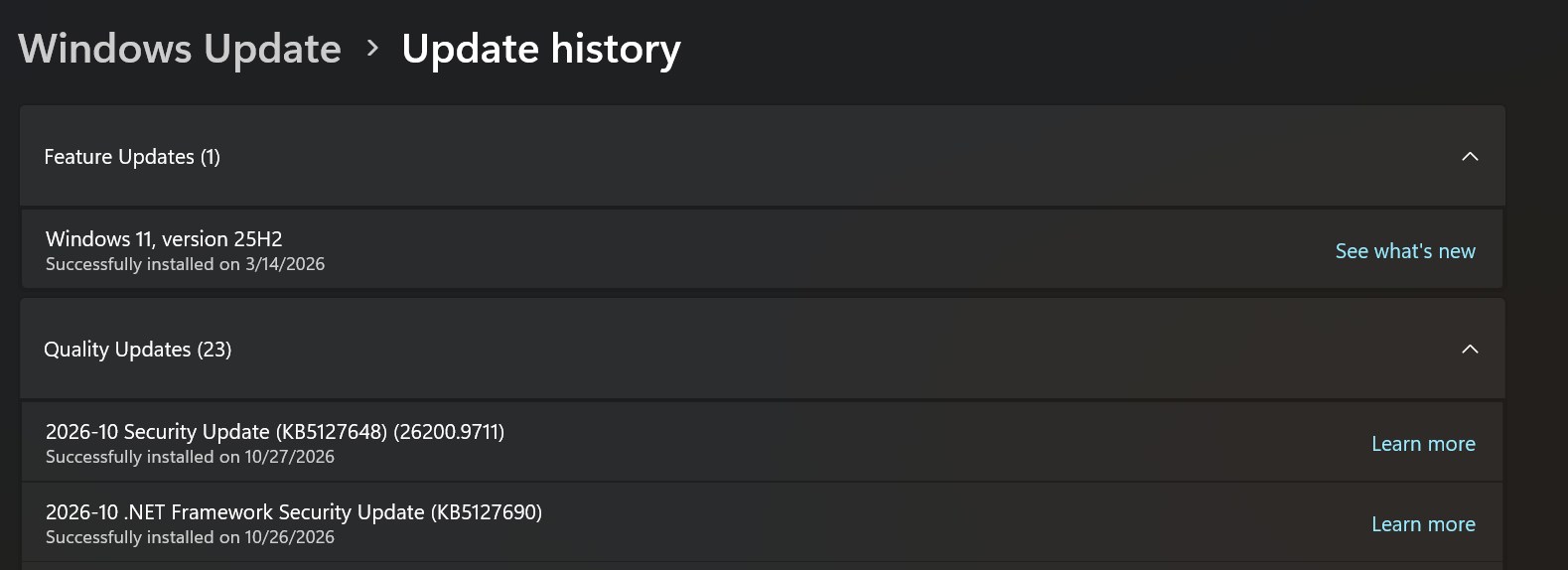
Could be from these recent firmware/windows updates, but may be unrelated. Seems to have really ramped up in frequency in the past week:
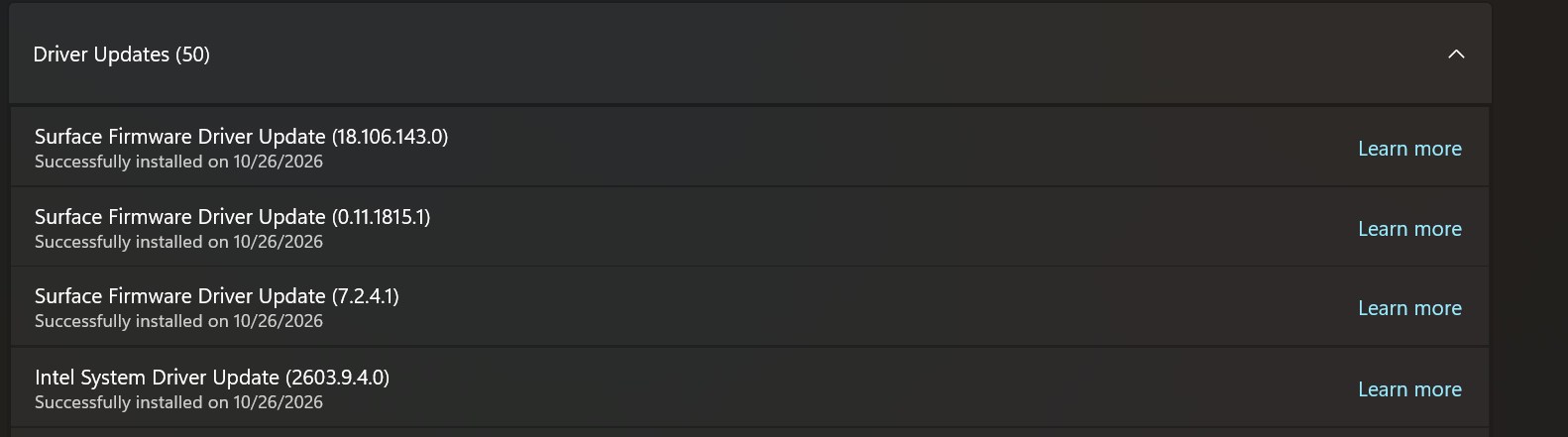
k9QSyjmmn7recent windows updates

My available sleep states ( I keep network disabled in idle) :Sleep states
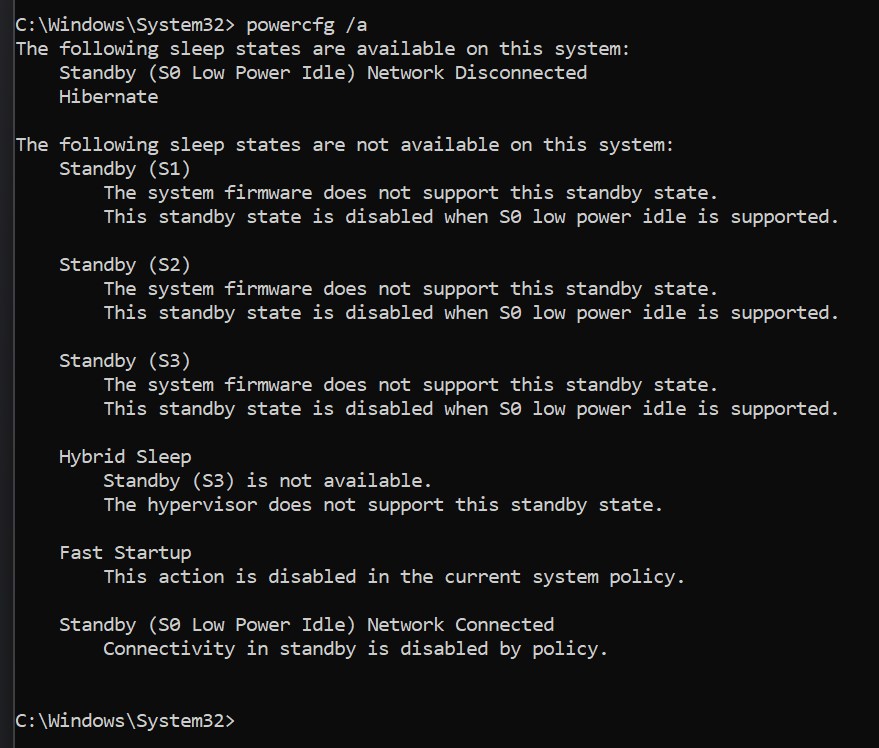
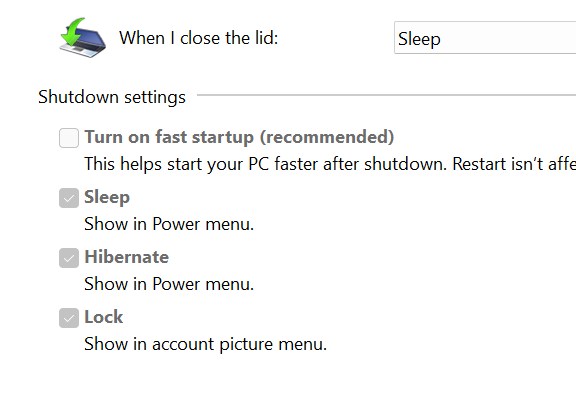
Fast Startup is off:
cvA7ylhjCo

My power options, these have never changed, so shouldnt be related. Hibernate is 2304 minutes because I didnt want it transitioning from sleep to Hibernate. These settings have existed like this for over a year.  Network connectivity disabled. Not a battery drain issue.
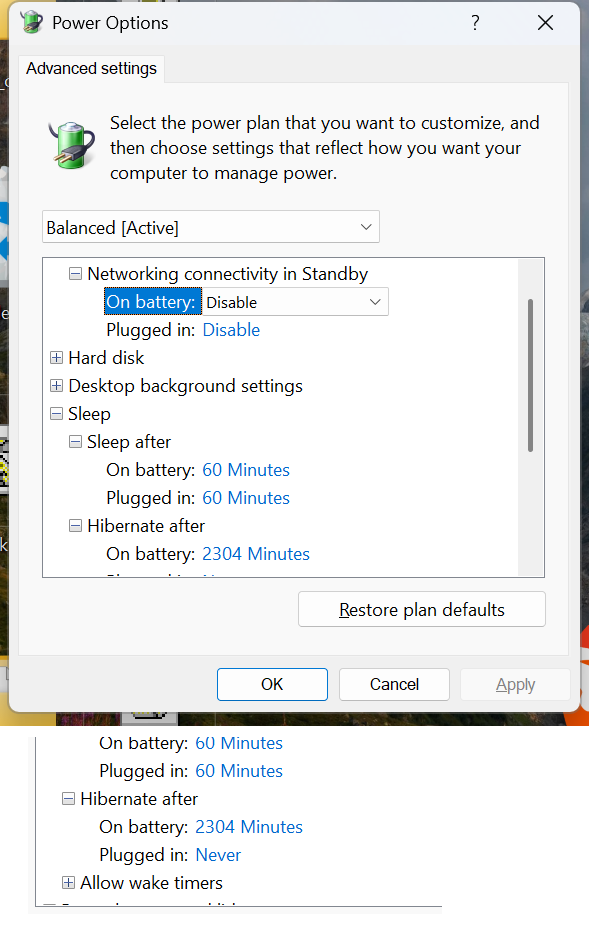
poweroptions

Each time I wake it back up (From now a shutdown), I find a 41 error in event viewer:
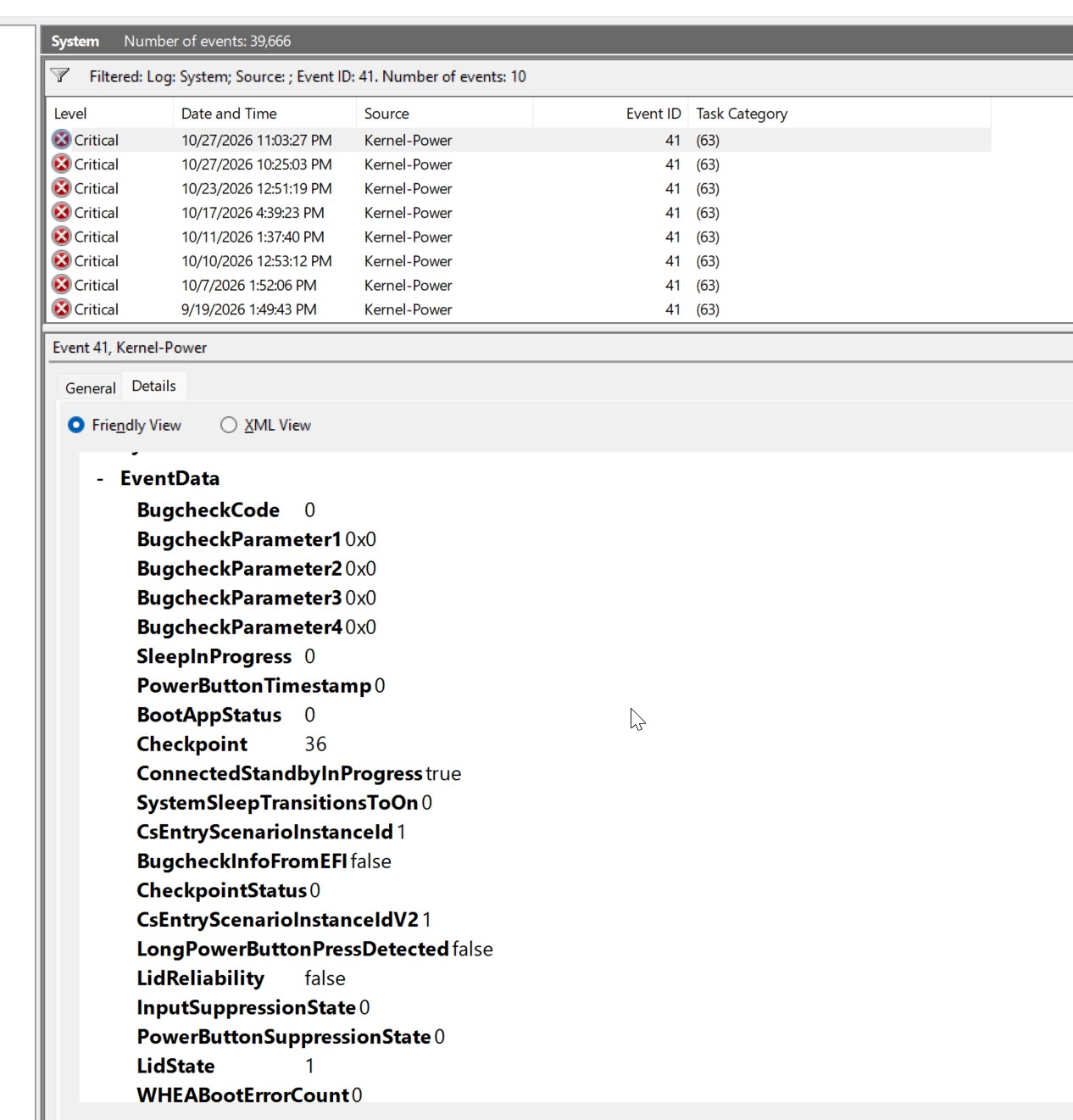
41 details section

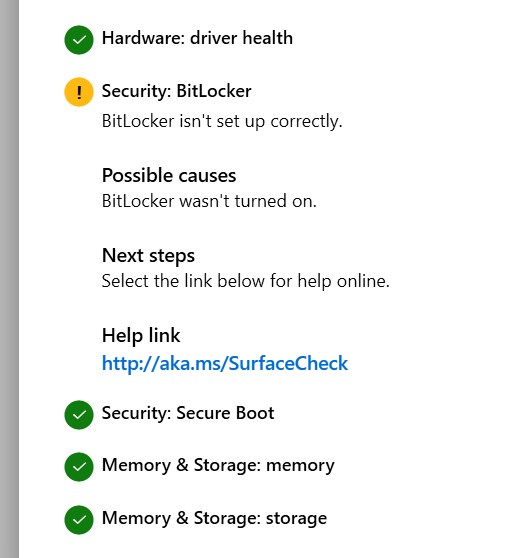
I ran Surface Diagnostic Toolkit, seems to lead to a Bitlocker possibility issue? But its resolutions (bitlocker protector check tool) does nothing:
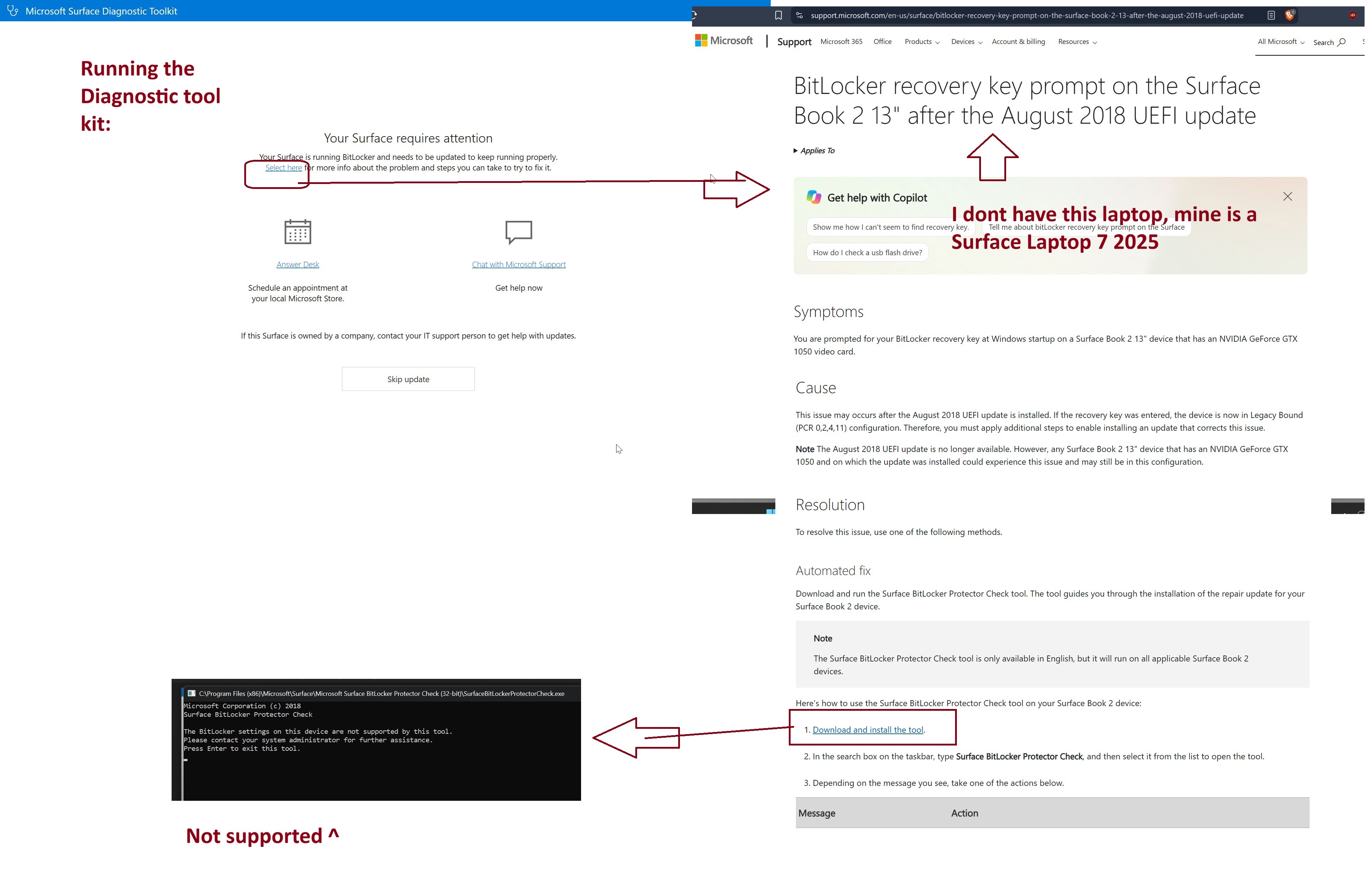
Diagnostic bitlocker tool

Final  Result of Diagnostic:
Diagnostic results

I Went back to event viewer, I see Bitlocker Issue lining up with the time of the shutdown crashes, but that is an AFTER Effect from the unexpected shutdown, not the cause. . I have NO issue logging in and do not have to enter a 48 character recovery key. Just enter the Pre-boot pin as normal from any shutdown/boot up. So i think unrelated.
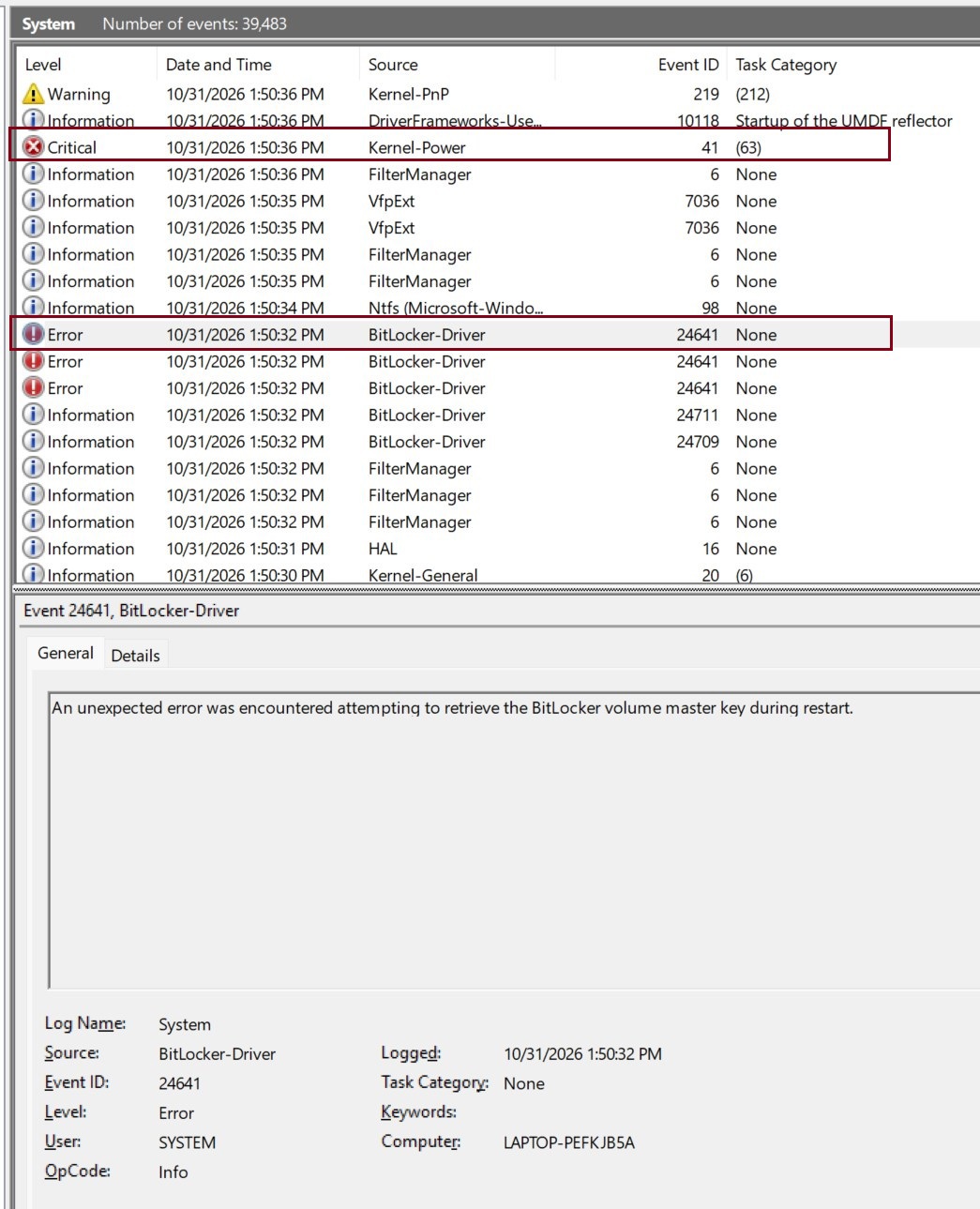
crash bitlocker error

Claude's Analysis of the Event Viewer Export, (13,000 events):
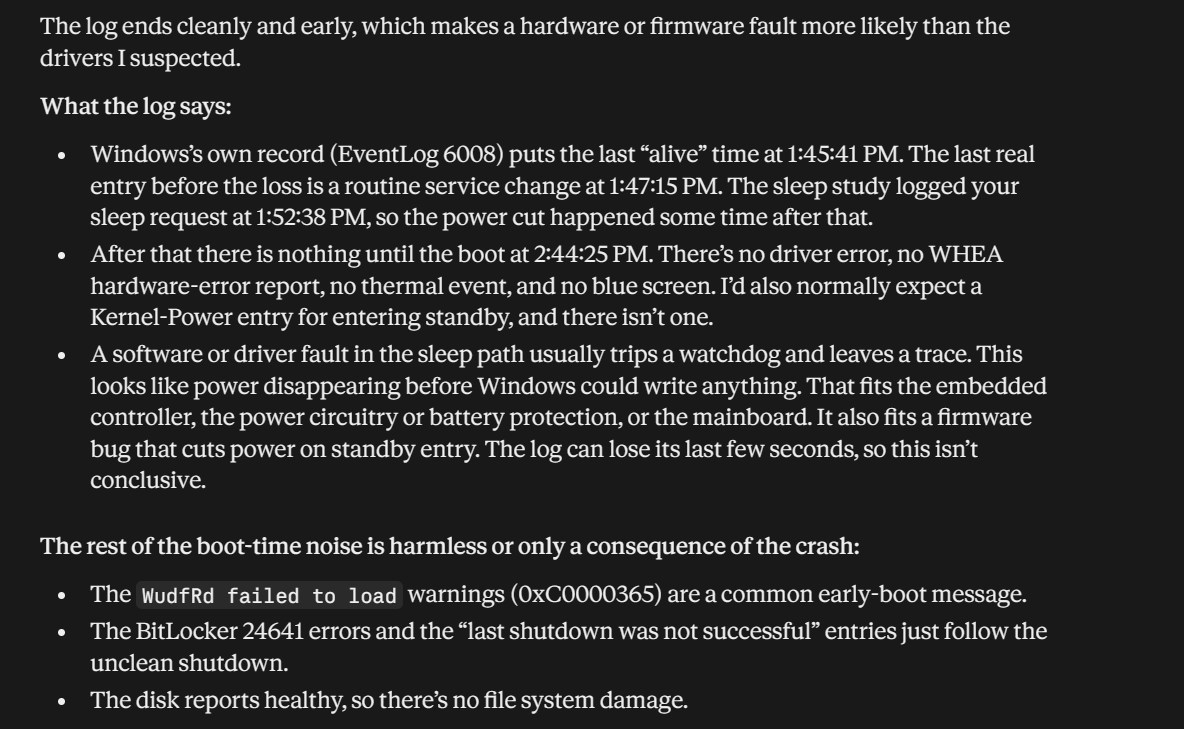
Claude Analysis of Event viewer

Surface | Surface Laptop | Power and battery
0 comments No comments

2 answers

Sort by: Newest
  1. Carl-L 24,820 Reputation points Microsoft External Staff Moderator
    2026-11-04T09:27:59.8333333+00:00

    Hello SurferWest44,

    Welcome to Microsoft Q&A forum.

    It seems like I cannot access the file you sent, can you please upload it to your OneDrive and share it again?

    Also, may I know if the AI assistant suggestions help you? Please let me know the results.

    I'm waiting for your reply.

    Was this answer helpful?

    1 person found this answer helpful.

  2. AI answer

    2026-11-01T19:30:33.4966667+00:00

    Install the latest Windows 11 25H2 cumulative update and retest both Sleep and Hibernate, because build 26200.9711/KB5127648 has been superseded by KB5127936 (build 26200.9818) or later, while Event 41 only records the resulting unclean shutdown and does not identify its cause.^1^^2^

    1. Update and run a controlled test

    1. Open Settings → Windows Update → Check for updates.
    2. Install KB5127936 or any newer cumulative update, then select Start → Power → Restart. Do not test after only shutting down.
    3. Open winver and verify the build is 26200.9818 or later.
    4. Test separately:
      • Start → Power → Sleep, wait two minutes, then wake it.
      • Start → Power → Hibernate, wait two minutes, then power it on.
    5. Record whether one or both transitions still produce Event 41.

    KB5127936 is a production-quality preview update, so if it is not offered, install the next normal cumulative update that supersedes it rather than forcing an unrelated workaround.^1^

    There is no published 25H2 known-issue entry in the available Microsoft release information that specifically identifies Surface Laptop 7 + Sleep/Hibernate + Event 41.^3^ Therefore, KB5127936 should be treated as the first update boundary to test, not as a documented fix for this exact failure.

    2. Reinstall the model-specific Surface package if it persists

    Since Fast Startup is already disabled, no peripherals are attached, and the Surface diagnostics have already passed memory, storage, Secure Boot, and driver-health checks, do not repeat those changes.

    Reapply the complete Surface Laptop 7 driver/firmware bundle:

    1. Determine whether this is the Snapdragon Surface Laptop (7th Edition) or Intel Surface Laptop for Business (7th Edition).
    2. Download the matching package from Microsoft’s Surface Laptop driver page.
    3. Choose the .msi matching the model and Windows build family. If no exact build exists, Microsoft says to select the closest package whose build number is lower than the installed build.
    4. Run the MSI as administrator and restart.
    5. Repeat the separate Sleep and Hibernate tests.

    The Surface package page lists different downloads for Snapdragon and Intel models; using the wrong edition’s bundle is not appropriate.^4^ Surface firmware cannot be uninstalled or rolled back, so avoid attempting a firmware downgrade.^5^

    What the Event 41 fields indicate

    Your entry shows:

    • BugcheckCode = 0
    • PowerButtonTimestamp = 0
    • LongPowerButtonPressDetected = false
    • ConnectedStandbyInProgress = true
    • no BSOD or dump

    That places the failure in Microsoft’s Event 41 “zero-value” scenario: Windows either lost execution too quickly to record a Stop error or could not write crash information. Microsoft notes that this pattern commonly points toward a power, firmware, or hardware-level failure, but Event 41 alone cannot distinguish among them.^2^

    The BitLocker event after reboot does not establish BitLocker as the cause. The diagnostic tool linked you to a Surface Book 2-specific utility that reports your configuration as unsupported; do not change or decrypt BitLocker solely because of that result.

    3. Escalate if the updated clean stack still fails

    If both Sleep and Hibernate still shut the laptop down after the Windows update and correct Surface MSI:

    1. Save the System event log as EVTX covering one controlled reproduction.
    2. Retain the SleepStudy report and note the exact test time. SleepStudy’s exit reason 20 means “Hibernate, or Shutdown,” but it does not identify the component that forced the transition.^6^
    3. Open the Surface app → Help & support and request service, stating:
      • reproducible failure from both S0 Modern Standby and S4 Hibernate;
      • Event 41 with zero bugcheck and no long power-button press;
      • no external devices;
      • diagnostics passed memory and storage;
      • latest Windows cumulative update and correct Surface MSI were tested.

    Microsoft provides service-order and in-person support paths when Surface troubleshooting does not resolve the fault.^7^

    A factory recovery image is the final software-isolation test, not the next routine step: it removes installed applications and may remove personal data. If Microsoft requires it before hardware service, back up the device and use the recovery image for the exact Surface model.^8^


    References

    1. October 28, 2026 — KB5127936 (OS Builds 26300.9818 and 26200.9818) Preview
    2. Event ID 41 The system has rebooted without cleanly shutting down first ...
    3. Windows 11, version 25H2 known issues and notifications
    4. Download drivers and firmware for Surface Laptop | Microsoft Support
    5. [Surface Laptop for Business](https://support.microsoft.com/surface/updates/surface-laptop-7th-edition-update-history)
    6. Modern standby SleepStudy
    7. Force a shutdown and restart your Surface | Microsoft Support
    8. Creating and using a USB recovery drive for Surface | Microsoft Support
    AI-generated content may be incorrect. Read our transparency notes for more information.

    Was this answer helpful?

Your answer

Answers can be marked as 'Accepted' by the question author and 'Recommended' by moderators, which helps users know the answer solved the author's problem.