Hey there, Khanh Vo
Unfortunately, once a child account is inside a Microsoft Family group, they can't leave it to join another one until they are over the age where they are legally classed as an adult in your region (In most countries, this is 18 years of age). Until their Microsoft account reflects this age, they won't see an option to leave a Microsoft Family, nor be able to join another. This is to prevent children from leaving a family group to join another, to bypass the family restrictions that have been put into place by the parents/carers.
Instead, you have two options. The first option is we can troubleshoot why you can't access your previous Microsoft account. In order to do this, please answer the following:
- What error message do you get when you try and sign into your previous Microsoft account?
- How did you loose access to your Microsoft account?
The second option is to try and reach out to Microsoft support about your situation. They may have tools available to them that can help them move your son from the previous Microsoft family group to your new Microsoft family group. To reach out to Microsoft support, please follow this link: https://support.microsoft.com/contactUs
Please sign into your Microsoft account, then click onto "Show expanded list of products"
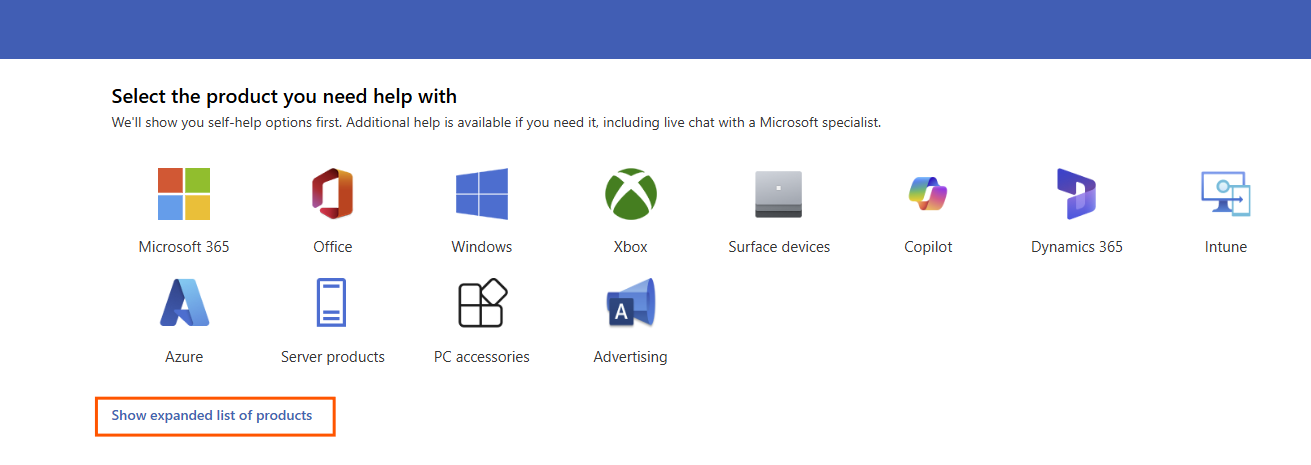
Then scroll down to the bottom of the page and click onto "Get help & support" found under "Can't find your product".
Hope this helps,
Nathan
' cx='32' cy='32' r='32' /%3E%3Ctext x='50%25' y='55%25' dominant-baseline='middle' text-anchor='middle' fill='%23FFF' %3EKV%3C/text%3E%3C/svg%3E)

