I don't use this laptop much and it's been a month or so since I've been on it.
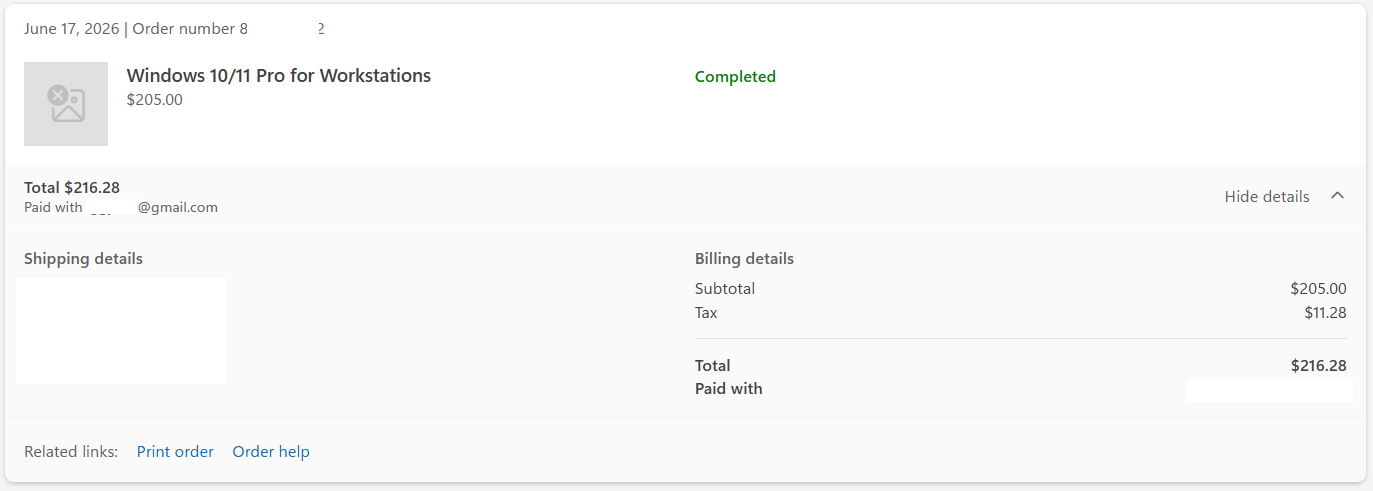
June 17th of this year I upgraded from 11 Home to 11 Pro for Workstations through the official Microsoft process in Windows.
Everything went fine.
Today I booted it up and I have the Activate Windows watermark now on my screen.
When I troubleshoot the activation all it will tell me is "We found a Windows 11 Home digital license for this device running Windows 11 Pro for Workstations. To activate using this digital license, you need to install Windows 11 Home."
Also in the activation window (Windows settings), next to the troubleshoot button it says "We can't activate Windows on this device because you don't have a valid digital license or product key. If you think you do have a valid license or key, select Troubleshoot below. Error code: 0xC004C003"
I'm pretty certain I have no product key. It should be linked to my account. A digital license. All I got was an email with a receipt for payment from Microsoft. The order shows up in my Microsoft account order history. I attached a capture of that particular order as it shows in my order history.
This is the same email that I am signed into on this laptop right now. It is my only Microsoft account. I have full access to the account, One Drive and all so I know that I am properly logged into the account with the license. The upgrade was running fine up until now.
I did some searching but looked like reaching out somewhere like here would be my best bet.
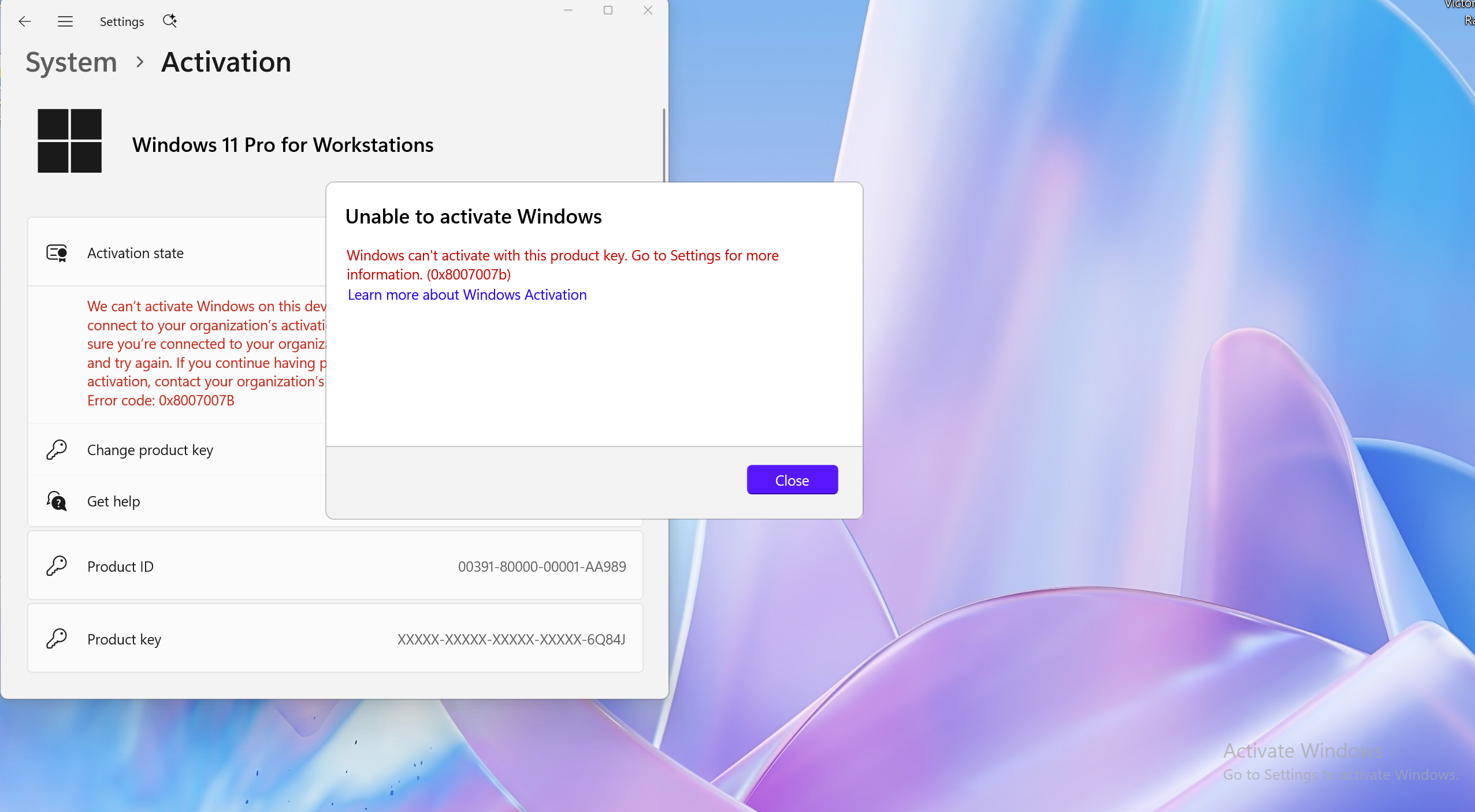
The only thing I really tried that looked promising was changing my product key to a generic Windows 11 Pro for Workstations key. To try to reinitiate some kind of handshake. I tried NRG8B-VKK3Q-CXVCJ-9G2XF-6Q84J.
It returns with "Windows can't activate with this product key. Go to settings for more information. (0x8007007b)"
That's all I got. Please and thank you for any help. Much appreciated.
' cx='32' cy='32' r='32' /%3E%3Ctext x='50%25' y='55%25' dominant-baseline='middle' text-anchor='middle' fill='%23FFF' %3EI%3C/text%3E%3C/svg%3E)

