' cx='32' cy='32' r='32' /%3E%3Ctext x='50%25' y='55%25' dominant-baseline='middle' text-anchor='middle' fill='%23FFF' %3EVH%3C/text%3E%3C/svg%3E)


' cx='32' cy='32' r='32' /%3E%3Ctext x='50%25' y='55%25' dominant-baseline='middle' text-anchor='middle' fill='%23FFF' %3ELC%3C/text%3E%3C/svg%3E)
' cx='32' cy='32' r='32' /%3E%3Ctext x='50%25' y='55%25' dominant-baseline='middle' text-anchor='middle' fill='%23FFF' %3EAK%3C/text%3E%3C/svg%3E)

Hi,
Please update hardware driver, turn off antivirus software, and boot computer into Clean Boot to prepare a environment for update.
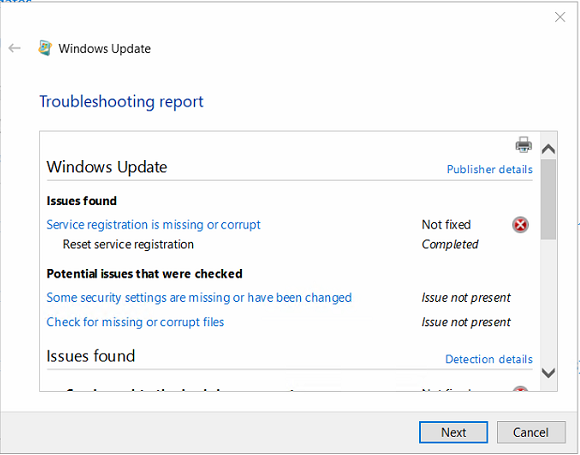
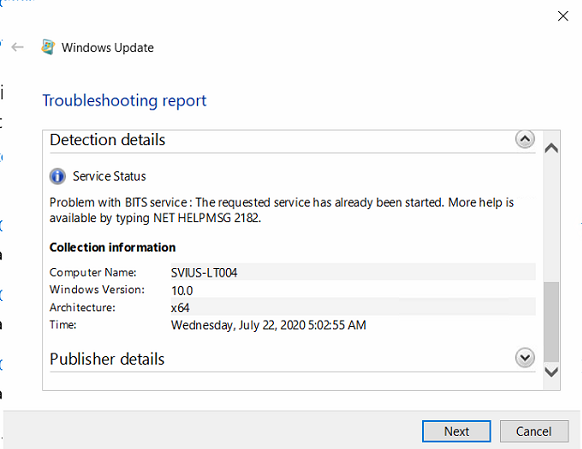
I noticed the troubleshoot tool says issue related with BITS service, please try the following measure to check if it is available to install update.
- Create a new folder named as C:\temp\cab
- Download update package from http://catalog.update.microsoft.com to C:\temp
- Run command line below to exact .msu file for getting .cab file.
expand -F:* C:\temp{.msu file name with extension} C:\temp\cab - Run DISM command line below to add .cab file.
Dism /online /add-package /packagepath:c:\temp\cab{.cab file with extension}
' cx='32' cy='32' r='32' /%3E%3Ctext x='50%25' y='55%25' dominant-baseline='middle' text-anchor='middle' fill='%23FFF' %3ES%3C/text%3E%3C/svg%3E)
' cx='32' cy='32' r='32' /%3E%3Ctext x='50%25' y='55%25' dominant-baseline='middle' text-anchor='middle' fill='%23FFF' %3EJM%3C/text%3E%3C/svg%3E)