Hello.
I have encountered phantom keyboard layout.
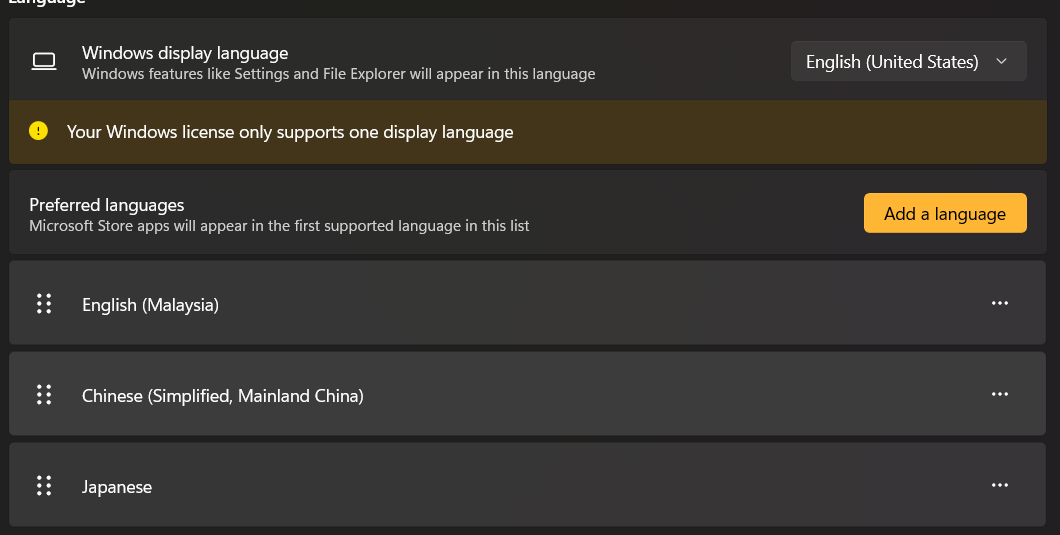
In the settings, there is only 3 languages. The English (Malaysia) is using the US layout.
However, the taskbar shows a fourth language which is English (UK) with UK layout.
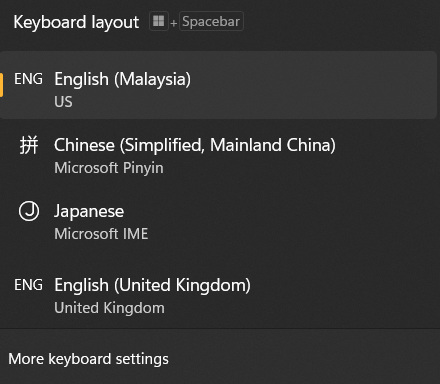
This heavily affects me due to the extra language disrupt my Alt+Shift sequence.
I have tried a lot of methods to remove it. I tried the followings.
- Add then remove the language. I added the English (UK) in the language setting then removing it. It temporarily solves the issue. But after a while it returns again.
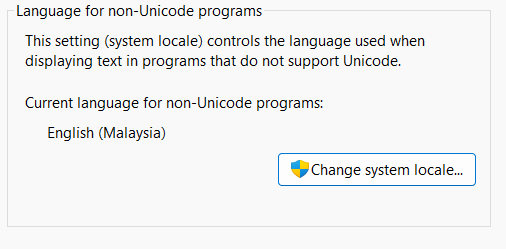
- Set the system locale After some research, some suggested to change the locale settings, which I did as follows
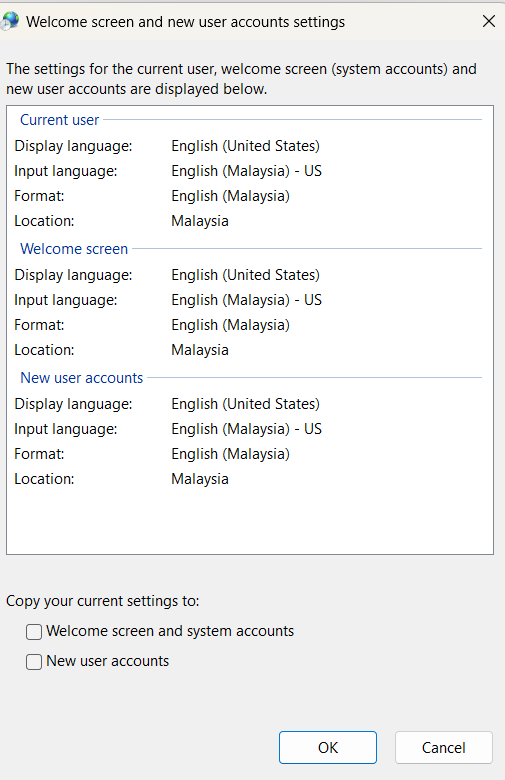 I also copy the current setting into the welcome screen and new user accounts and then reboot the system. However, it did not permanently resolve the issue. The phantom keyboard layout still returns.
- Then Copilot suggested to delete the UK layout registry key (00000809) in registry editor. But when I open the regedit. There is no UK layout present in the editor. HKEY_CURRENT_USER\Keyboard Layout\Preload
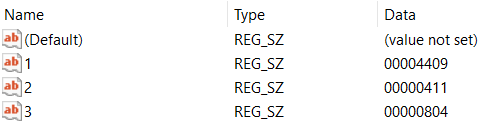 I even checked in HKEY_USERS.DEFAULT\Control Panel\International\User Profile
 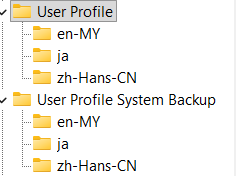 But the UK layout is still there in the taskbar. Despite these methods, the phantom English (UK) layout keeps haunting me. Please help.
' cx='32' cy='32' r='32' /%3E%3Ctext x='50%25' y='55%25' dominant-baseline='middle' text-anchor='middle' fill='%23FFF' %3EJH%3C/text%3E%3C/svg%3E)

' cx='32' cy='32' r='32' /%3E%3Ctext x='50%25' y='55%25' dominant-baseline='middle' text-anchor='middle' fill='%23FFF' %3EA%3C/text%3E%3C/svg%3E)
' cx='32' cy='32' r='32' /%3E%3Ctext x='50%25' y='55%25' dominant-baseline='middle' text-anchor='middle' fill='%23FFF' %3EA%3C/text%3E%3C/svg%3E)