Hello, SMQ256
Thanks for your post in Microsoft community.
I realize that you got an email saying the activity of your Microsoft account was managed by an unknown Microsoft Family organizer. I understand the inconvenience this has caused.
Please log in to the Microsoft Family Safety website with your account: https://account.microsoft.com/family/home
Check if you are in a family group that you do not wish to join.
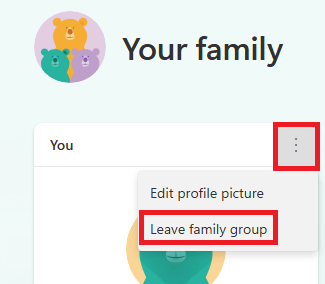
If you are in a family group, you can try to leave this family group.
Click the three dots besides your account, select "Leave family group".
Due to privacy limitation, in this community, we do not have authority to access the information about account.
If it shows that you are not in any family group, or if you have trouble leaving the unknown family group, I sincerely recommend you contact Microsoft Online Chat Support to assisit you get rid of that unknow family organizer.
I will guide you to the right place.
- Visit this website: Contact Us - Microsoft Support.
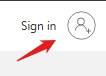
- Sign in with your personal Microsoft account.
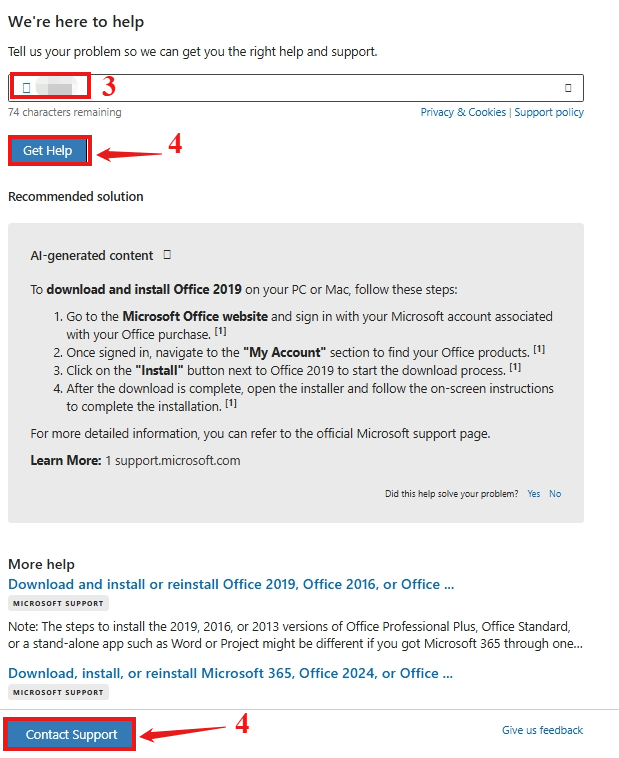
- Enter your issue in the search box. For example, account.
- Click [Get Help], then click [Contact Supp ort] at the bottom of the page.
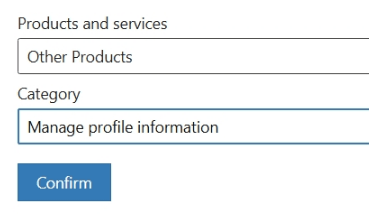
- Under [ Products and services], select [ Other Products].
- Under [Category], select [ Manage profile information].
- Click [ Confirm].
- Select [ Chat with a support agent in a web browser].
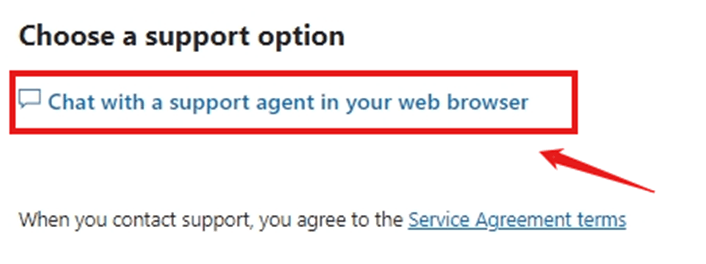
Please note: The Chat support team only works at certain times, so if the last window says you are not available, try to open it again the next day.
Thank you for your understanding and cooperation.
Best wishes,
Lucia Wu - MSFT | Microsoft Community Support Specialist
' cx='32' cy='32' r='32' /%3E%3Ctext x='50%25' y='55%25' dominant-baseline='middle' text-anchor='middle' fill='%23FFF' %3EA%3C/text%3E%3C/svg%3E)
