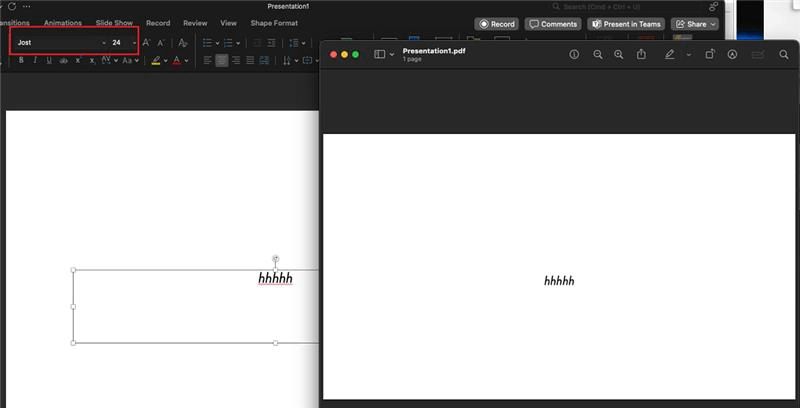
Powerpoint fails to export fonts and transparency correctly

Anonymous
2024-10-28T16:14:00+00:00

In the last couple of weeks, when I export slides from PowerPoint in Office365 (on MacOS Sonoma 14.6,1) to a PDF, the font does not export correctly (defaulting back to Calibri) despite being set to be embedded into the slides/file in Preferences and not being license-restricted (it is "Jost").

At the same time, upon exporting I am finding some elements of the document that have transparency are not rendering correctly and appear grey.

I should stress that this has been working absolutely fine for several years and so I know it isn't a fundamental issue/limitation. It is also worth mentioning that I have previously encountered this issue and fixed it before, but unfortunately I don't recall exactly what it took, and googling the issues keeps leading me down blind alleys which aren't useful.

I have verified that the issue persists on 2 other colleagues computers (all Macs but different software versions).

My best guess is that a recent update has broken something, but does anyone have any more specific guidance about how to fix this?

If this is a known issue, when can we expect a fix as this is important for our business?

Microsoft 365 and Office | PowerPoint | For business | MacOS

Locked Question. This question was migrated from the Microsoft Support Community. You can vote on whether it's helpful, but you can't add comments or replies or follow the question.

0 comments No comments
Answer accepted by question author
Anonymous
2024-10-29T12:34:19+00:00

Hi Joe Healey,

Greetings. Thank you for posting the thread to our community.

I understand your concern, it seems when you use Jost font into your PowerPoint slide and the exported slide doesn’t show the Jost format correctly.

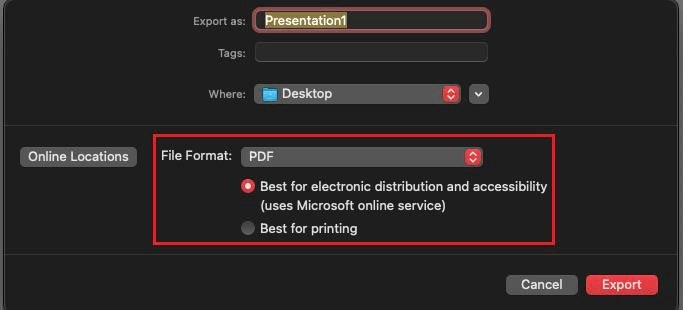
After my test that I’m using the latest version of PowerPoint 16.90, when you export the slide there are two options to choose, the first is called “Best for electronic distribution and accessibility (uses Microsoft online service)”, the other one is called “Best for printing”:
Image

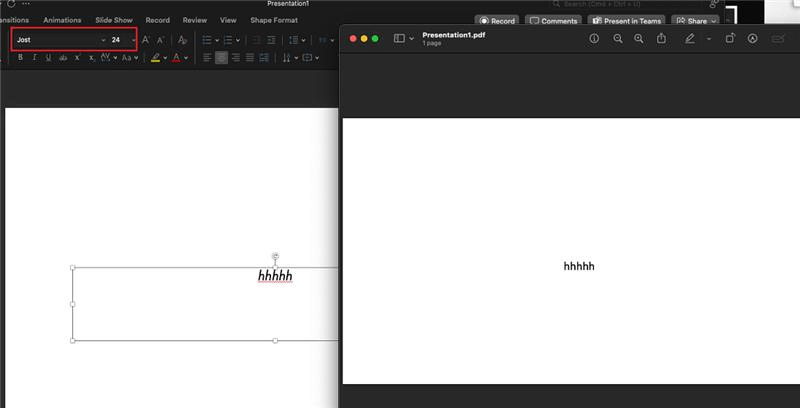
When you select the first option, the exported PDF will convert the Jost font into Calibri as Jost is the 3rd party font which doesn’t natively support for the Microsoft online service. When you select the second option, the Jost font will be correctly showed in the exported PDF file. Here is my test result as reference for you:

Select Best for electronic distribution and accessibility (uses Microsoft online service) option:
Image

Select Best for printing option:

Image

In that case, I suggest you can try to select the Best for printing option to check whether the issue persists or not.

If your scenario isn’t matched to my test result above, Please be free to contact and send feedback to me. I’m glad to help you further.

Hope you having a nice day.

Sincerely,

Harry | Microsoft Community Moderator

Was this answer helpful?

1 person found this answer helpful.
0 comments No comments

5 additional answers

Sort by: Oldest
  1. Anonymous
    2024-11-05T09:05:54+00:00

    @Harry.Liu. the issue persist on issue persists regarding of Mac OS version, all using the latest PowerPoint 16.91 and PowerPoint 16.90Is this a known issue that would be fix at some point?

    Thanks

    Was this answer helpful?

    0 comments No comments
  2. Anonymous
    2024-11-06T10:51:44+00:00

    Hi Harry - thanks for pointing this out. This does indeed appear to have fixed the issue in this case for me.

    It seems peculiar as (as far as I can recall) I have always used the "Best for electronic distribution..." option and it has worked in the past, but regardless, that has saved me a lot of pain!

    Was this answer helpful?

    0 comments No comments
  3. Anonymous
    2024-12-12T01:43:29+00:00

    This isn't very helpful because the whole point of exporting for digital presentation is to be able to use the PPT to give a presentation without the white border around the edge. Is there any other workaround? Also, this workaround did not work for me.

    Was this answer helpful?

    0 comments No comments
  4. Anonymous
    2025-01-21T14:58:44+00:00

    Hi Harry,

    Thank you for posting this workaround. Like the other replies, I have to note that exporting for electronic distribution used to preserve fonts. This random change on the part of Microsoft caused a lot of issues, expense, and delayed project delivery. Why did Microsoft feel the need to make such a HUGE change when things were working just fine before?

    Thanks,

    Niyati

    Was this answer helpful?

    1 person found this answer helpful.
    0 comments No comments