Edit links in Powerpoint for Mac

Anonymous
2022-08-26T23:52:29+00:00

Hi,

I'm unable to find where to edit links on a powerpoint for mac file? I'm trying to update the excel file that has been linked to the graphs in the presentation (both location and file name have changed).

Thanks

Microsoft 365 and Office | PowerPoint | For business | MacOS

Locked Question. This question was migrated from the Microsoft Support Community. You can vote on whether it's helpful, but you can't add comments or replies or follow the question.

0 comments No comments
Answer accepted by question author
Bob Jones AKA CyberTaz MVP 438.6K Reputation points
2022-08-27T00:43:45+00:00

Unfortunately that is not an option in Mac PowerPoint. There is no Link Manager dialog because the program doesn't support Linking. You'll need to delete the existing Excel object & create a new object from the preferred file. If the Link was created on a PC it may be better to have the updating done on a Windows box.

Excuse me for making an assumption but I get the impression that you may be relatively new to Office for Mac. If that's accurate you need to know that Object Linking & Embedding [OLE] doesn't work quite the same as it does in its Windows counterpart... Especially PowerPoint.

In a nutshell it doesn't support Links to anything other than images. When you copy & paste even a single cell the entire Workbook file is embedded in the presentation. There is no option to link to the Excel file. The embedded workbook can be opened & modified in Excel by double-clicking the object but the original source workbook will not be updated by any of the changes that are made. Likewise, any changes made in the original source will not be reflected in the presentation.

Was this answer helpful?

9 people found this answer helpful.
0 comments No comments

4 additional answers

Sort by: Oldest
  1. Anonymous
    2022-08-27T00:57:51+00:00

    Dear CR,

    Good day! Thank you for posting your query in our community.

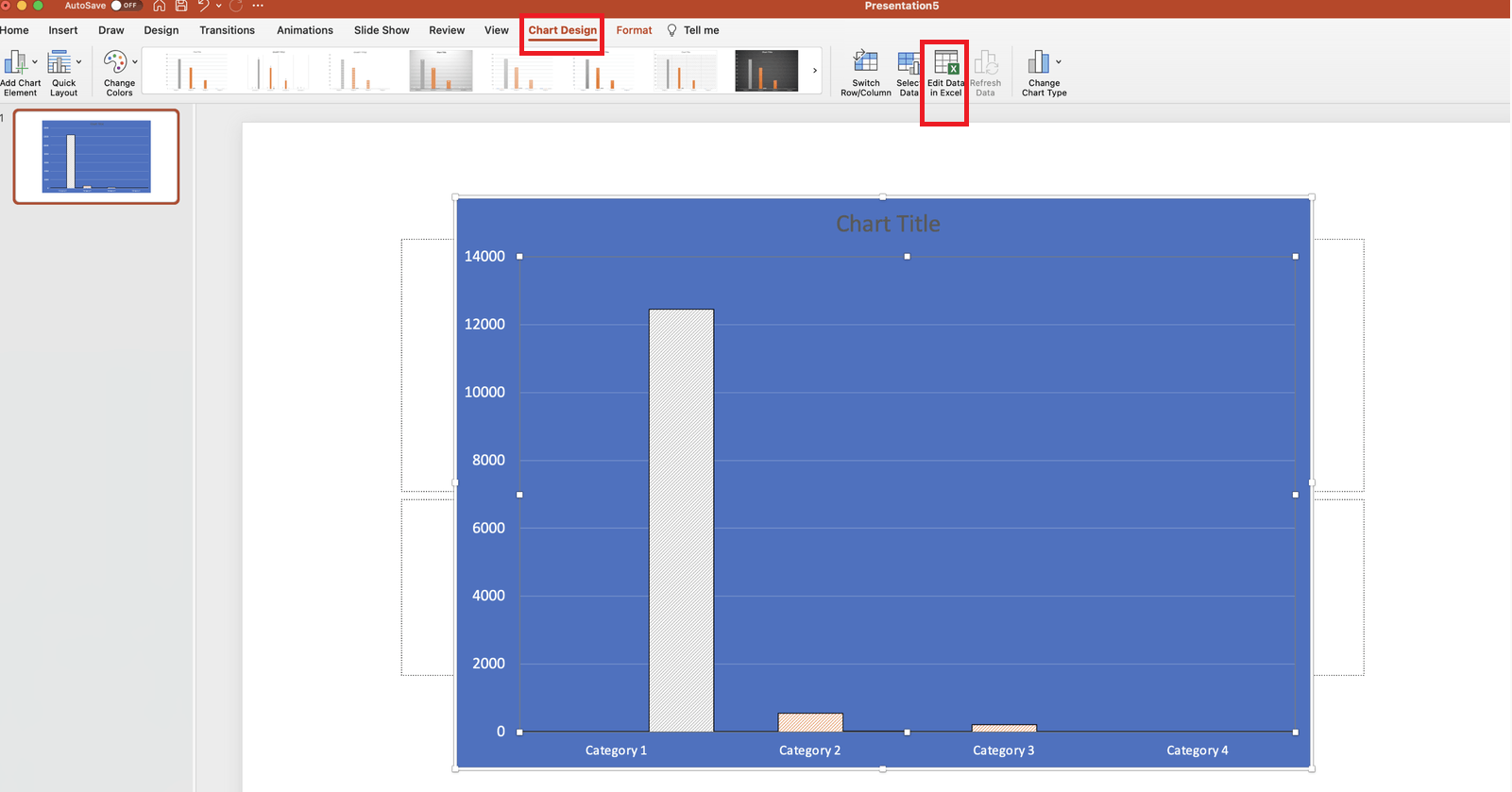
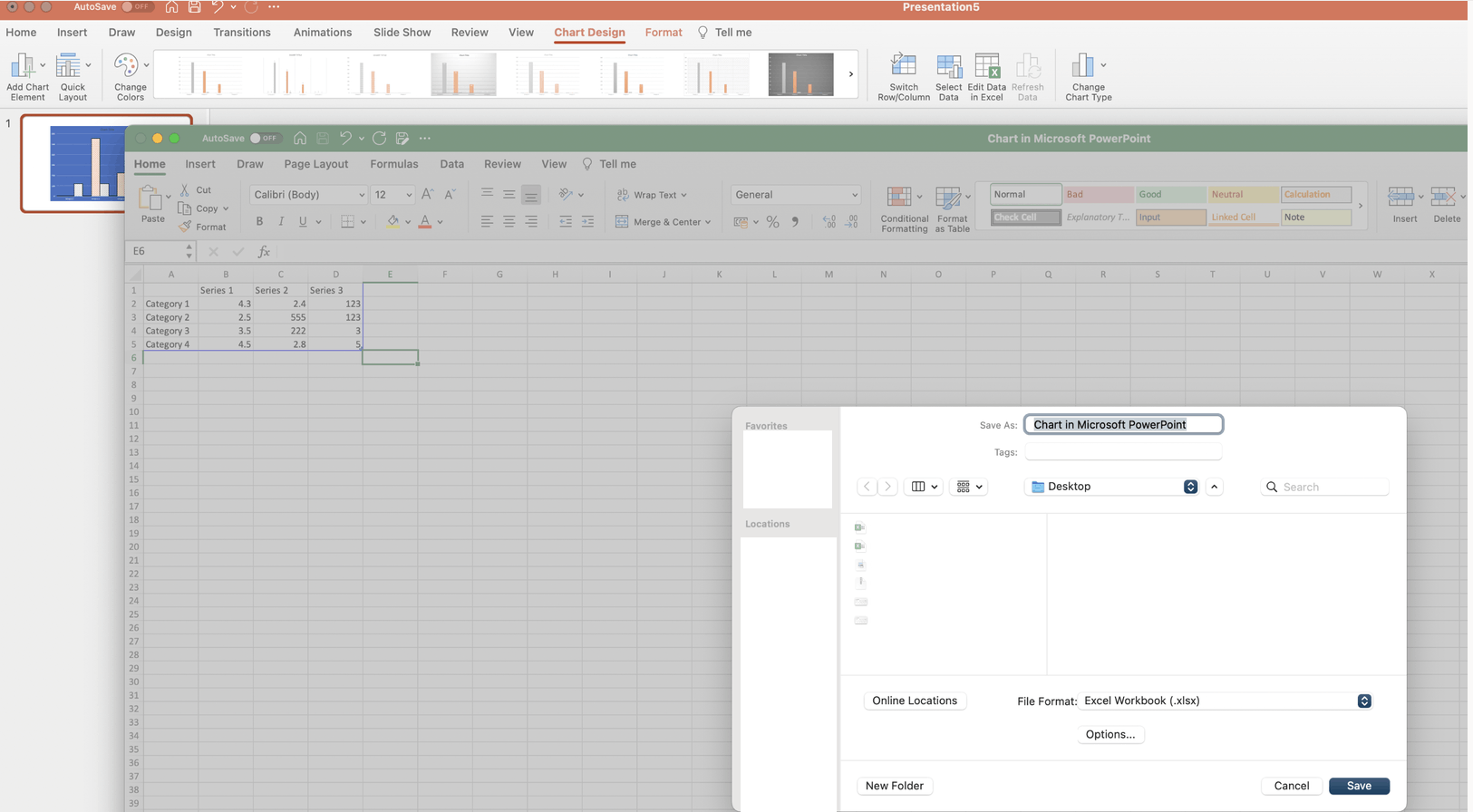
    From your description, it seems that you insert a chart in PowerPoint for Mac. If yes, the chart is automatically linked to an Excel file and you can edit the Excel file data to update the chart.

    No matter what name the file is saved as and where the file is saved, the saved file may be a copy back up. You may be able to click on Chart Design in PowerPoint for Mac>Edit Data in Excel to open and edit the linked Excel file and save it as a new backup. If you edit the backup file, the chart may not be updated.
    If something is misunderstood, welcome to reply with your updates at your convenience.

    Thanks for your effort and time.

    Sincerely,

    Cliff | Microsoft Community Moderator

    Was this answer helpful?

    2 people found this answer helpful.
    0 comments No comments
  2. Steve Rindsberg 99,176 Reputation points MVP Volunteer Moderator
    2022-08-28T14:43:47+00:00

    Excellent answer. I wonder if this should be pinned to the top!

    Was this answer helpful?

    2 people found this answer helpful.
    0 comments No comments
  3. Anonymous
    2022-11-14T20:37:59+00:00

    What version of mac office is that? I can't seem to find that menu.

    Thanks

    Was this answer helpful?

    0 comments No comments
  4. Bob Jones AKA CyberTaz MVP 438.6K Reputation points
    2022-11-14T23:47:26+00:00

    To avoid confusion please don't submit a question as a Reply in an existing thread. Submit a New Question stating all specific particulars relative to your concern. It also helps to indicate the present Version of your Office software.

    Was this answer helpful?

    0 comments No comments