Microsoft 365 and Office | SharePoint | For business | Windows
A group of Microsoft Products and technologies used for sharing and managing content, knowledge, and applications.

This browser is no longer supported.
Upgrade to Microsoft Edge to take advantage of the latest features, security updates, and technical support.
' cx='32' cy='32' r='32' /%3E%3Ctext x='50%25' y='55%25' dominant-baseline='middle' text-anchor='middle' fill='%23FFF' %3EA%3C/text%3E%3C/svg%3E)
Hello! I've accidentally disabled my devices while I was navigating in the settings menu of my unviersity account (University of Zaragoza, Spain). I thought I could fix it myself, but once I disabled all 5 of them, I couldn't. Please, help me because I still need it to study. I've added pictures to this messages so you can have more information (one of them is with my devices, the other is me trying to re-login into the excel program).
Thanks in advance,
Jorge
A group of Microsoft Products and technologies used for sharing and managing content, knowledge, and applications.
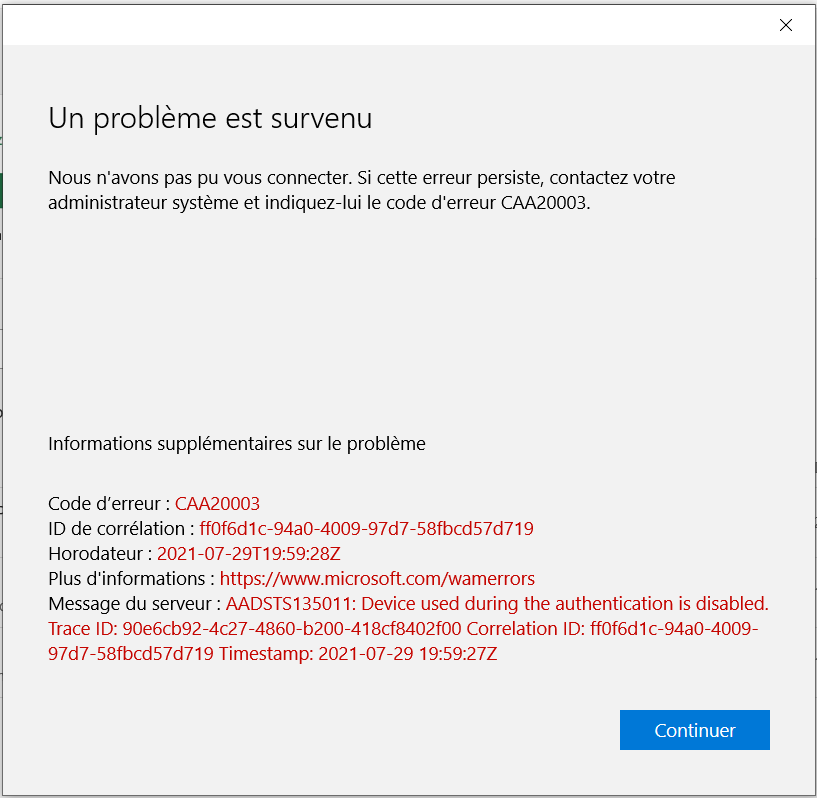
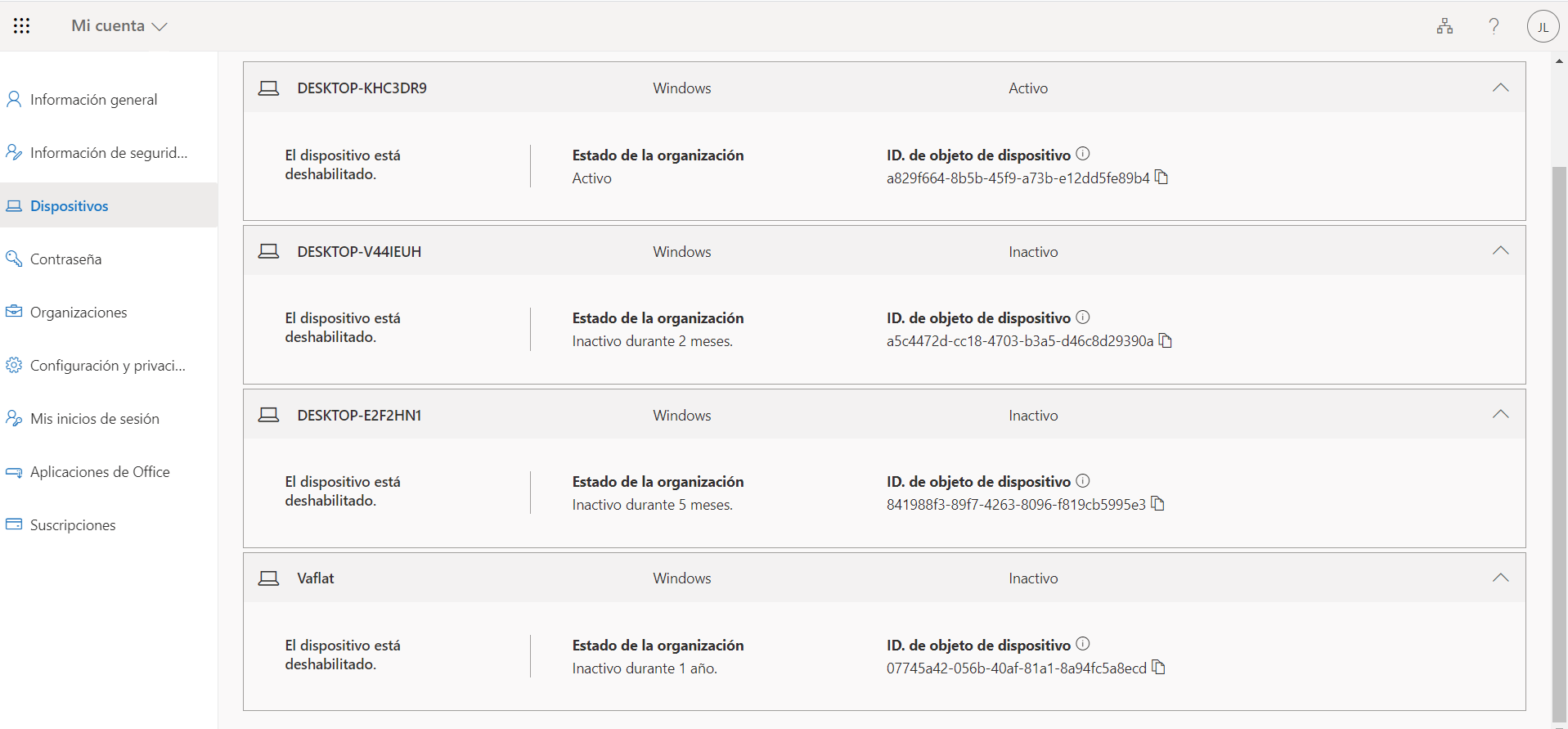
Here you have the screenshots I've mentioned in the last message.

Hi @Anonymous ,
The only way you can re-enable those disabled devices is to contact your IT administrator to follow the steps below.
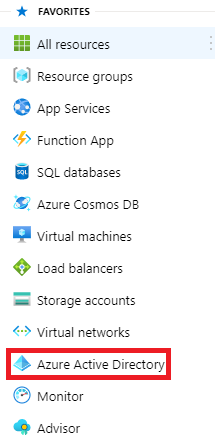
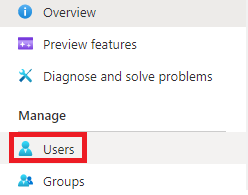
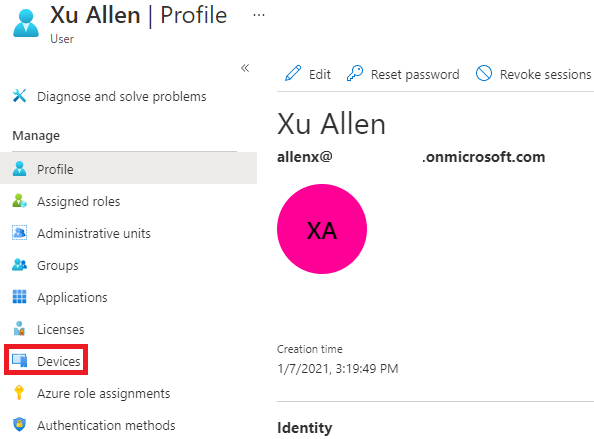
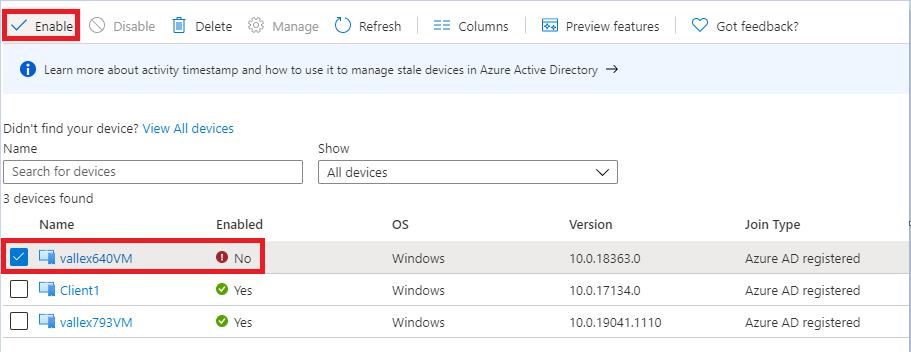
If an Answer is helpful, please click "Accept Answer" and upvote it.
Note: Please follow the steps in our documentation to enable e-mail notifications if you want to receive the related email notification for this thread.
Thanks for the piece of advice. I'll contact my University's administrator IT, and I'll copy-paste this link to let him know.
' cx='32' cy='32' r='32' /%3E%3Ctext x='50%25' y='55%25' dominant-baseline='middle' text-anchor='middle' fill='%23FFF' %3EA%3C/text%3E%3C/svg%3E)
Hello,I'm had the same problem, so I tried the solution.but when I select azure active directory, it says no access.What should I do?
' cx='32' cy='32' r='32' /%3E%3Ctext x='50%25' y='55%25' dominant-baseline='middle' text-anchor='middle' fill='%23FFF' %3EIH%3C/text%3E%3C/svg%3E)
I tried the solution, but when i select azure active directory, it says no access. So what shoul i do?