' cx='32' cy='32' r='32' /%3E%3Ctext x='50%25' y='55%25' dominant-baseline='middle' text-anchor='middle' fill='%23FFF' %3EJF%3C/text%3E%3C/svg%3E)


' cx='32' cy='32' r='32' /%3E%3Ctext x='50%25' y='55%25' dominant-baseline='middle' text-anchor='middle' fill='%23FFF' %3EFG%3C/text%3E%3C/svg%3E)


' cx='32' cy='32' r='32' /%3E%3Ctext x='50%25' y='55%25' dominant-baseline='middle' text-anchor='middle' fill='%23FFF' %3EPF%3C/text%3E%3C/svg%3E)
' cx='32' cy='32' r='32' /%3E%3Ctext x='50%25' y='55%25' dominant-baseline='middle' text-anchor='middle' fill='%23FFF' %3EM%3C/text%3E%3C/svg%3E)
' cx='32' cy='32' r='32' /%3E%3Ctext x='50%25' y='55%25' dominant-baseline='middle' text-anchor='middle' fill='%23FFF' %3EZS%3C/text%3E%3C/svg%3E)
' cx='32' cy='32' r='32' /%3E%3Ctext x='50%25' y='55%25' dominant-baseline='middle' text-anchor='middle' fill='%23FFF' %3EI%3C/text%3E%3C/svg%3E)
' cx='32' cy='32' r='32' /%3E%3Ctext x='50%25' y='55%25' dominant-baseline='middle' text-anchor='middle' fill='%23FFF' %3EJM%3C/text%3E%3C/svg%3E)
You may want to investigate and try the following.... a good config file is also necessary if you are using any of the online services.
I have found a temporary "workaround" to quiet the Computer Monitoring alert. It is working successfully for me across all my servers. Unfortunately, I can't and won't guarantee success for everyone since I do NOT work for Microsoft and I don't have access to the same resources; so please PROCEED AT YOU OWN RISK! You fully assume all risk, responsibility, and liability with this workaround and it's installation. Please read and understand what this workaround does and PROCEED AT YOUR OWN RISK. I recommend you make sure you backup your server and data.
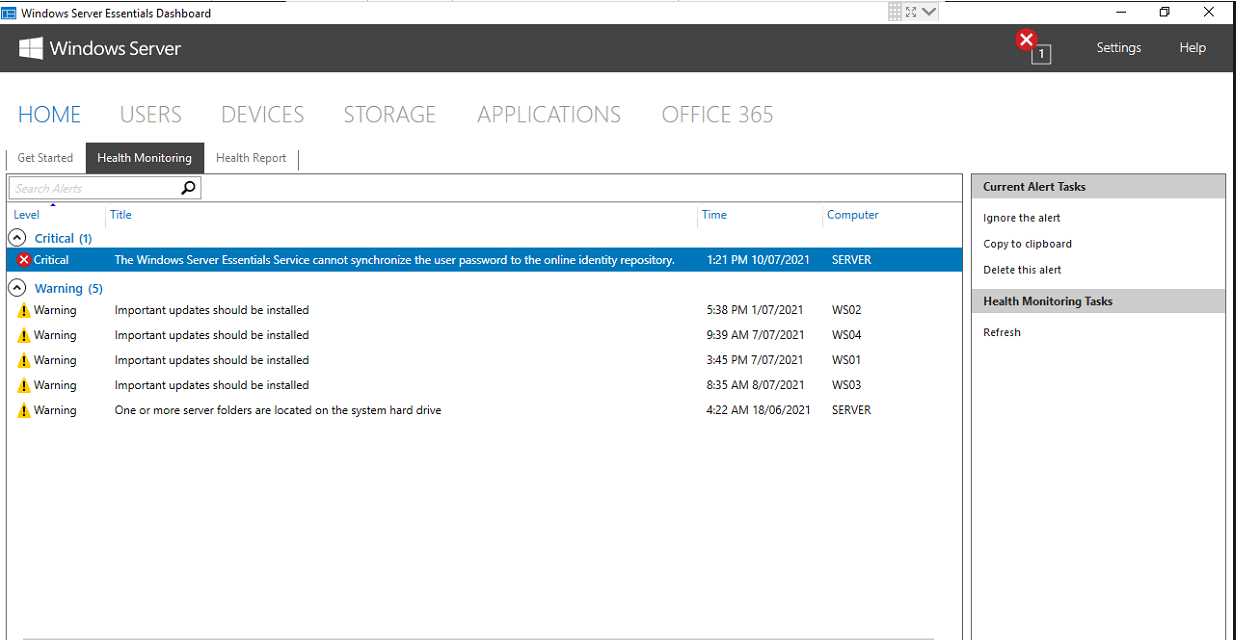
Some background........ Microsoft has created dozens and dozens of health definitions in Essentials that scan the server (and clients) for particular issues (such as firewall problems, disk space problems, server role configuration problems, etc., etc.). Within all of that, there’s actually a specific health definition that checks for updates to just the online services integration stuff in Essentials. The health definition runs every thirty minutes where it downloads the language-specific config file. The config file contains the version information for the online services integration (which hasn’t actually changed from version 1.0.0.0 in all the years that 2016 Essentials has been out), and that’s what’s checked in order to see if an update needs to be downloaded from Microsoft. Since the config file on the server is now corrupt due to a broken or missing link on the Microsoft backend, Essentials falls over when it attempts to read the version information from it and then it tosses up the “Computer Monitoring Error” health alert.
The Workaround... It's actually quite simple and can be easily reversed if Microsoft decides to fix the broken backend.
Use the Essentials "Restore Files or Folder" (NOT A Full Drive) wizard to REPLACE the "OnlineServicesConfigFile" contained within: ProgramData/Microsoft/Windows Server/Data/Cloud. You MUST use a backup from prior to the Microsoft failure on or about August 31, 2021. (I successfully restored my config file using backup from August 29, 2021.)
Quickly (before the next Health Alert Evaluation runs and overwrites the file) right click the config file, select properties and set the Attribute to READ ONLY. (This should prevent the config file from being overwritten with corrupted information again due to the missing or broken backend.)
The Computer Monitoring Error should clear when the next Health Assessment Runs, which is usually every 30 minutes.

' cx='32' cy='32' r='32' /%3E%3Ctext x='50%25' y='55%25' dominant-baseline='middle' text-anchor='middle' fill='%23FFF' %3ELH%3C/text%3E%3C/svg%3E)