
Please try the following:
- Open Settings
- Click on System
- Click on Notfications & actions
- Uncheck "Suggest ways I can finish setting up my device to get the most out of Windows"
This browser is no longer supported.
Upgrade to Microsoft Edge to take advantage of the latest features, security updates, and technical support.

Hi,
After installing Windows 10 updates we frequently see Let’s finish setting up your device:
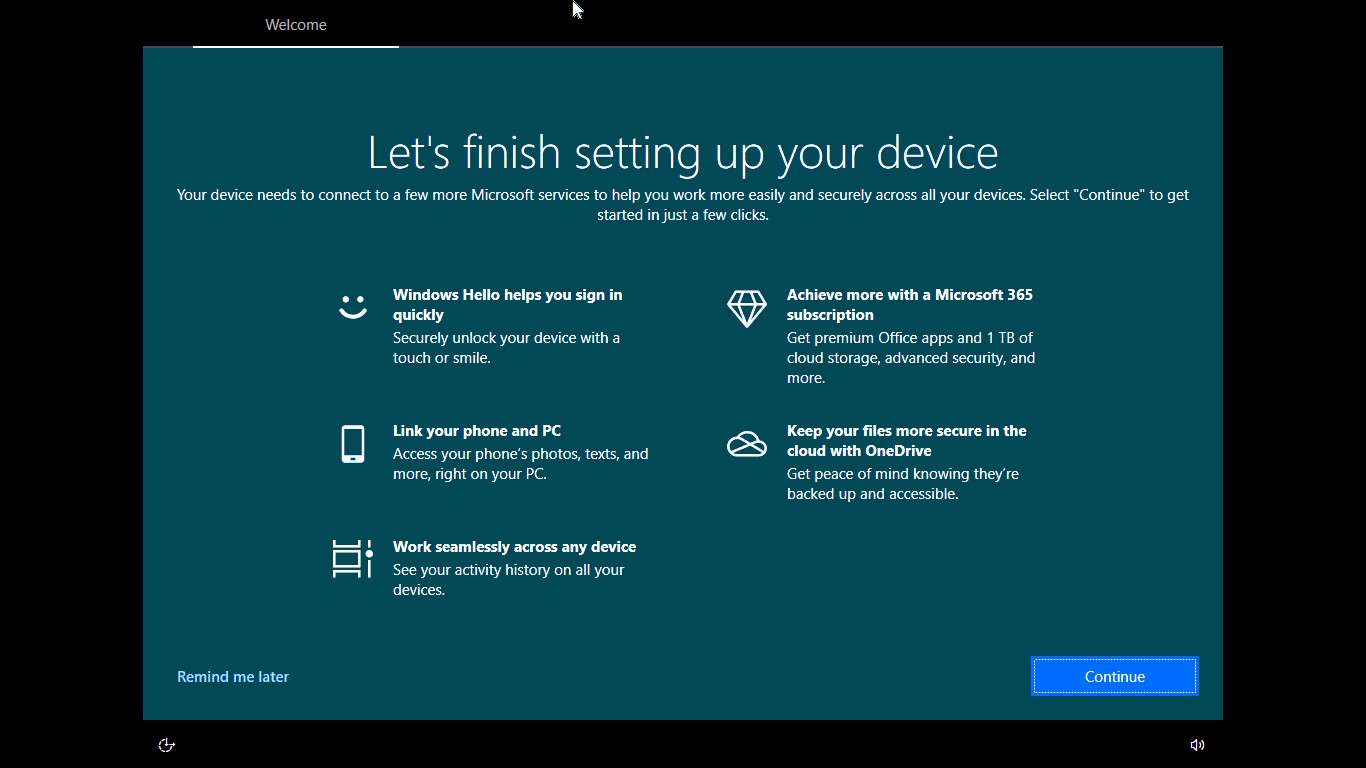
In spite of opting Remind me later, we again see it after few days or after installing another update.
Please let us know:
Best Regards
NndnG
Locked Question. You can vote on whether it's helpful, but you can't add comments or replies or follow the question.

Please try the following:
' cx='32' cy='32' r='32' /%3E%3Ctext x='50%25' y='55%25' dominant-baseline='middle' text-anchor='middle' fill='%23FFF' %3ERA%3C/text%3E%3C/svg%3E)
The problem with that is it will be checked again after an update. This is just another thing I have to fix after every update.
' cx='32' cy='32' r='32' /%3E%3Ctext x='50%25' y='55%25' dominant-baseline='middle' text-anchor='middle' fill='%23FFF' %3EJB%3C/text%3E%3C/svg%3E)
I cannot make Google chrome my defaullt browser after resetting my windows 10 operating system
@Sean Liming and @Teemo Tang I am sorry for responding late.

After uncheck Suggest ways I can finish setting up my device to get the most out of Windows option, you will no longer get this type of notification when Windows updates have been installed on your computer.
This answer has been deleted due to a violation of our Code of Conduct. The answer was manually reported or identified through automated detection before action was taken. Please refer to our Code of Conduct for more information.
Comments have been turned off. Learn more
@Sean Liming and @Teemo Tang thank you replying.
I unchecked the option Suggest ways I can finish setting up my device to get the most out of Windows.
I need to wait. I think I shouldn't see Let’s finish setting up your device.
If I want to get the option manually, pls let me know, what I need to do?
If I check the option, it will not show Let’s finish setting up your device instantly.
Generally Let’s finish setting up your device comes after new updates.
Best Regards
NndnG
Go to Settings > System > Notifications & actions and uncheck Suggest ways I can finish setting up my device to get the most out of Windows option. This should turn off that screen.
If that doesn't works, try the registry based Method 2 mentioned here:
https://www.kapilarya.com/how-to-disable-get-even-more-out-of-windows-screen-windows-10
To help you more on this, here's the video fix:
https://www.youtube.com/watch?v=UkDfhnR8kuA
-------------------------------------------------------------------------------------
If the Answer is helpful, please click "Accept Answer" and upvote it.
Information posted in the given link is hosted by a third party. Microsoft does not guarantee the accuracy and effectiveness of information.
Note: Please follow the steps in our documentation to enable e-mail notifications if you want to receive the related email notification for this thread.
' cx='32' cy='32' r='32' /%3E%3Ctext x='50%25' y='55%25' dominant-baseline='middle' text-anchor='middle' fill='%23FFF' %3ESM%3C/text%3E%3C/svg%3E)
Doesn't work in all cases. Some things, such as the Windows 11 upgrade reminder, will still show up.