Cannot install new system voice packages.

Anonymous
2023-07-17T15:28:01+00:00

I am unable to install new voice packages on my system. I have reviewed some similar questions to this, such as this one. But I have not been able to find any recent information on this issue.

There are two related places of concern:

Settings > Time & language > Speech

Under Manage Voices, the Add voices option does not work. Specifically, when I select a new voice there from the list, a message displays instructing me to reopen Settings for the changes to take effect, however nothing actually changes, and no package is installed.

Settings > Time & language > Language & region

Next, I tried adding languages here via the Add a language button. This time, language downloads began, but failed mid-way.

Following this, returning to Settings > Time & language > Speech now displays entries for the languages that failed to install on the Language & region screen, however they show a size of 0 MB and I am unable to remove them, and their voices are not available:
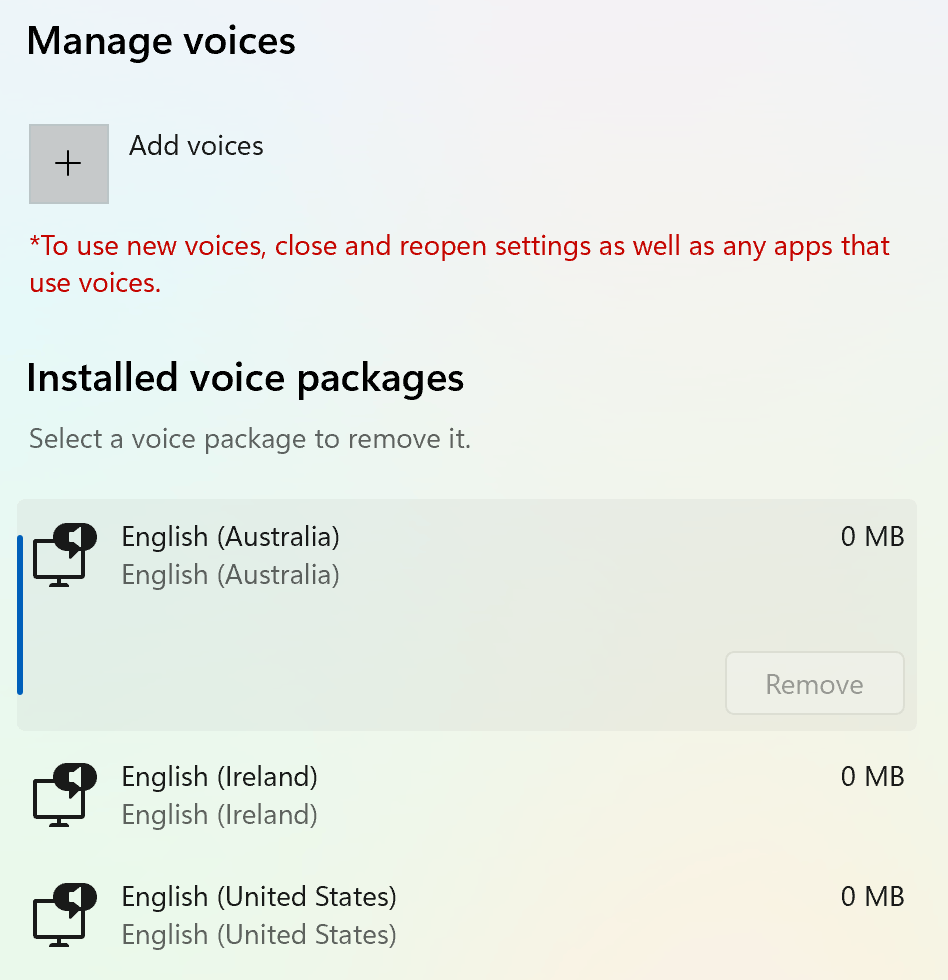
(Curiously, my original system language of "English (United States) also shows a zero size; I'm not sure if that's atypical.)

Thank you in advance for any help you might provide.

Windows for home | Windows 11 | Settings

Locked Question. This question was migrated from the Microsoft Support Community. You can vote on whether it's helpful, but you can't add comments or replies or follow the question.

0 comments No comments
Answer accepted by question author
Anonymous
2023-07-26T01:24:02+00:00

I have voted for your feedback and submitted it to the appropriate team for investigation. It will take some time to investigate and fix this issue, thank you for your patience and understanding.

We appreciate your feedback, please click Yes or No to help us improve the support experience. 

Hope you are keeping safe and well.

Was this answer helpful?

10+ people found this answer helpful.
0 comments No comments

23 additional answers

Sort by: Newest
  1. Anonymous
    2023-07-25T15:24:58+00:00

    Feedback Hub link:

    https://aka.ms/AAlthf4

    Thanks again for your assistance.

    Was this answer helpful?

    0 comments No comments
  2. Anonymous
    2023-07-25T01:01:30+00:00

    Thank you for your feedback. I have submitted this issue for you through internal channels. In addition, please share the feedback link after submitting, I will submit your feedback to the relevant team for investigation through internal channels. And it will allow others on the forum to vote for your submission, including me. More votes will lead to more visibility and higher priority to the development team. 

    Thank you for your time and effort working on this issue. Hope you are keeping safe and well.

    Was this answer helpful?

    0 comments No comments
  3. Anonymous
    2023-07-24T14:54:50+00:00

    Thank you. My Windows version is 10.0.22621. I am still unable to remedy the problem with your new suggestion, so I'll try the Feedback Hub per your advice. I appreciate your time.

    Was this answer helpful?

    0 comments No comments
  4. Anonymous
    2023-07-24T14:07:15+00:00

    I am having all the same issues and it appears I am looking at a clean boot. I have done all of these steps twice and did a minimal reset on the OS. Have not pulled the plug on a clean install yet. Hope windows can fix this with a future update. We cannot be the only people having this issue.

    Was this answer helpful?

    1 person found this answer helpful.
    0 comments No comments