How to switch from a call by IP address to a call by Device name on a home network?

Lev Gorinshteyn 21 Reputation points
2021-03-07T00:56:10.787+00:00

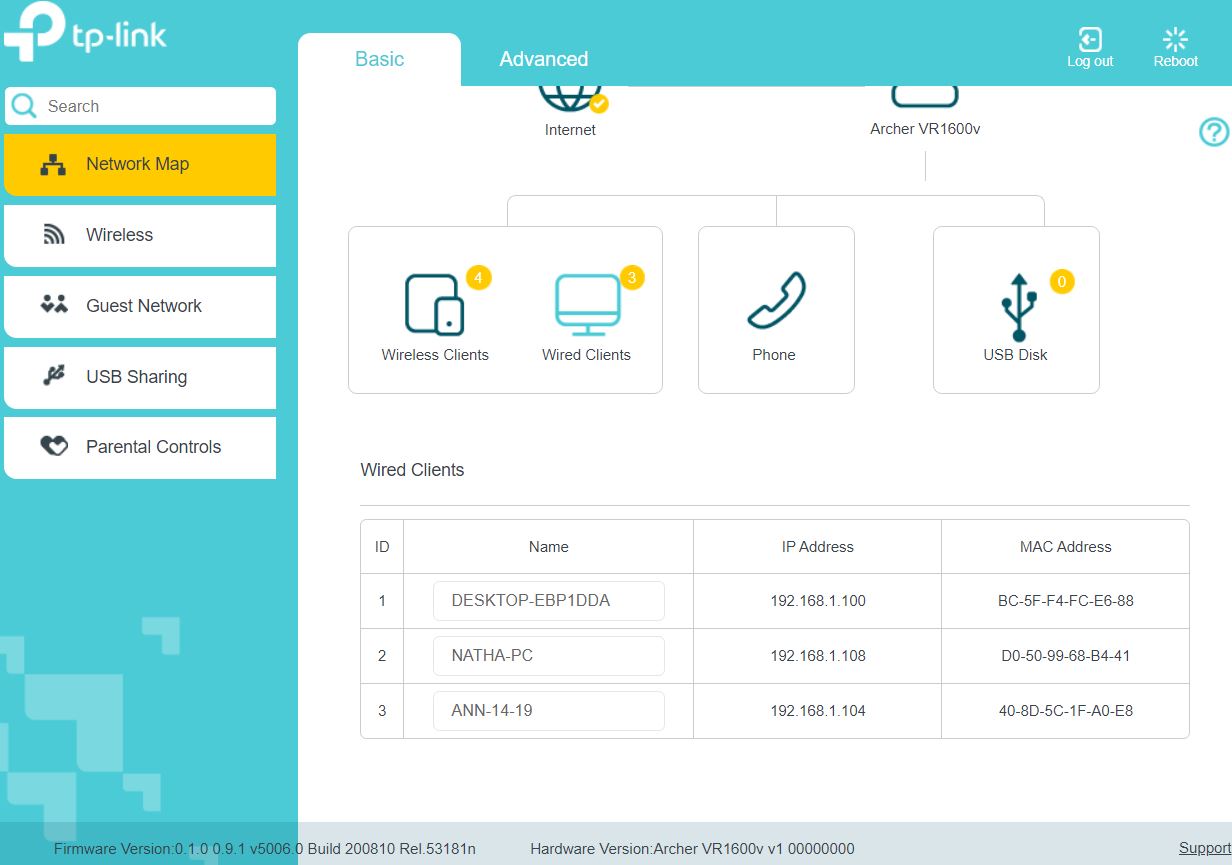
On my home network, I can log into the other two from my computer. In the first one I go by the command CD \ <Device name> \ <Folder>, and in the second - CD \ <IP address> \ <Folder>. Addressing the IP address is very inconvenient, since when the modem is restarted, IP address changes and each time after that I need to change the command. How to switch from a call by IP address to a call by Device name? What needs to be changed and where?

Windows for business | Windows Client for IT Pros | Networking | Network connectivity and file sharing
0 comments No comments

Answer accepted by question author
MotoX80 37,861 Reputation points
2021-03-14T15:00:36.637+00:00

If you can't find any DNS settings in your router, or your ISP can't help you, here is one more thing that you can try.

http://winrollup.com/enable-network-discovery-in-windows-10-creator-edition-without-using-the-netsh-command-in-powershell

I consolidated the commands from that web site. Run Powershell_ISE as an administrator, and paste these commands into a script window and run it. Do this on the machines that can't see each other.

Get-Service  -name "UPnP Device Host" | Set-Service -StartupType Automatic  
Get-Service  -name "Function Discovery Resource Publication" | Set-Service -StartupType Automatic  
Get-Service  -name "Function Discovery Provider Host" | Set-Service -StartupType Automatic  
Get-Service  -name "SSDP Discovery" | Set-Service -StartupType Automatic  
  
   
Get-Service  -name "DNS Client" | Start-Service  
Get-Service  -name "UPnP Device Host" | Start-Service  
Get-Service  -name "Function Discovery Resource Publication" | Start-Service  
Get-Service  -name "Function Discovery Provider Host" | Start-Service   
Get-Service  -name "SSDP Discovery" | Start-Service  
  
Set-NetConnectionProfile -NetworkCategory Private -PassThru  
Get-NetFirewallRule -DisplayGroup 'Network Discovery'|Set-NetFirewallRule -Profile 'Private, Domain' -Enabled true -PassThru|select Name,DisplayName,Enabled,Profile|ft -a  

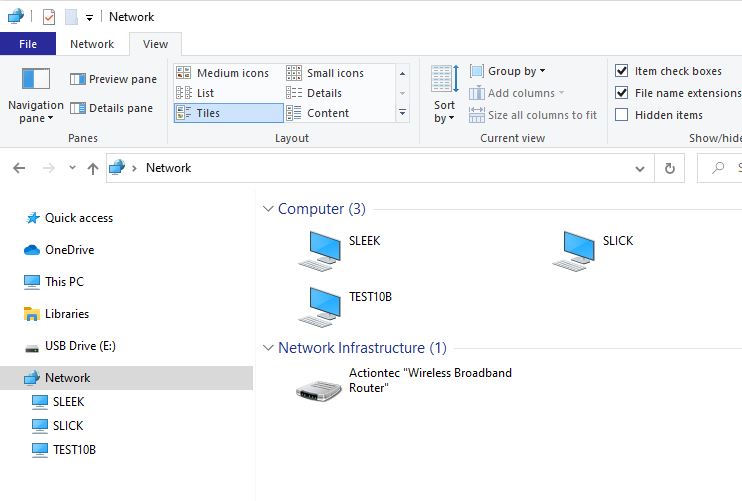
Then in explorer open up Network and press F5 to refresh. See if your PC's show up then.
77502-capture.jpg

Was this answer helpful?

0 comments No comments

11 additional answers

Sort by: Most helpful
  1. Lev Gorinshteyn 21 Reputation points
    2021-03-08T05:23:13.027+00:00

    75205-vr1600v.jpg

    Was this answer helpful?

    0 comments No comments

  2. Lev Gorinshteyn 21 Reputation points
    2021-03-08T00:34:04.677+00:00

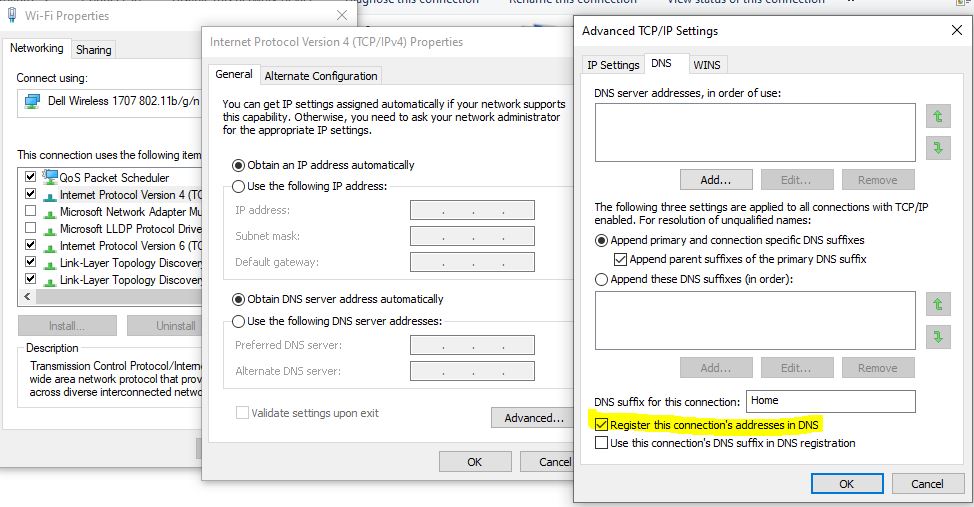
    In the network settings, did you check off the register this connection in DNS?
    No, in all my computers the “Register this connection’s addresses in DNS” are check on, as on your picture.

    Was this answer helpful?


  3. MotoX80 37,861 Reputation points
    2021-03-07T22:33:00.527+00:00

    In the network settings, did you check off the register this connection in DNS?

    75145-capture.jpg

    Was this answer helpful?


  4. Lev Gorinshteyn 21 Reputation points
    2021-03-07T04:56:22.387+00:00

    I have verified that the services you specified - UPnP Device Host, SSDP Discovery, Feature Discovery Resource Publishing, DNS Client - are running on both computers.
    Also, both computers have a Private network marked for Network discovery in Allow applications to communicate.
    But I cannot enter the second computer by Device name.

    Was this answer helpful?


Your answer

Answers can be marked as 'Accepted' by the question author and 'Recommended' by moderators, which helps users know the answer solved the author's problem.