
Hi,
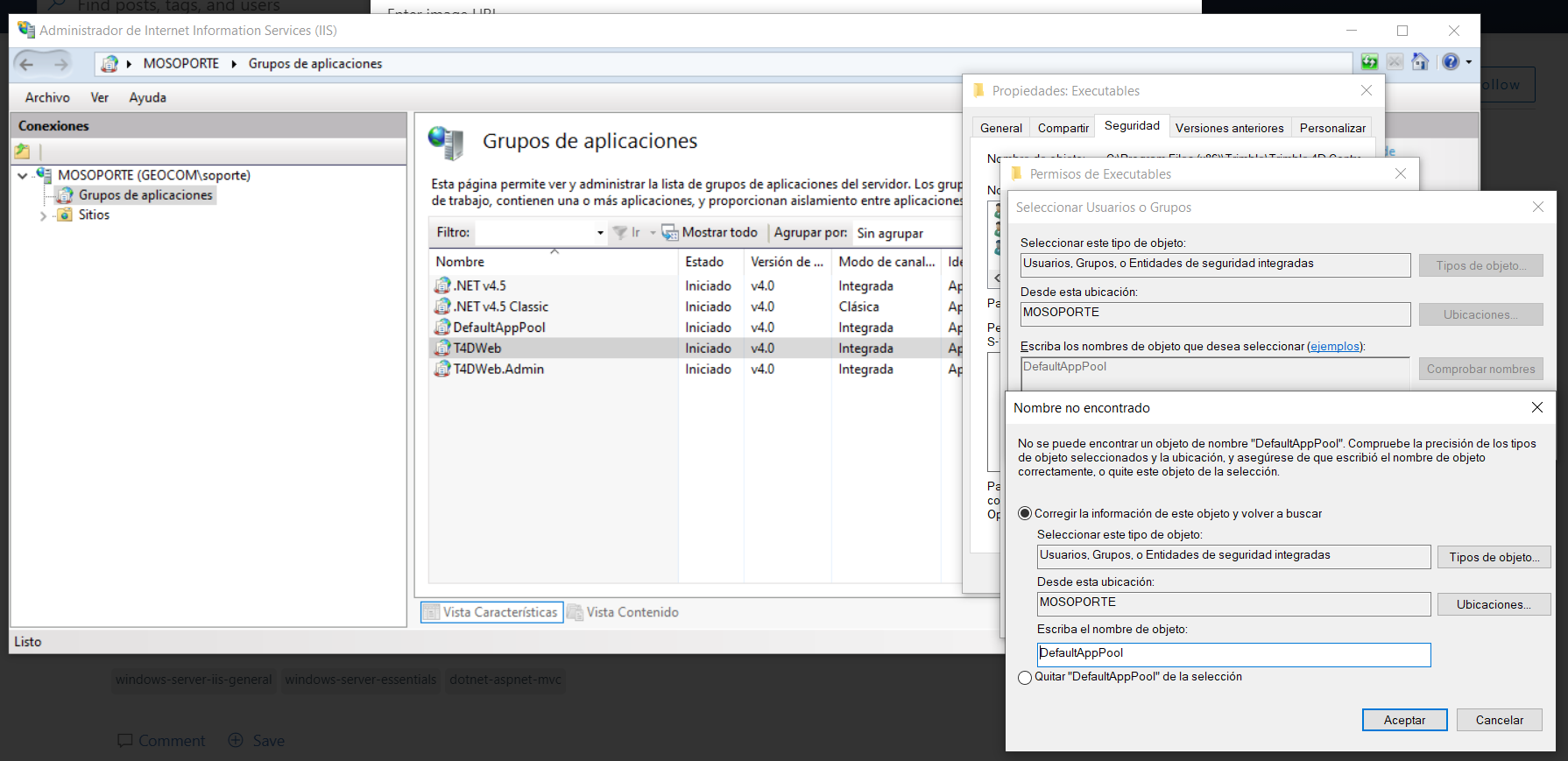
I am working with IIS 10 and I cannot add the user because the default application pool and other application pools cannot be found.
This browser is no longer supported.
Upgrade to Microsoft Edge to take advantage of the latest features, security updates, and technical support.
' cx='32' cy='32' r='32' /%3E%3Ctext x='50%25' y='55%25' dominant-baseline='middle' text-anchor='middle' fill='%23FFF' %3EA%3C/text%3E%3C/svg%3E)
Batch file is not ruuning on IIS
i m using window server r2 2012
I give full control accessibility but i don't what actually happens?
help me.
code:
            string command = "c://PExecute.bat";
            ProcessStartInfo procStartInfo = new ProcessStartInfo("cmd", "/q /c " + command);

            procStartInfo.UseShellExecute = false;
            procStartInfo.CreateNoWindow = true;

            Process proc = new Process();
            proc.StartInfo = procStartInfo;
            proc.StartInfo.CreateNoWindow = true;
            proc.Start();
Thanks in advance.
A set of technologies in .NET for building web applications and web services. Miscellaneous topics that do not fit into specific categories.
' cx='32' cy='32' r='32' /%3E%3Ctext x='50%25' y='55%25' dominant-baseline='middle' text-anchor='middle' fill='%23FFF' %3EAI%3C/text%3E%3C/svg%3E)
Hi,
I am working with IIS 10 and I cannot add the user because the default application pool and other application pools cannot be found.
' cx='32' cy='32' r='32' /%3E%3Ctext x='50%25' y='55%25' dominant-baseline='middle' text-anchor='middle' fill='%23FFF' %3ERG%3C/text%3E%3C/svg%3E)
Hi
I think you need the full username in this case which should be iis apppool\defaultapppool in this context.
Regards
Gary.
@Russam, Gary that actually worked, thanks!

not working for iis .bat not running ??
plz help
window 10 iis
' cx='32' cy='32' r='32' /%3E%3Ctext x='50%25' y='55%25' dominant-baseline='middle' text-anchor='middle' fill='%23FFF' %3EBZ%3C/text%3E%3C/svg%3E)
Hi @AnkiIt_wizard5 ,
To execute batch files through IIS, you need to grant sufficient permissions to the application pool.
If you use anonymous authentication on IIS, please edit it and check Application pool identity.
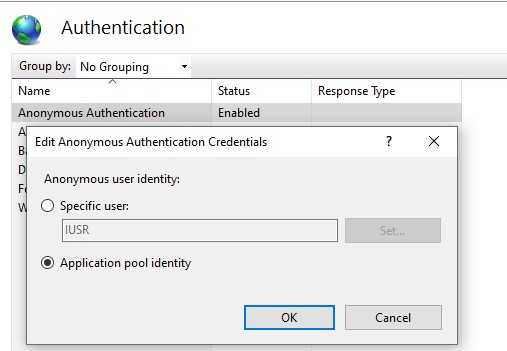
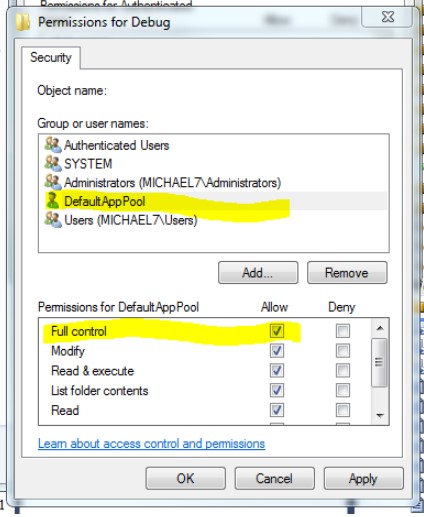
Then assign FullControl security permissions for the IIS AppPool\ApplicationPool. Because application pool is the user of current process. Process uses the identity of application to run batch file.
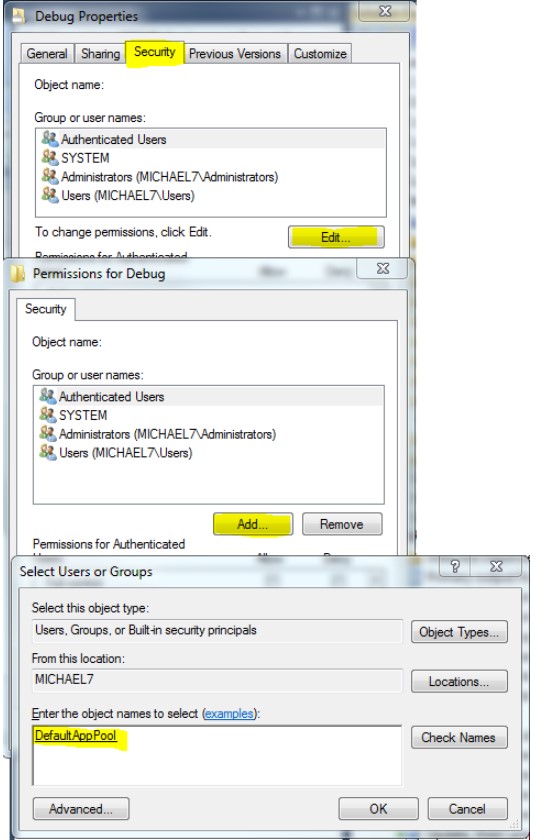
Find the directory where the batch file is located and go to the directory properties. In security tab, add the application pool, assign the FullControl permission.
If the answer is helpful, please click "Accept Answer" and upvote it.
Note: Please follow the steps in our documentation to enable e-mail notifications if you want to receive the related email notification for this thread.
Best regards,
Bruce Zhang