Microsoft 365 and Office | SharePoint | For business | Windows
A group of Microsoft Products and technologies used for sharing and managing content, knowledge, and applications.

This browser is no longer supported.
Upgrade to Microsoft Edge to take advantage of the latest features, security updates, and technical support.
' cx='32' cy='32' r='32' /%3E%3Ctext x='50%25' y='55%25' dominant-baseline='middle' text-anchor='middle' fill='%23FFF' %3EJJ%3C/text%3E%3C/svg%3E)
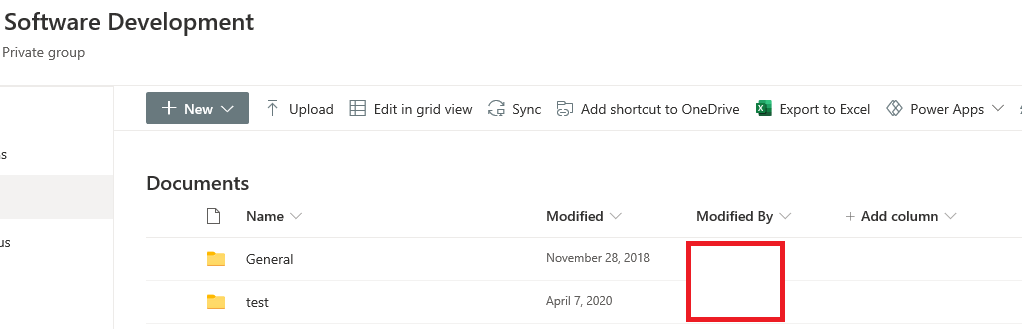
We have a SharePoint modern team site which contain a document library with 2 folders "General" & "test", as follow:-
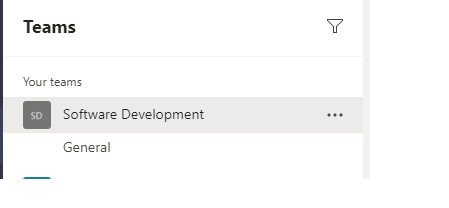
but when i access this sharepoint site inside MS Teams, i can only see the "General" folder as follow:-
so is it fine if inside MS Team >> i create a new Channel >> named it "test" >> so the new channel will get mapped automatically to the test folder inside sharepoint document library ?
Thanks
A group of Microsoft Products and technologies used for sharing and managing content, knowledge, and applications.
Additional features, settings, or issues not covered by specific Microsoft Teams categories


Hi @john john ,
Each standard channel in a team gets a folder within the default team site document library(Shared Documents).
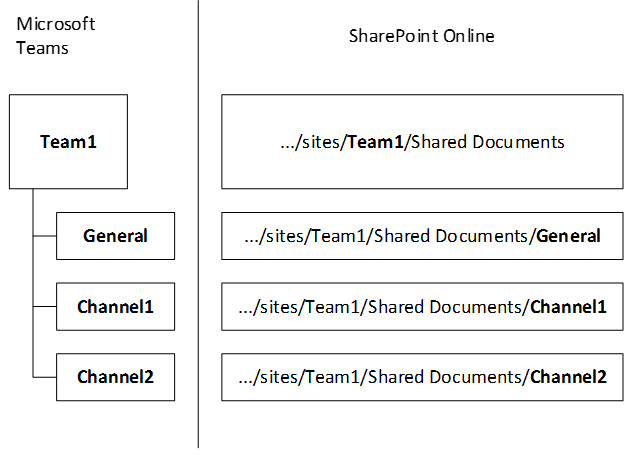
When we connect a SharePoint site to Microsoft Teams, the default channel for each team "General" has a folder in Shared Documents.
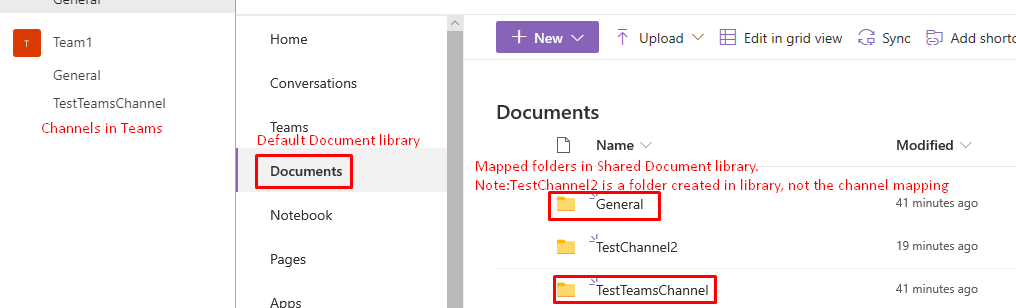
However, if we create a new folder in the SharePoint Shared Document library, it cannot be mapped to Teams.
This is why you only see the "General" folder in Teams.
If you create a new channel named test in Teams, there will be a "test" folder in the SharePoint Shared Documents library.
If an Answer is helpful, please click "Accept Answer" and upvote it.
Note: Please follow the steps in our documentation to enable e-mail notifications if you want to receive the related email notification for this thread.
@JulieWang-MSFT but since in my case i already have the folders created inside sharepoint ,, so if i add a channel with the same name as the folder then the channel will get mapped to the folder... is this correct/valid appraoch?
Hi @john john ,
No, this error will occur when we create the channel with same name that already exists in SharePoint.

We suggest you add channel with different name or delete existing folder in document library, then add channel with previous name.

Hi @john john , do you have any progress on this thread? Please feel free to let us know if you need further assistance.