Hi PhillipSheppard,
Thank you for reaching Microsoft Community. I'm sorry to hear about the inconvenience that the update on the touch keyboard has caused you.
I would like to confirm first, do you happen to have a screenshot of this number pad version of the touch keyboard? If yes, please share it with us here.
If I may suggest also, how about using the On-Screen Keyboard (OSK) and see if this option works for you. Search OSK on the search bar of your Taskbar then select the OSK (Run command) option. you will have this keyboard then:
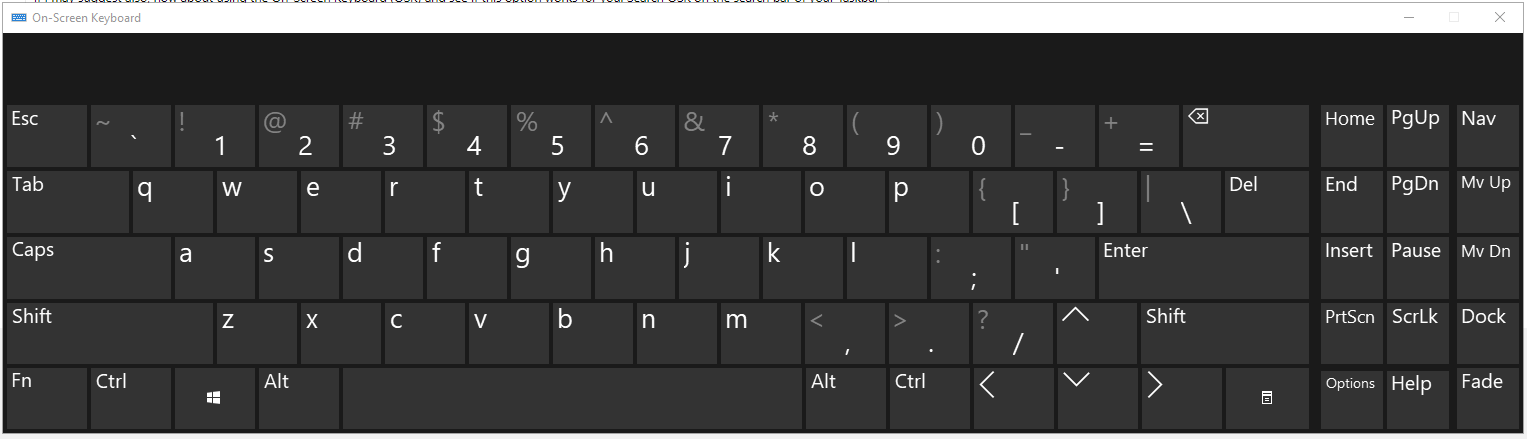
Select the Options key, check the box next to Turn on numeric keypad option then click OK. It should then provide you with this keyboard layout:
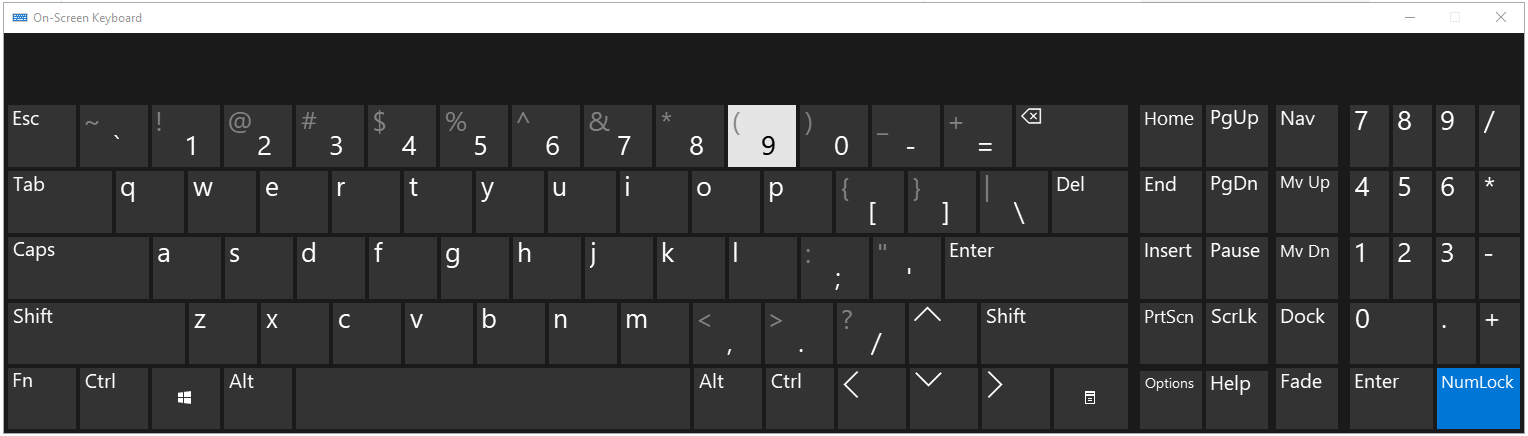
For easy access of the On-Screen Keyboard, you may pin it to your Taskbar.
Hope this helps.
Kind regards,
Marrion
No, this is not helpful because the on-screen keyboard is not as useful as the touch keyboard was. The Touch Keyboard is designed to work with Microsoft software and pops up when you enter Microsoft software and senses when it is needed. The OSK blocks the aps, does not automatically pop up and is significantly harder to use than the Touch Keyboard. The touch screen keyboard worked perfectly, with the number pad option enabled, but with one of the recent Microsoft updates it went away. And the ability to activate it was removed from the options.
The size of the number pad keys on the touch keyboard were significantly larger and easier to use. The OSK has tiny keys and using my fingers to enter as much as I use them makes it an unacceptable option.
I cannot provide a screen capture because the update changed the Touch Keyboard and reverted it to the basic form. Google searches show in pre-update versions how to activate it, but when you follow those instructions, Microsoft has changed the menus and removed the option.
It wasn't broken, I cannot be the only person that found this useful and was part of the daily usage of my Microsoft Surface. My entire company team all use Microsoft Surface with the keyboard and it has gone away. I do not understand why Microsoft would remove a feature that changes the ability to use use the Surface to it's full capability. And offering an OSK that does not recognize when it is needed, or blocks the bottom third of the screen is a total waste.
Extremely frustrated,
Phillip
' cx='32' cy='32' r='32' /%3E%3Ctext x='50%25' y='55%25' dominant-baseline='middle' text-anchor='middle' fill='%23FFF' %3EA%3C/text%3E%3C/svg%3E)
