' cx='32' cy='32' r='32' /%3E%3Ctext x='50%25' y='55%25' dominant-baseline='middle' text-anchor='middle' fill='%23FFF' %3EG%3C/text%3E%3C/svg%3E)

' cx='32' cy='32' r='32' /%3E%3Ctext x='50%25' y='55%25' dominant-baseline='middle' text-anchor='middle' fill='%23FFF' %3EA%3C/text%3E%3C/svg%3E)
Hi @gaolei ,
Thanks for posting in Q&A platform.
May I know if the .etl file is Windows update log?
- If yes
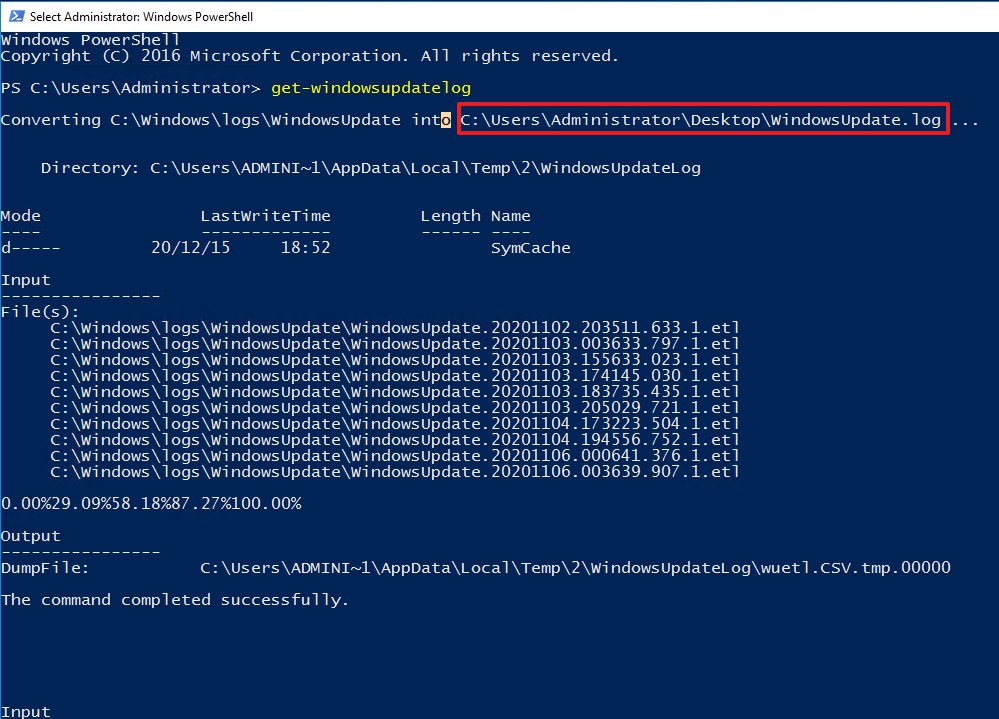
Please run the following command in PowerShell to convert ETL files related Windows update to a readable WindowsUpdate.log on desktop. And then I would suggest to open this file with Notepad or Notepad++.
Get-WindowsUpdateLog

- If not
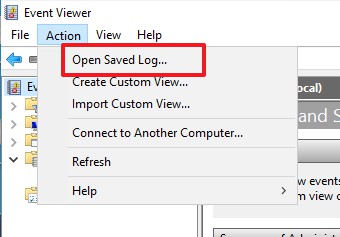
You could save the trace log files of type .etl on your device. And then please open Event Viewer and go to Action menu and choose the option "Open saved log".
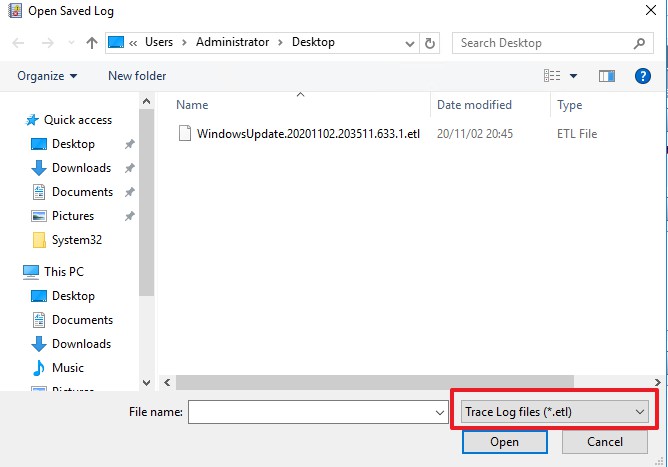
Select Trace Log files (*.etl)
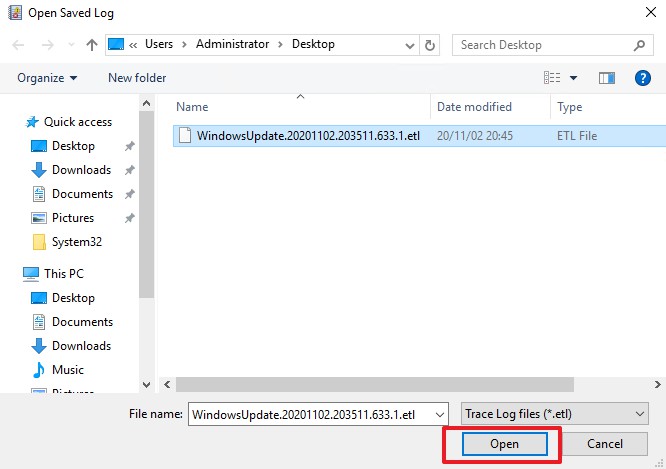
Locate to the file you saved and click Open
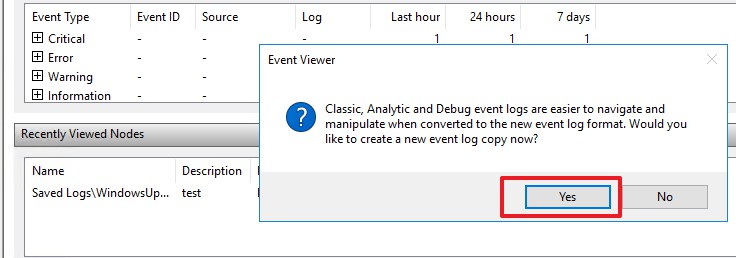
Select Yes, for easier to navigate and manipulate, Event viewer will convert the .etl file into event log format
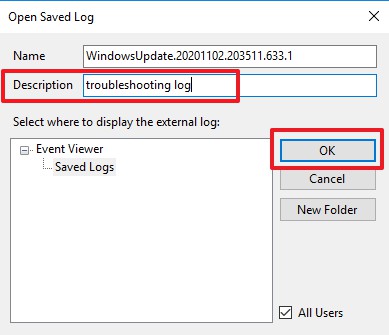
Insert Description and then click OK
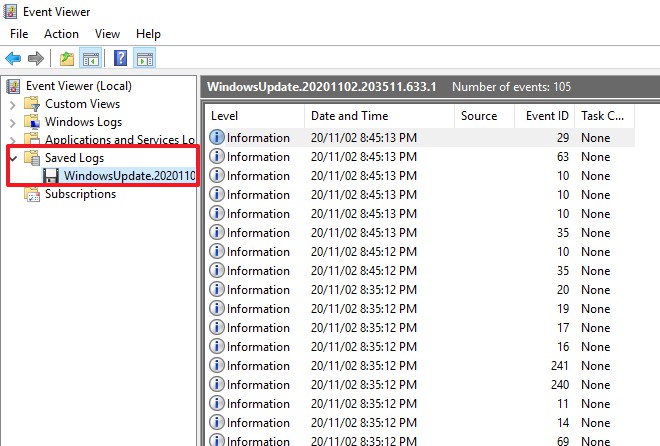
Then you can read the content of the .etl log files in Save logs of Event Viewer.
Best Regards,
Sunny
----------
If the Answer is helpful, please click "Accept Answer" and upvote it.
Note: Please follow the steps in our documentation to enable e-mail notifications if you want to receive the related email notification for this thread.