Dear @James Clarke,
I hope you’re having a good day.
To clarify first: in Microsoft Planner, there isn’t an option to directly control which day the week starts on. What you’re seeing is actually by design. Planner doesn’t manage this setting itself, it inherits it from your regional (locale) configuration, which can come from your Microsoft 365 profile or your browser/system environment.
That also explains why different users in the same organization can see different behavior.
Planner is currently picking up a region that uses Sunday as the first day of the week, most commonly: English (United States) > Sunday (default for many systems)
If your calendar used to start on Monday, it likely means something in your environment changed, for example your language/region in Microsoft 365, your browser settings, or even the device you’re using.
The most reliable way is to update your Microsoft 365 regional format, since that is what Planner typically follows.
To change these settings, navigate to your account’s Microsoft 365 language and region preferences, or adjust them directly in Teams under “Settings” > “General” > “App language”. Make sure you set it to a locale that starts the week on Monday. Restart Teams to confirm if your tasks now show Monday as the first day.
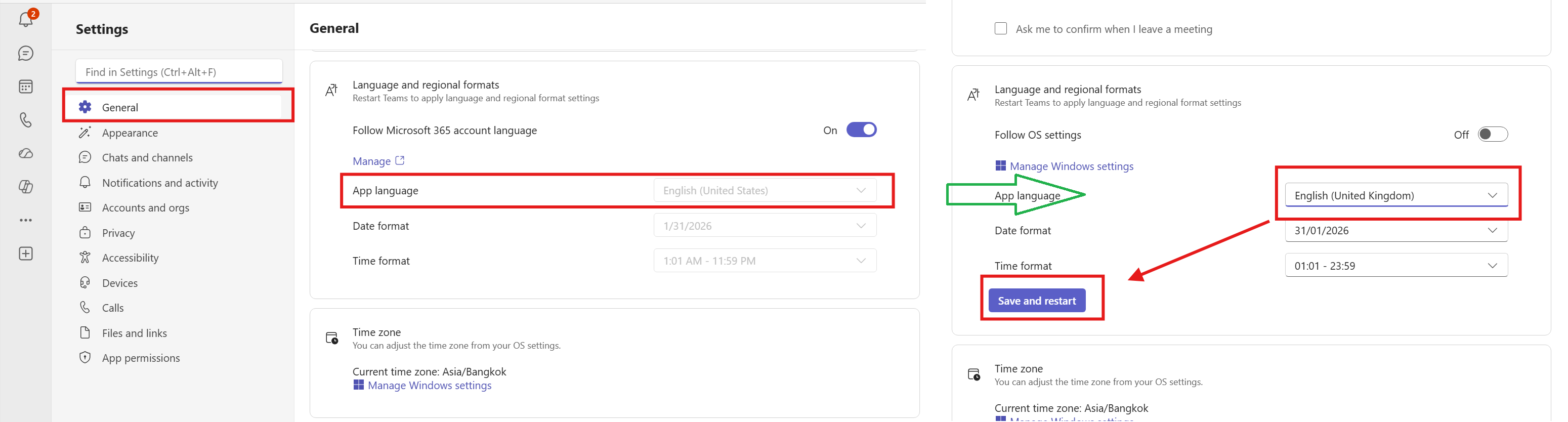
So, for your scenario, switching from something like English (United States) to English (United Kingdom) will usually result in the week starting on Monday.
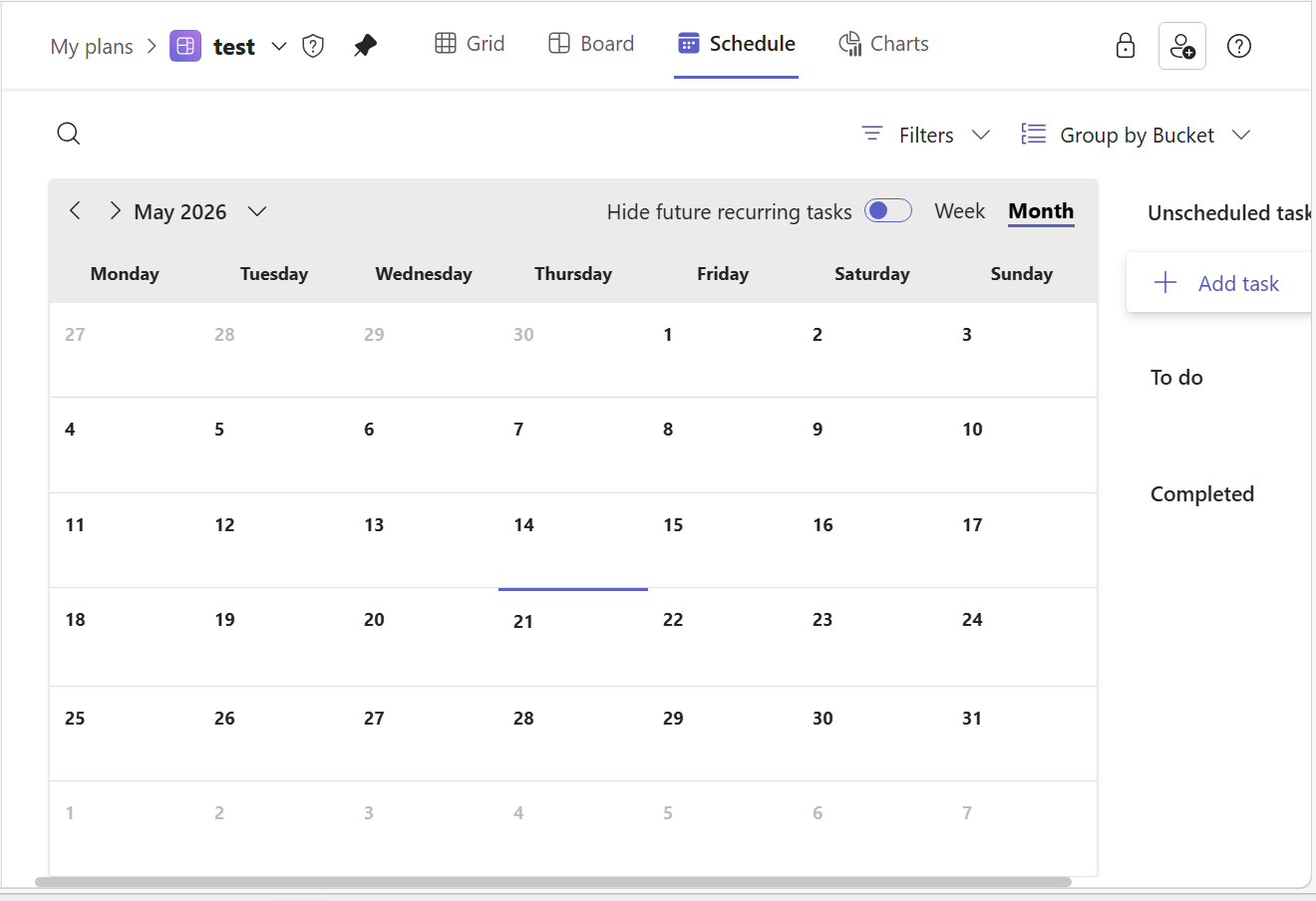
I hope this helps clarify what’s happening and gets you back to a Monday-start week. Please feel free to reply below if you have any update or further concern.
Warm regards,
Note: Please follow the steps in our documentation to enable e-mail notifications if you want to receive the related email notification for this thread.
' cx='32' cy='32' r='32' /%3E%3Ctext x='50%25' y='55%25' dominant-baseline='middle' text-anchor='middle' fill='%23FFF' %3EJC%3C/text%3E%3C/svg%3E)

' cx='32' cy='32' r='32' /%3E%3Ctext x='50%25' y='55%25' dominant-baseline='middle' text-anchor='middle' fill='%23FFF' %3ELD%3C/text%3E%3C/svg%3E)
' cx='32' cy='32' r='32' /%3E%3Ctext x='50%25' y='55%25' dominant-baseline='middle' text-anchor='middle' fill='%23FFF' %3EMA%3C/text%3E%3C/svg%3E)