Azure Synapse Analytics
An Azure analytics service that brings together data integration, enterprise data warehousing, and big data analytics. Previously known as Azure SQL Data Warehouse.
This browser is no longer supported.
Upgrade to Microsoft Edge to take advantage of the latest features, security updates, and technical support.
' cx='32' cy='32' r='32' /%3E%3Ctext x='50%25' y='55%25' dominant-baseline='middle' text-anchor='middle' fill='%23FFF' %3EK%3C/text%3E%3C/svg%3E)
I am not using SQL pools in Synapse instead I use only Azure SQL Database. My requirement is to read data from Azure SQL DB through Notebook do some transformations and save the output into Blob Storage.
The pipeline in synapse studio is working well and I am able to read data from Azure SQL DB through Integration datasets similar to datafactory. I am not able to read into my Notebook, I cant find any documentation arounds this online.
Is this supported in synapse?
Any help would be great.
An Azure analytics service that brings together data integration, enterprise data warehousing, and big data analytics. Previously known as Azure SQL Data Warehouse.

Hello @KNP ,
Following up to see if the below suggestion was helpful. And, if you have any further query do let us know.
------------------------------
 or upvote
 button whenever the information provided helps you.
Hello @KNP ,
Welcome to the Microsoft Q&A platform.
Here are steps to Connect Azure Synapse notebook to Azure SQL Database:
Step1: From Azure Portal get the Azure SQL Database JDBC connection string.
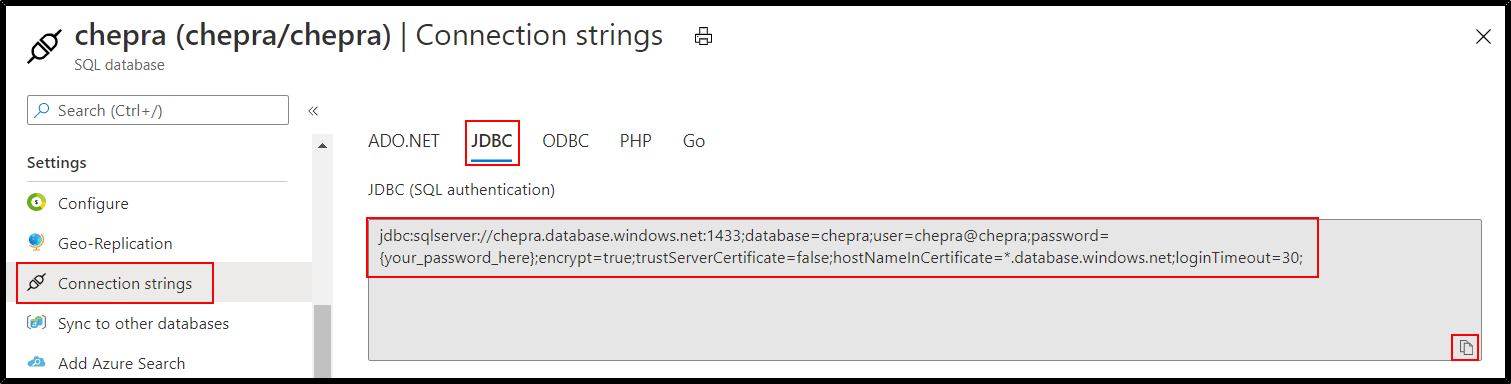
Step2: You can use the following Python Code to connect and read from Azure SQL Databases using JDBC using Python:
jdbcHostname = "chepra.database.windows.net"
jdbcDatabase = "chepra"
jdbcPort = "1433"
username = "chepra"
password = "XXXXXXXXXX"
jdbcUrl = "jdbc:sqlserver://{0}:{1};database={2}".format(jdbcHostname, jdbcPort, jdbcDatabase)
connectionProperties = {
  "user" : username,
  "password" : password,
  "driver" : "com.microsoft.sqlserver.jdbc.SQLServerDriver"
}
pushdown_query = "(Select * from citydata where ID > 0) CustomerID"
df = spark.read.jdbc(url=jdbcUrl, table=pushdown_query, properties=connectionProperties)
display(df)
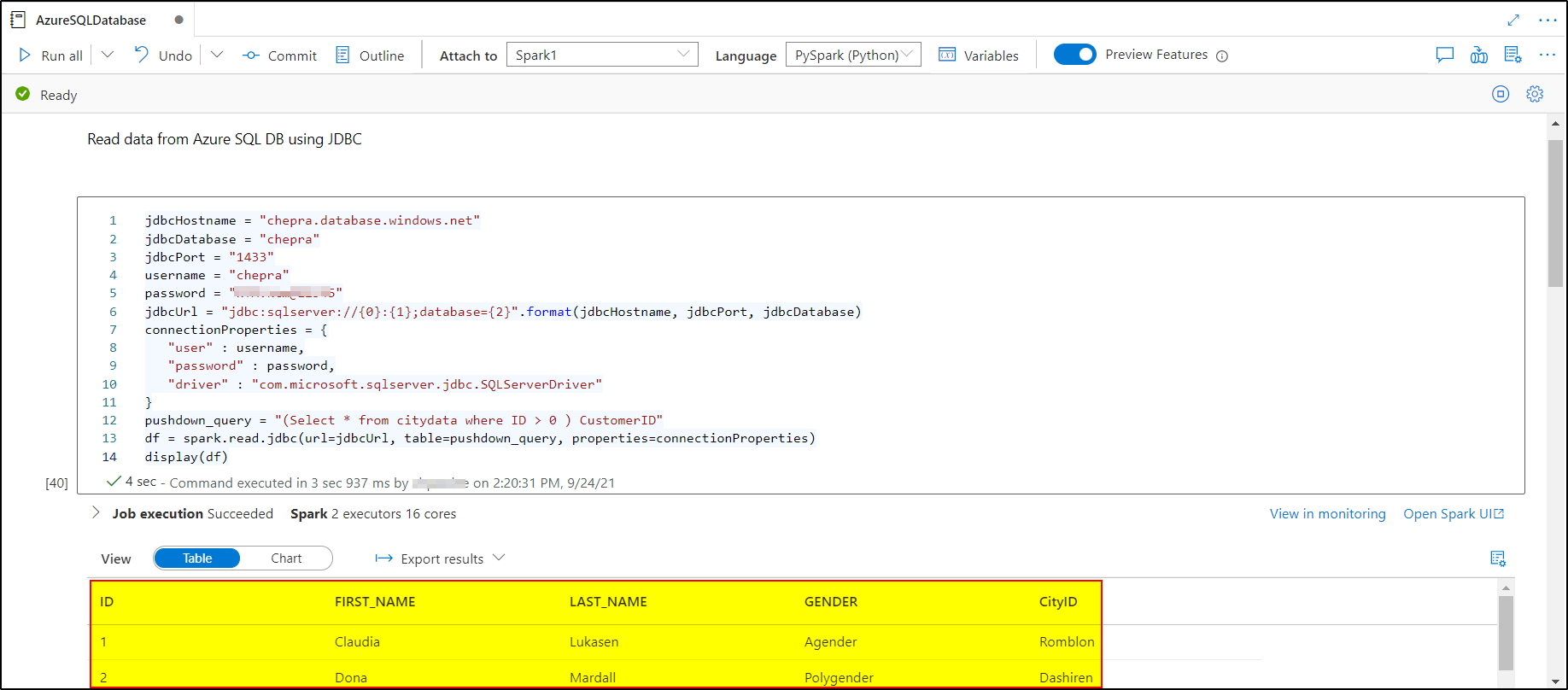
Step3: Writing data frame to Azure Storage Accounts.
wasbs://<Container>@<StorageName>.blob.core.windows.net/<Folder>/ abfss://<Container>@<StorageName>.dfs.core.windows.net/<Folder>/ I had written the data frame to Azure Data Lake Gen2:
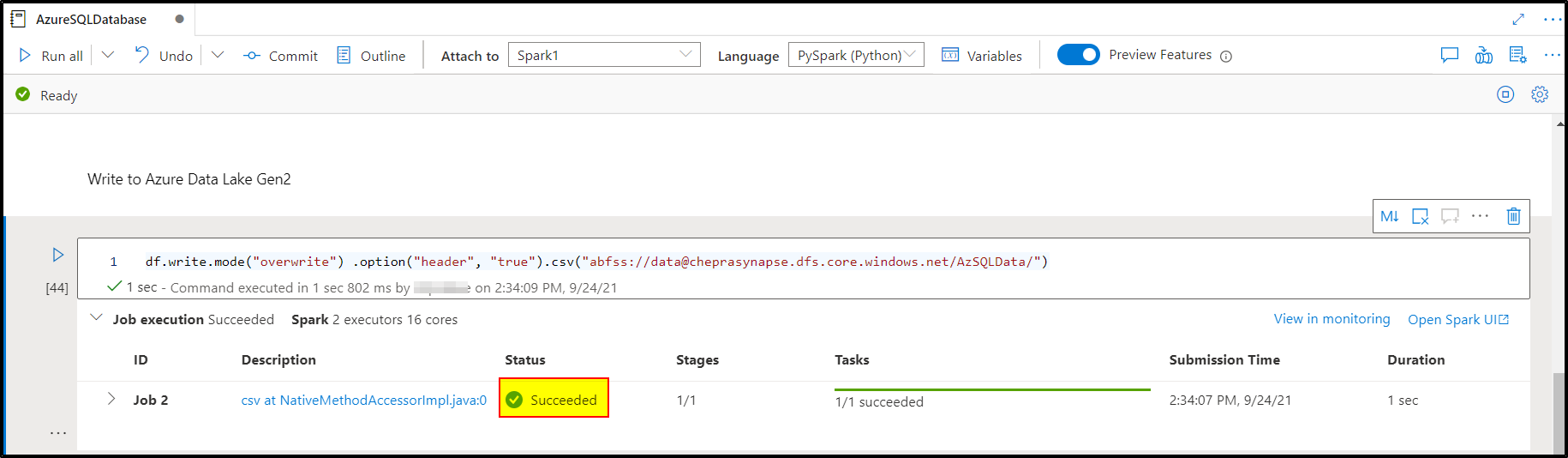
Checkout the output written to ADLS Gen2 account:
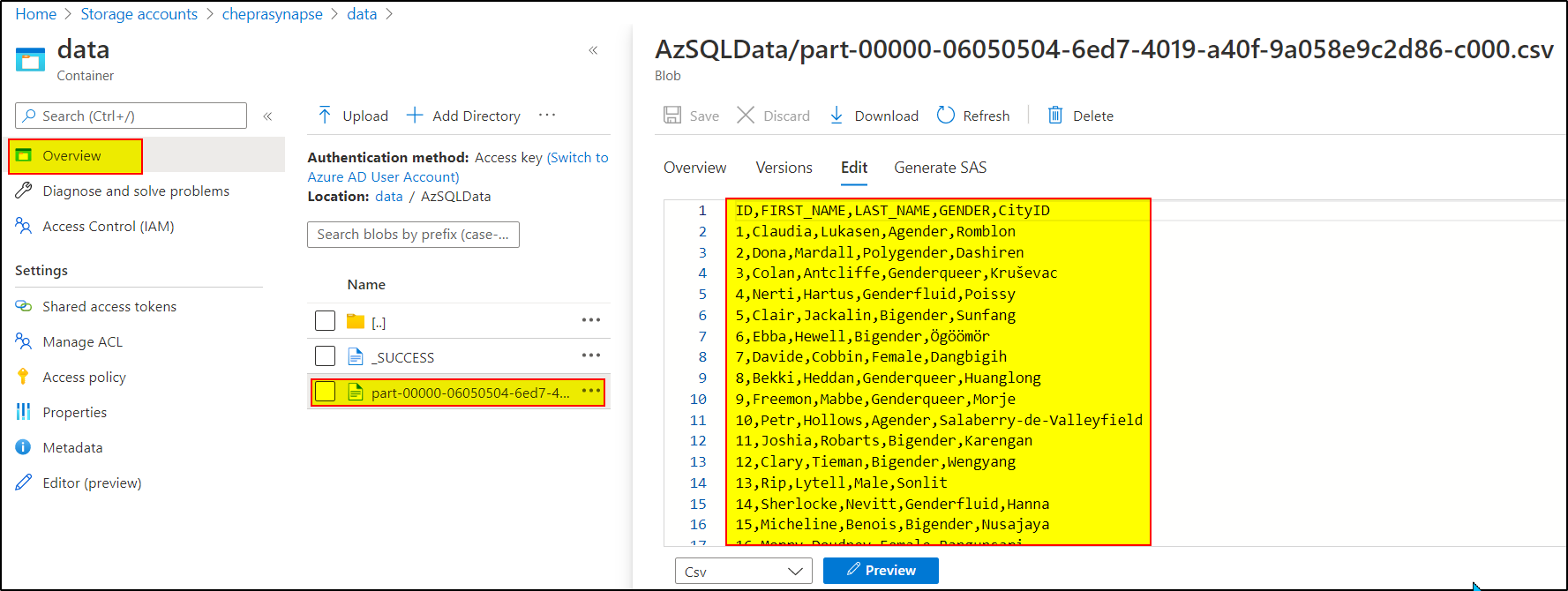
Hope this will help. Please let us know if any further queries.
------------------------------
or upvote button whenever the information provided helps you. Original posters help the community find answers faster by identifying the correct answer. Here is how
Thanks @PRADEEPCHEEKATLA @Thomas Boersma ,
Both of your answers helped me solve this issue..
Happy week....!
This answer has been deleted due to a violation of our Code of Conduct. The answer was manually reported or identified through automated detection before action was taken. Please refer to our Code of Conduct for more information.
3 deleted commentsComments have been turned off. Learn more