How to install Microsoft Planner

David Dahlquist 0 Reputation points
2026-10-04T17:05:50.5733333+00:00

After spending more than 8 hours, how do I install Microsoft Planner?

Microsoft 365 and Office | Project | For business | Other
0 comments No comments

2 answers

Sort by: Most helpful
  1. Liora 2,085 Reputation points Independent Advisor
    2026-10-04T17:24:03.8966667+00:00

    Dear @David,

    I hope you’re having a good day. 

    I'm sorry to hear you've spent more than 8 hours trying to figure this out.

    One thing that may save you some time: Microsoft Planner usually does not require a separate installation like Word, Excel, or Project. In most business environments, Planner is accessed through Microsoft 365 or Microsoft Teams rather than installed as a standalone desktop application.

    You can try accessing Planner directly at: https://planner.cloud.microsoft

    After signing in with your work account, Planner should be available if your license includes it.

    You can also use Planner from within Microsoft Teams.
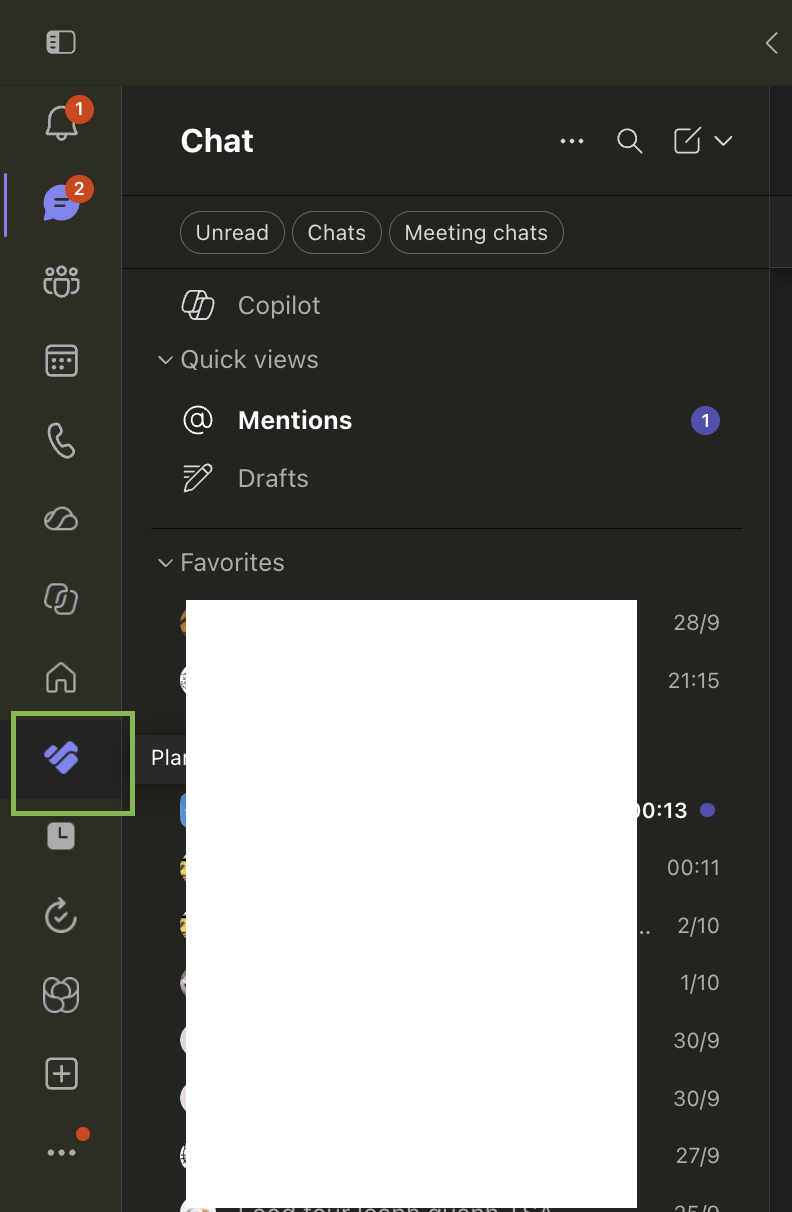
    User's image

    For more information, see Microsoft's official documentation:

    If you're still unable to access Planner, please let me know what happens when you try. For example, do you receive an error message, or is Planner simply not visible in Microsoft 365 or Teams?

    I hope this information helps point you in the right direction. If you run into any issues while trying the steps, or if something still doesn’t feel quite right, please don’t hesitate to reach out again. I’ll do my best to support you however I can.   

    Looking forward to hearing back from you with any updates or additional details.  

    Warm regards,  


    If the answer is helpful, please select "Yes, accept answer". If you have any questions or new updates, please feel free to comment below. 

    Was this answer helpful?

    0 comments No comments

  2. AI answer

    2026-10-04T17:06:06.6766667+00:00

    Microsoft Planner is not installed like a separate desktop program in most cases. It is accessed through Microsoft 365 or added as an app in Teams.

    1. Check that the Microsoft 365 subscription includes Planner. Planner comes with these subscriptions:
      • Microsoft 365 Business Basic
      • Microsoft 365 Business Standard
      • Office 365 E1
      • Office 365 E3
      • Office 365 E5
      • Microsoft 365 A1
    2. Open Planner in a browser:
      • Go to https://planner.cloud.microsoft
      • Or sign in at the Microsoft 365 home page, open the app launcher, and select Planner.
      • If Planner is not visible, select More apps or All apps.
    3. Add Planner in Microsoft Teams:
      • In Teams, select View more apps.
      • Search for Planner.
      • Select Add.
      • Optional: right-click Planner and select Pin.
    4. If Planner does not appear:
      • The organization might not have the app turned on.
      • A Microsoft 365 administrator can install and enable Planner and assign users and security groups.
    5. For premium Planner capabilities:
      • Select the diamond icon in the app to start a free 30-day trial of Planner and Project Plan 3, or request a license from the administrator.

    If the account is a Microsoft 365 Personal or Family/Home subscription, Planner may not be available as a full app in Teams.


    References:

    AI-generated content may be incorrect. Read our transparency notes for more information.

    Was this answer helpful?

Your answer

Answers can be marked as 'Accepted' by the question author and 'Recommended' by moderators, which helps users know the answer solved the author's problem.