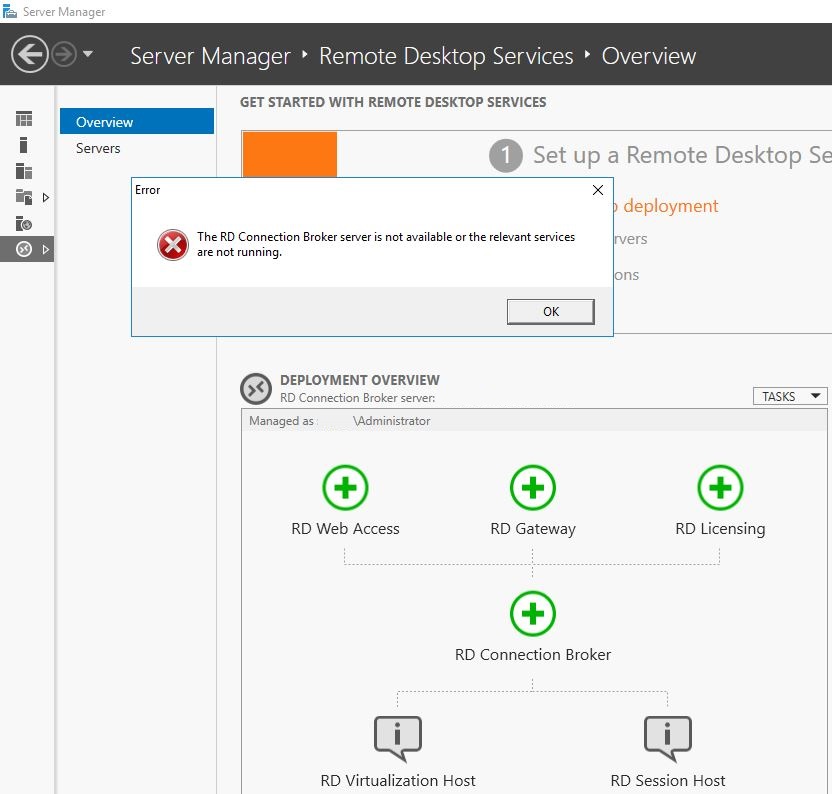
This is what helped me.
Run cmd as administrator.
Run winrm e winrm/config/listener command.
C:\Users\Administrator>winrm e winrm/config/listener
WSManFault
Message = The client cannot connect to the destination specified in the request. Verify that the service on the destination is running and is accepting requests. Consult the logs and documentation for the WS-Management service running on the destination, most commonly IIS or WinRM. If the destination is the WinRM service, run the following command on the destination to analyze and configure the WinRM service: "winrm quickconfig".
Error number: -2144108526 0x80338012
The client cannot connect to the destination specified in the request. Verify that the service on the destination is running and is accepting requests. Consult the logs and documentation for the WS-Management service running on the destination, most commonly IIS or WinRM. If the destination is the WinRM service, run the following command on the destination to analyze and configure the WinRM service: "winrm quickconfig".
Run winrm quickconfig command.
C:\Users\Administrator>winrm quickconfig
WinRM is not set up to receive requests on this machine.
The following changes must be made:
Start the WinRM service.
Set the WinRM service type to auto start.
Make these changes [y/n]? y
WinRM has been updated to receive requests.
WinRM service type changed successfully.
WinRM service started.
WinRM is already set up for remote management on this computer.
Run again winrm e winrm/config/listener command.
*C:\Users\Administrator>winrm e winrm/config/listener
Listener
Address = *
Transport = HTTP
Port = 5985
Hostname
Enabled = true
URLPrefix = wsman
CertificateThumbprint
ListeningOn = 127.0.0.1, 172.30.0.8, ::1, fe80::4ded:172.30.0.8%05, fe80::18d1:b85b:1e75:ea7z%23*



' cx='32' cy='32' r='32' /%3E%3Ctext x='50%25' y='55%25' dominant-baseline='middle' text-anchor='middle' fill='%23FFF' %3ER%3C/text%3E%3C/svg%3E)
' cx='32' cy='32' r='32' /%3E%3Ctext x='50%25' y='55%25' dominant-baseline='middle' text-anchor='middle' fill='%23FFF' %3ES%3C/text%3E%3C/svg%3E)
' cx='32' cy='32' r='32' /%3E%3Ctext x='50%25' y='55%25' dominant-baseline='middle' text-anchor='middle' fill='%23FFF' %3EH%3C/text%3E%3C/svg%3E)
' cx='32' cy='32' r='32' /%3E%3Ctext x='50%25' y='55%25' dominant-baseline='middle' text-anchor='middle' fill='%23FFF' %3EJY%3C/text%3E%3C/svg%3E)