Hi @LewisTiffany-1911
I’d like to share an update on the connectivity issue currently affecting several Microsoft 365 services.
According to Microsoft’s advisory (Incident ID: MO1550821), users may be unable to connect to multiple Microsoft 365 services, and Microsoft 365 apps users may be unable to view their recently used files. If you cannot open the PowerPoint file, it may be caused by this issue.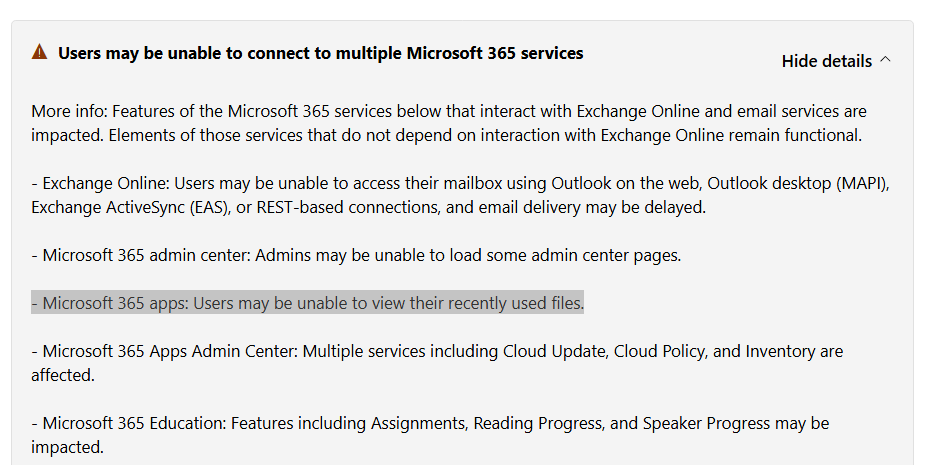
Microsoft has determined that the affected infrastructure is under high load in several regions, which is likely causing the connectivity failures. To restore capacity, Microsoft is restarting and repairing the impacted portions of the infrastructure. It is also investigating an unexpected spike in a specific type of service traffic and evaluating options to redirect that traffic to alternative infrastructure to speed up recovery.
The incident is currently classified as a Service Degradation, and Microsoft is actively investigating and working on mitigation.
If you have Microsoft 365 admin privileges, you can view the details in the https://admin.cloud.microsoft/?ocid=cmm45ut5ap0#/servicehealth/:/alerts/MO1550821
Alternatively, you can track the status on the Microsoft service health status page.
I will continue to monitor this case and will share further updates as soon as they are available.
' cx='32' cy='32' r='32' /%3E%3Ctext x='50%25' y='55%25' dominant-baseline='middle' text-anchor='middle' fill='%23FFF' %3EL1%3C/text%3E%3C/svg%3E)

' cx='32' cy='32' r='32' /%3E%3Ctext x='50%25' y='55%25' dominant-baseline='middle' text-anchor='middle' fill='%23FFF' %3EHV%3C/text%3E%3C/svg%3E)