Hello,
Unfortunately, only the family group organizer can add or remove members.
Reference:
https://support.microsoft.com/en-us/family-safety/how-to-leave-a-microsoft-family-group
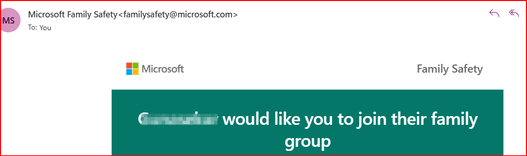
If you check the Family Safety invitation sent to your email address, you should be able to see who sent it.
You can then reach out to them and ask them to remove your account from the family group. Also, since you are treated as a child account, only the organizer can change the D.O.B. in your Microsoft account.
Example screenshot:
If you cannot identify your family group organizer, try contacting Microsoft Support through live chat to see whether they can help. Here in the community, we do not have access to Microsoft users’ accounts or their account information.
- Go to this page: https://support.microsoft.com/en-us/home/contact
- Type Talk to an agent then click Get Help, and click Contact support at the bottom.
- Sign in with your Microsoft Account. If the AI assistant opens, type talk to agent again and go to live chat support.
- Select the product and click Chat with support agent in your web browser.
' cx='32' cy='32' r='32' /%3E%3Ctext x='50%25' y='55%25' dominant-baseline='middle' text-anchor='middle' fill='%23FFF' %3ERA%3C/text%3E%3C/svg%3E)

