unable to update micrsosoft visual C++ 2015-2022 files

Paul Anderson 20 Reputation points
2026-09-21T22:05:57.05+00:00

I Can't update this software 64 or 86 versions. The issue appears to be that the existing files can't be removed.

Developer technologies | C++

A high-level, general-purpose programming language, created as an extension of the C programming language, that has object-oriented, generic, and functional features in addition to facilities for low-level memory manipulation.


Answer accepted by question author
Brian Pham (WICLOUD CORPORATION) 85 Reputation points Microsoft External Staff Moderator
2026-09-22T04:37:43.16+00:00

Hi, @Paul Anderson

If both the x64 and x86 Microsoft Visual C++ 2015-2022 Redistributable packages fail to update because the existing versions cannot be removed, the issue is often caused by a corrupted uninstall record.

As a first step, I recommend:

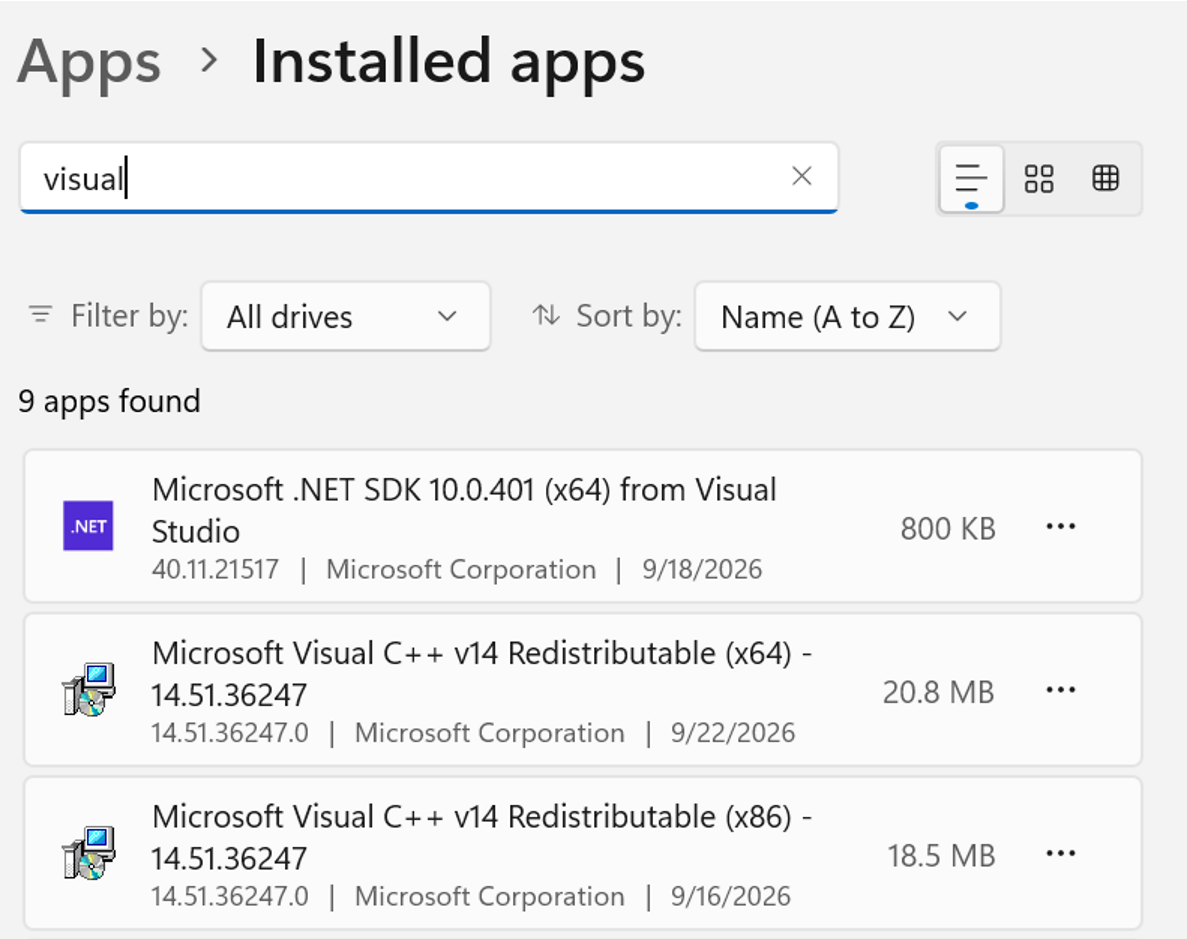
  1. Open Settings > Apps > Installed Apps (or Programs and Features).
  2. Locate:
    • Microsoft Visual C++ 2015-2022 Redistributable (x64)
    • Microsoft Visual C++ 2015-2022 Redistributable (x86)
    • User's image
  3. Select Modify > Repair for both packages.
  4. Restart the computer and try the update again.

If the issue continues, please generate installation logs by open the CMD where you store vc_redist.x64.exe and vc_redist.x86.exe and use these command:

vc_redist.x64.exe /log vc_redist_x64.log

vc_redist.x86.exe /log vc_redist_x86.log

and share the relevant error messages from the logs.

If the logs indicate a corrupted uninstall registration or the existing packages cannot be repaired or removed, we can then review additional options such as using the Program Install and Uninstall Troubleshooter or performing a clean reinstall.

If you found my response helpful or informative, I would greatly appreciate it if you could follow this guide for your confirmation.

Thank you.

Was this answer helpful?

4 people found this answer helpful.

2 additional answers

Sort by: Oldest
  1. AI answer

    2026-09-21T22:06:12.5333333+00:00

    If the existing Microsoft Visual C++ 2015-2022 Redistributable entries cannot be removed, the supported fixes depend on the failure type:

    1. Run the Program Install and Uninstall troubleshooter.
      • Download the troubleshooter.
      • Select Run or Open.
      • Use it to fix problems that prevent programs from being installed, uninstalled, or updated, including corrupt registry keys and incomplete uninstall data.
    2. If setup fails because an older version can't be removed with error 1714:
      • Check the VC Redist log files to identify the old VC Redist version causing the problem.
      • Try to manually remove that old version by using Windows Installer.
      • If prompted, let the Windows Installer Troubleshooter attempt to fix the problem.
      • Retry the installation.
    3. If the installer shows access denied with error 5:
      • Temporarily disable antivirus, group policies, and firewalls.
      • Run the VC Redist installer again.
      • Reenable protection software afterward.
      • If it still fails, run the installer as administrator.
    4. If the installer shows file is locked with error 32:
      • Close running software.
      • Restart the PC to release locked files.
      • Retry the installation.
    5. If a newer redistributable is already installed, the package will not install.
      • Visual C++ Redistributable packages check for a more recent version on the machine.
      • If a newer version is found, setup fails and returns an error.
      • The installed version can be checked in: HKEY_LOCAL_MACHINE\SOFTWARE\Wow6432Node\Microsoft\VisualStudio\14.0\VC\Runtimes\{x86|x64|arm64}
      • To avoid repeated install failures, skip installing an older package when a newer version is already present.

    Avoid manual registry deletion unless there is a verified backup and a clear recovery plan, because incorrect registry changes can break Windows Installer behavior.


    AI-generated content may be incorrect. Read our transparency notes for more information.

    Was this answer helpful?

  2. HARDCORE GAMES™ 355 Reputation points
    2026-09-21T23:30:04.53+00:00

    Usually if the runtime components are cannot be removed it may be a sign that Windows is mangled with add/remove etc

    Was this answer helpful?

    2 people found this answer helpful.
    0 comments No comments

Your answer

Answers can be marked as 'Accepted' by the question author and 'Recommended' by moderators, which helps users know the answer solved the author's problem.