Ramesh replied with: See my post here. Follow the link and go back to his post on Sep 16. I have already done this. But, maybe I did something wrong, or something just went wrong. Do it again.
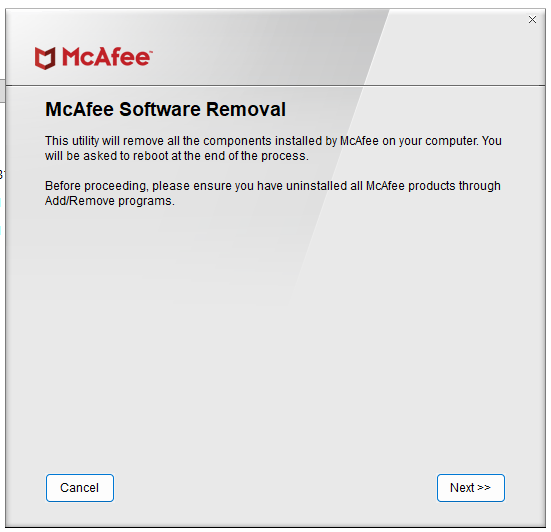
The link takes me to a mcafee page with inssructions to download the MCPR tool. Confirm I want to run it. Screenshot 24-01 Images put at the end of the post. Hopefully in order.
Click Next and agree to the license agreement. Click Next. Complete the Security Validations and click Next. Wait while it removes the tools, start 1:48 PM. It displays several removals. I missed the first few but here are some: NPFP, MPS, MQC, MSAD, MSK, MWL, NMC, VS, MSC, (MSC took much longer than most), MGS, WPS, RESIDUE. Finally a quick message stating uninstallation was successful. The last dialog has a Restart button. Save this file and do that.
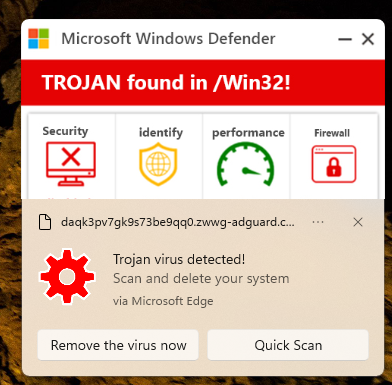
After the restart a Microsoft dialog presented. Image 24-02
Select button: Remove the virus now.
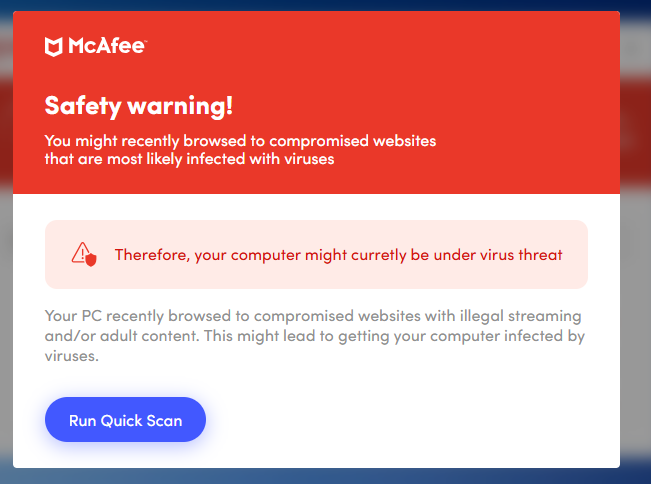
The dialog closed and a new Edge dialog opened with a McAfee dialog. Image 24-03 mcafee
And a Windows dialog is presented. Image 24-04
Ignore the McAfee dialog and click the Link in the Windows Defender dialog. While typing this a second copy of this dialog appeared, the same as the first. Now click the button: Remove the virus now
The dialog closed and the McAfee dialog in the Edge browser refreshed with a new dialog.
The McAfee is the problem here. But it will not remove!!!
Ok try button Run Quick Scan
It finds stuff and says I must pay them for protection.
A review: I am trying to remove McAfee and run the tool. “Windows” pops a dialog about virus threats, and pops up the McAfee tool.
Must I pay McAfee for a new subscription?
Or, must I reinstall Windows?
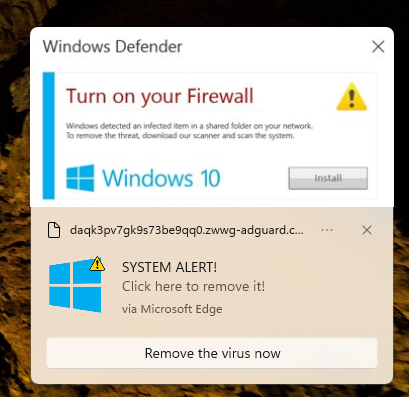
Oh, the dialog provides the option to install Windows 10. Read that again. I am running Windows 11 and it offers to install Windows 10. I see this as an error on the part of Microsoft. Opinions please.
' cx='32' cy='32' r='32' /%3E%3Ctext x='50%25' y='55%25' dominant-baseline='middle' text-anchor='middle' fill='%23FFF' %3EBK%3C/text%3E%3C/svg%3E)


