Microsoft Teams | Microsoft Teams for business | Other
Additional features, settings, or issues not covered by specific Microsoft Teams categories

This browser is no longer supported.
Upgrade to Microsoft Edge to take advantage of the latest features, security updates, and technical support.
' cx='32' cy='32' r='32' /%3E%3Ctext x='50%25' y='55%25' dominant-baseline='middle' text-anchor='middle' fill='%23FFF' %3EA%3C/text%3E%3C/svg%3E)
I have a staff who must click to show hidden chat content in individual chats with another staff. We have a company retention policy of 1 year, however the chats are only 2-3 weeks old. Is it possible to reset this per account to get it working as expected?
Additional features, settings, or issues not covered by specific Microsoft Teams categories
' cx='32' cy='32' r='32' /%3E%3Ctext x='50%25' y='55%25' dominant-baseline='middle' text-anchor='middle' fill='%23FFF' %3EE%3C/text%3E%3C/svg%3E)
Okay yes I just saw this in my own environment and was tinkering around wondering when this happens or why. I finally discovered it. This didn't happen before recent updates, but now, if a user "hides" a conversation then goes back to it or someone sends a message in it, it will by default hide past conversations and give you that message you referenced. If the user unhides or doesn't hide the conversation, this doesn't happen. So this is due to the manual step of the user hiding a conversation and not retention. I verified this myself on my computer.
Hope this helps!
I saw this too - and tested it - but it does not include the text about deleted history due to retention policy and so it doesn't necessarily match the scenario my staff is seeing.
I don't think she is manually hiding chats in her list of individual chats.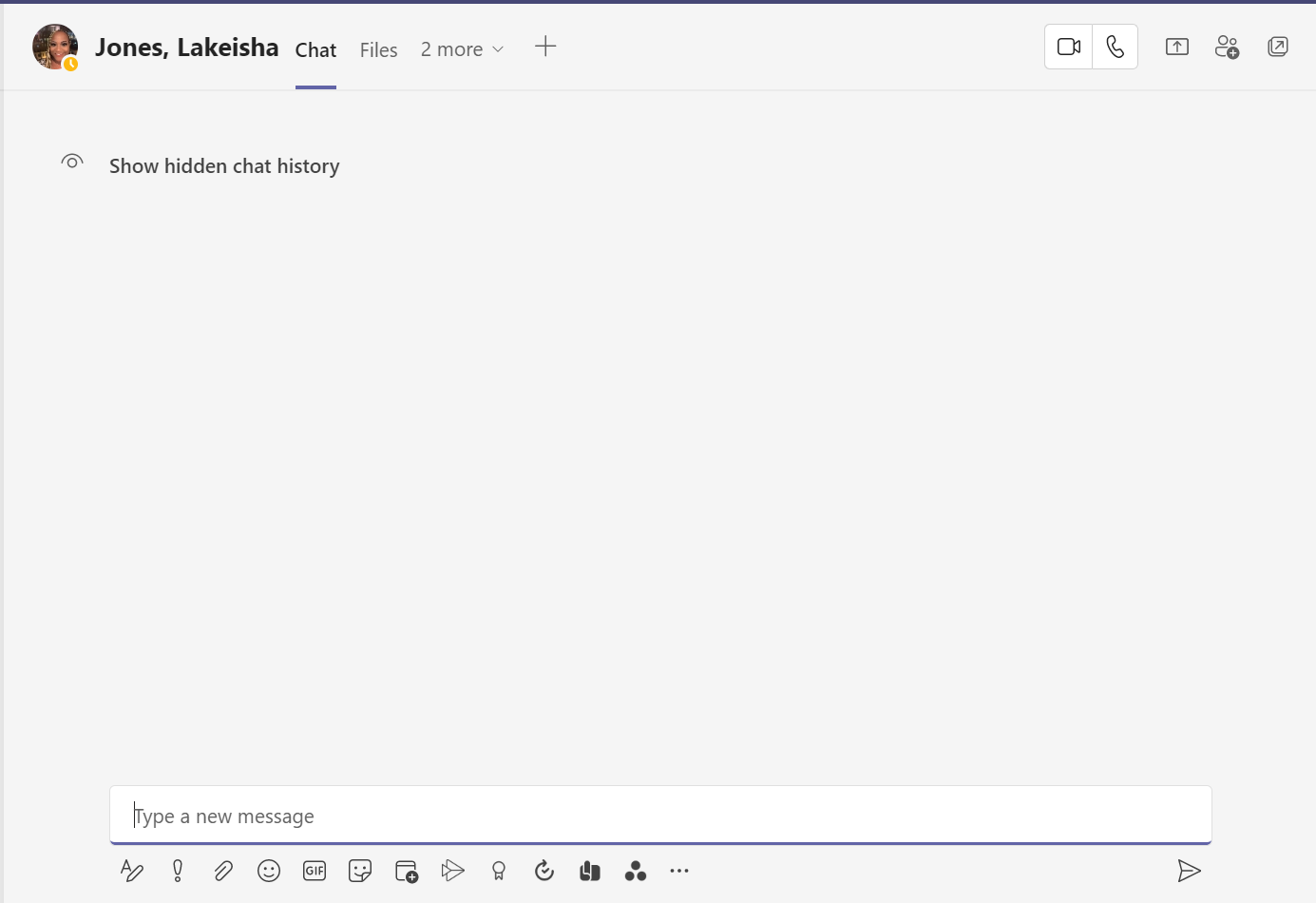
But after reaching out to her she said she DOES actually hide chats in her list. I was not made aware of this. However she says this new wording about the show hidden chat history was new to her.
So perhaps an update to MS Teams clients did this.
I fear no-one is understanding the issue.
I'll try again:
ISSUE WITH TEAMS APPLICATION: CHATS with Individuals are automatically hidden (MUST click to reveal)
There is a 1 year retention policy - HOWEVER - the chats are less than 1 year old
Has anyone resolved this issue before?
' cx='32' cy='32' r='32' /%3E%3Ctext x='50%25' y='55%25' dominant-baseline='middle' text-anchor='middle' fill='%23FFF' %3EJM%3C/text%3E%3C/svg%3E)
Hi @AdamYV
I also did a test in our environment but we did not find the hide options in our Teams client, we just need to scroll up the chat history to read it. Could you provide a screenshot to us? Thanks in advance!
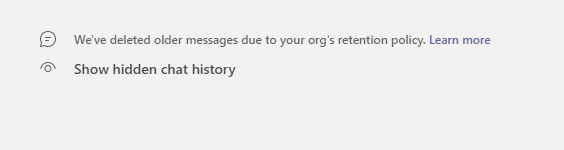
This is what can be seen when clicking on a chat with an individual. But when you click Show Hidden Chat History - the chats are only about 3 weeks old.
Sorry I replied below your text here with an image.

Setting up Retention policies for chat will help in my opinion.
Follow the steps below to set a retention policy for chat for individual/selected/all users
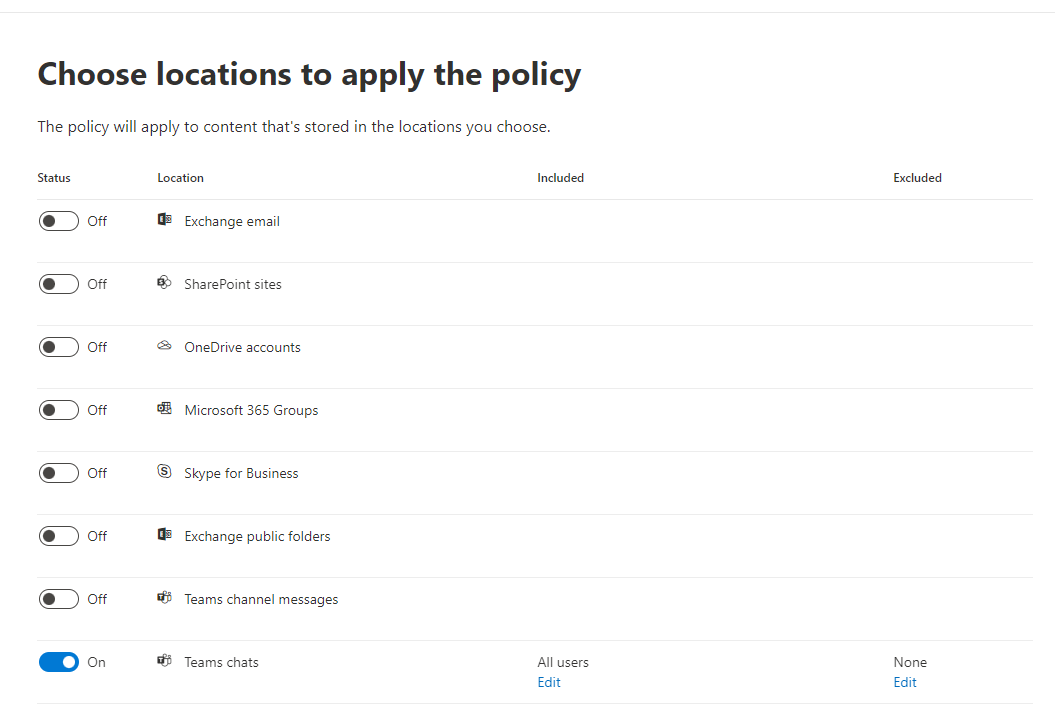
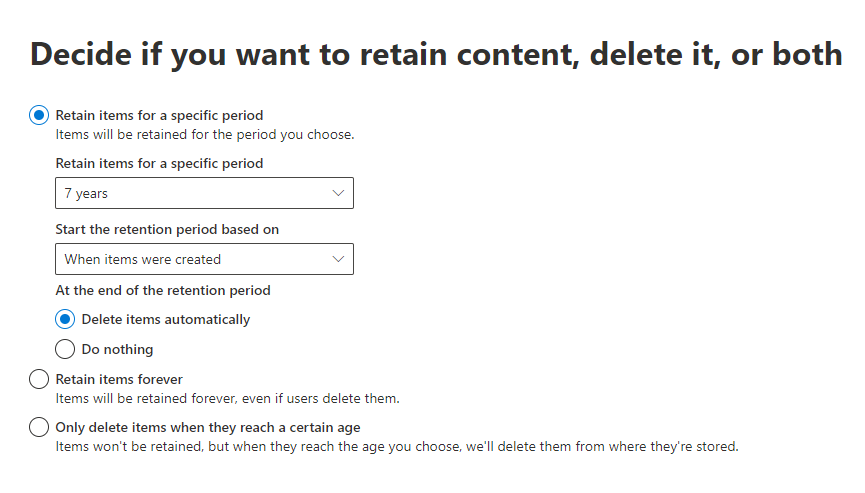
Thank you - but the problem is there is already a retention policy
The setting is for 1 year.
However, chats are still being hidden by default- this should NOT be.
She has to click to reveal the chat history - and the chat history is only 3 weeks or less old.
All messages gets copied to exchange online for compliance reasons! You need to have the appropriate permissions (eDiscovery Permission) to use content search!
Every time you create a Teams group, an Office 365 mailbox is automatically created where chat history is stored.
If an Answer is helpful, please click "Accept Answer" and upvote it
Hi @AdamYV
I am not sure your meaning of reset Teams chat history. Do you mean you want to delete the previous chat history or archive chat history?
If you want to see these chat and don't want to hide it, you could select Teams Chat Bubbles icon to open the chat list. Find the name of the conversation you want to pin. Then, select More options More options button > Pin. This ensures that the chat stays at the top of your list. If you change your mind, just select it again and unpin it.
If the answer is helpful, please click "Accept Answer" and kindly upvote it. If you have extra questions about this answer, please click "Comment".
Note: Please follow the steps in our documentation to enable e-mail notifications if you want to receive the related email notification for this thread.